
Your Browsing History


Thomas P.
Joined on 02/23/08
0
0
product reviews
- 6
Solid memory, just need to adjust your Bios
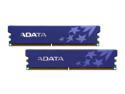
ADATA 4GB (2 x 2GB) DDR2 800 (PC2 6400) Dual Channel Kit Desktop Memory Model AD2U800B2G5-DRH
Pros: This RAM has great bang for its buck, at least at the time I made this purchase. It works well with my old ram too (which came with my system when I ordered it). It simply snapped into my computer's motherboard.
Cons: At first it caused my system to hard lock. I was confused and about ready to send in an RMA replacement on the item, thinking it was defective. However, on your Bios just adjust the amount of voltage the memory gets to 1.8 volts (not Auto) and it'll work fine. This can be done, in ASUS mobos at least, by going into the "JumperFree Configuration" on the motherboard and choosing a manual setup. This was confusing, however, when I installed the memory and some documentation stating you might need to do this would have helped immensly.
Overall Review: Good stuff, just make sure you configure your system to accept it.
3/18/2008See more detail
What a joke of a product
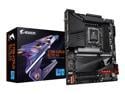
GIGABYTE Z790 AORUS ELITE AX LGA 1700 Intel Z790 ATX Motherboard with DDR5, Quad M.2, PCIe 5.0, USB 3.2 Gen2X2 Type-C, Intel WiFi 6E, 2.5GbE LAN, Q-Flash Plus, PCIe EZ-Latch
Pros: - Fairly inexpensive for a z790 - You get to experience the joy of Intel's 12th, 13th, and 14th generation platform - You get to enjoy the experience of returning a motherboard and buying AMD instead
Cons: - You get what you pay for - Gigabyte apparently overclocks this board out of the box. A 13900k that worked fine in a different motherboard with stock settings totally failed and repeatedly crashed under load with stock bios settings
Overall Review: Would not recommend this, or really anything in intel's current generation at this point until Intel and it's motherboard partners get their... stuff together.
3/13/2024See more detail
A stable and performant card
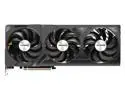
GIGABYTE GeForce RTX 4080 SUPER WINDFORCE V2 16G Graphics Card, 3x WINDFORCE Fans, 16GB 256-bit GDDR6X, GV-N408SWF3V2-16GD Video Card
Pros: The included anti-stag bracket, although a bit confusing at first to visualize the installation of, was fairly easy to install once I saw a 3rd party YouTube video (Gigabyte's own channel had an equally confusing video). I would highly recommend using this bracket if you plan on using this card in a horizontal orientation.
Cons: The V12HPWR port on this thing is extremely tight. You will need to use an absurd amount of force to get the power connector flush with the socket. I ended up taking a flat head screwdriver and pushing each side in until it was flush. This is EXTREMELY IMPORTANT. Gigabyte should probably include very obvious warnings about this in their packaging with images showing a bad connection and a good one.
Overall Review: A good card at a good price. Would recommend buying.
3/15/2024See more detail
The best AIO I've ever used, hands down
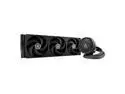
ARCTIC Liquid Freezer III 360 - Water Cooling PC, All-in-One CPU AIO Water Cooler, efficient PWM-Controlled Pump, Fan: 200-1800 RPM, LGA1851 and LGA1700 Contact Frame - Black
Pros: - No mandatory controller to find room in the case and run cables for - Gives you a choice between an all in one fan control (single wire to the CPU fan header), or more precise control by separating the control of the pump, VRM fan, and radiator fans. - The LGA 1700 contact frame is very easy to install - Default configuration is for exhaust (no need to reconfigure the fans for most installation scenarios) - Includes a tube of paste instead of pre-applying the paste, which is better because you don't need to find a tube if you need to clean the IHS and plate and re-install the cooler.
Cons: - No manual in box. Must scan QR code on box to read the manual.
Overall Review: Other notes would be to be wary of the thickness of the fans. If the rear IO on the motherboard is shielded, it might interfere with a top-mounted configuration. I was able to work around this by sliding the radiator as far down to the front of the case as possible, and removing one of the two front panel fans my case had pre-installed. Overall, amazing product and by far it was the thing I had to worry the last about with my build.
3/15/2024See more detail
Very much pleased with this adapter
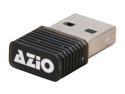
AZiO BTD-V201 Micro Bluetooth Adapter
Pros: Small, compact, fits well on a laptop, but still viable for use on a Desktop PC. Easy to use software for Syncing.
Cons: None.
Overall Review: Because of the way my PC is located, there was some interferrance if I used it on the back of the PC. Instead I just put it on a hub that was next to my keyboard. Pretty sure this would be the same for any wireless adapter.
11/25/2011See more detail
Screech!
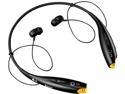
LG Behind-The-Neck Stereo Bluetooth Headset w/ Music Streaming/ Call Waiting Support (HBS-700)
Pros: Good construction, allows you to easily remove the earbuds when not in use. Vibrate when you get a call. Excellent battery life. Quality is good for the price.
Cons: Ocassionally does a screech that torments my eardrums. I don't know why they're doing it.
11/3/2011See more detail