

Your Browsing History


matthew p.
Joined on 08/19/04
0
0
product reviews
- 9
Powerful Portable and Quiet Gaming PC
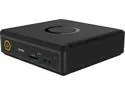
Zotac MAGNUS ZBOX-EN1060-P-U-i3 GTX 1060 GDDR5 8GB Memory 32GB M.2 SATA SSD Black Mini / Booksize
Pros: Very Compact Size Quiet Powerful GPU, VR & 4K Ready, Good Value Expandable (Yes, Really)
Cons: No USB-C or Audio Out Jack on the back side of the unit
Overall Review: Choose this model or one of it's siblings if you want a very good, but not bleeding edge Gaming PC that is VR Capable and you like the small size. There is no real way at the moment to DIY build something this small and powerful yourself from components, and almost all other PC options this small can't even approach the GPU performance. The upcoming Hades Canyon NUC may be it's closest competitor. I now own 3 Magnus EN1060s* and use them for HTPC, Gaming and Software development, and am very happy with all of them. There are several Zotac Magnus ZBOX models that use this particular case and form factor, and the EN1060-P-U-i3 probably the best value among them at the current moment, as the cost of buying a GTX 1060 6GB, 8GB DDR4 and i3-6100T CPU separately almost equal the price of this complete system (especially if it is on sale). The ZBOX EN1060 models make for a very good living room/HTPC/PC gaming setup. There are 4 total display outputs: 2 HDMI 2.0 and 2 DisplayPort 1.3 ports. This makes Multi-Monitor, 4K TV, and VR support (such as the HTC VIVE) a non-issue. The EN1060 models have a nVidia GTX 1060 MXM module GPU with 6GB VRAM, which gives 90-95% the performance of a 6GB non-OC GTX 1060 desktop card (same chip, slightly lower clocks). It's about twice the GPU power of the models with the GTX 1050 and 80% of the GPU power of the models with the GTX 1070. 4K Gaming on max/ultra settings may not get 60fps on some of the newest titles, but everything else is pretty much a non-issue. Example: Serious Sam 3 runs at over 100 FPS at 4K resolution on Ultra settings. The CPU in the EN1060-P-U-i3 is probably it's weakest link, but it's decent - sort of landing in the middle for gaming purposes. At 3.2 Ghz (though only dual Core+HT) it's notably faster than the models with the i5-6400T and almost matches the i5-7500T's max turbo. Operations that use lots of cores will notice the most. It is super easy to add or change Memory and Storage in the ZBOX Magnus EN1060/EN1070 models. The bottom cover is easily removed and provides access to the M.2 connector, 2.5" SATA Drive and DDR4 SO-DIMM slots (2). The EN1060-P-U-i3 models I bought (2) came with a single Crucial brand 8GB SO-DIMM, though it's possible other purchases could have different brands or 2x 4GB sticks. Max memory supported is 32GB (2x 16GB). The 32GB SSDs included in my units were M.2 SATA (not NVMe) devices. 32GB is the bare minimum for installing Windows 10 with just a few GB left over, so plan on either replacing it, or adding a second drive. I recommend the 960 EVO M.2 NVMe SSD Drive or similar as your OS drive. The performance increase over regular SATA III SSDs is actually noticeable. The footprint of the EN1060/EN1070 is just barely bigger than a Mac Mini, though it's about 1 inch taller. Unlike the Mac Mini, the EN1060 has an external laptop-style power supply. I considered it a con for a minute, but if it ever fails it can be replaced separately. Overall, it's a VERY portable for a non-laptop PC, and I have taken the EN1060 in my carry-on luggage on business trips with no problems. In operation, I've found the EN1060 to be very quiet overall. The internal cooling system is well designed and the acoustics of the unit are very good. It's effectively silent at 2 feet away unless you are doing heavy gaming, in which case the fan noise is audible but still fairly soft. * Now for the fun stuff: The CPU in the EN1060 and EN1070 is socketed and can be upgraded, if you are willing to void your warranty and are comfortable with putting together your own PC from components. For that reason, I can not endorse doing this, but if you are a power-user like me you may find it an irresistible project. For those interested, here are my results: There are detailed videos and instructions of the upgrade procedure on the web. Difficulty is only moderate, and it takes about 30 to 45 minutes and does not require any special tools. The BIOS already recognizes other Skylake and Kaby Lake CPUs, but only "T" version CPUs with 35w TDP should be used. It's still advisable to upgrade it to latest before attempting this though. I upgraded the CPUs all 3 ZBOX Magnus units I own successfully: one with an i7-6700T and 2 with i7-7700T CPUs. Observed temps did not go up for me even under load (gaming or compiling), which I attribute to using top-quality thermal material, and the CPUs hit max turbo easily. Noise and acoustics stayed the same (very good). The performance improvements are nice and as expected. If you choose to do this, your results may vary.
3/17/2018See more detail
Large Capacity, but LOUD
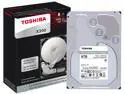
Toshiba X300 8TB Performance & Gaming Internal Hard Drive 7200 RPM SATA 6Gb/s 128MB Cache 3.5 inch - HDWF180XZSTA (RETAIL PACKAGE)
Pros: Large Capacity, Performance, Price
Cons: Loud
Overall Review: Had no problems with it, but unfortunately I put it in a PC that sits on top of my desk instead of under it, and it is -loud- when spun up and you can hear a crun-chunk sound when seeking/accessing. I'm past my return period and can say there have been zero functional issues other than noise, ( and I would not have returned it anyway because it operates just fine - that's not enough for me to justify that), but I am strongly considering replacing it and relegating it to an external HDD case. Like all Hard Drives, the actual amount shown is fractionally less than the number on the drive - in this case, when formatted as a single NTFS drive, Windows displays 7.27TB total capacity. A good value in terms of capacity/price. If you value quiet, this isn't the drive for you
4/15/2018See more detail
Fast, Fast, Fast
SAMSUNG 960 EVO M.2 1TB NVMe PCI-Express 3.0 x4 Internal Solid State Drive (SSD) MZ-V6E1T0BW
Pros: - Very, Very Fast - "It Just Works"
Cons: - Can get hot
Overall Review: It's a blazing Fast drive. Use as your OS drive and you will be able to feel the improvement over a SATA III SSD drive - it's not that huge in 'real world' times, but it's there. I noticed the drive can get hot, but I'm not sure if it throttles down performance as a result.
5/28/2018See more detail
Worth it if you if you do recurring business with Newegg.

Newegg Premier 6 Month Membership
Pros: - recoups the cost on rush processing and shipping if you have enough orders - Handy when you have a return
Cons: - not for the person who only orders one or two things a year
Overall Review: I like to think of Premier as Newegg's answer to an airline's frequent flyer program. If you do more than the occasional purchase with Newegg, the little savings on rush/expedited will add up, and if you have a return ( like I just did ) it's great to know that there won't be any fees or restocking charges. Newegg sends reminder emails well in advance of renewal, and makes it easy (unlike that Gym Membership) to quit so if your circumstances change and you won't need it... no problem, no hassle. Now, if you only are buying one or two things a year at most, it probably doesn't make sense to have Premier. If you're like me and have 2 full pages on this year's order history.. and it's only May.. well, it's already paid for itself.
5/28/2018See more detail
Big & Quiet for personal storage
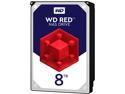
WD Red 8TB NAS Hard Disk Drive - 5400 RPM Class SATA 6Gb/s 128MB Cache 3.5 Inch - WD80EFZX
Pros: - Large Capacity - Very Quiet - Good Price per GB / Value
Cons: - None
Overall Review: I have 2 of these placed in a HP Proliant Gen9 mini-server, configured in Raid 1. Performance, for my usage cases and workload, has been just as good as my HGST drives - bulk transfer is limited by GigE network speeds. The server lives under my desk and is silent, even when the drives have spun up from sleep. These WD Red Drive seems to "wake up" a bit quicker than the other drives I have used. Totally sold on the WD Red line for high capacity bulk storage.
5/28/2018See more detail
Best Kaby Lake CPU for TDP constrained setups
Intel BX80677I77700T 7th Generation Core i7-7700T Processor
Pros: - Fast - Stays cool - Hits Max Turbo easily whenever busy
Cons: - None. It's excellent for what it is.
Overall Review: I used this CPU to upgrade a Zotac Magnus (Mac Mini sized PC). I made sure to use good thermal material, and never have a problem with temps getting to hot. Whenever it gets busy, I see it turbo up to and stay around 3.4ghz. Good bang for the buck and for use in small/silent/TDP constrained systems.
5/18/2018See more detail
seller reviews
- 1
Took a week for the item to ship. I think they were out of stock and waiting on a reorder, yet claimed to have the chip in-stock. 2 eggs off because I needed it quick and they claimed it would have arrived much sooner than it did.
On-time
Delivery
Product
Accuracy
Customer Service
Satisfactory
8/23/2018See more detail