
Your Browsing History


Jay P.
Joined on 10/31/05
0
0
product reviews
- 26
Does as described
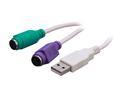
Rosewill RC-USB-PS2-BG 6" USB to Dual PS/2 Adapter Cable - Beige
Pros: Works without a hitch on Win7, Vista, Ubuntu machines I put it on. Now I can use one set of mouse and keyboard to check on my farm hot swapping this from front USB inputs makes life much easier for 5 bucks.
Cons: Doesnt work unless an OS is operating, meaning no accessing bios at boot up. Doesnt work on any machine even with usb legacy device endabled for bios access.
6/10/2010See more detail
First MSI
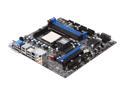
MSI 760GM-E51 AM3 AMD 760G HDMI Micro ATX AMD Motherboard
Pros: -Nice clean colors though it doesnt matter to me. -Lots of onboard connectors HDMI is nice so I can run 3 pc's on 1 monitor by using vga/dvi/hdmi from each pc and just change monitor input. -NorthBridge runs cool 35c as high as Ive seen when running board under full load for a few days. Though Im sure it go higher if running a pcie gpu. -Will boot and run just fine if you have a large hsf and can only use the 3-4 memory slots. -Plenty of bios options for OCing.
Cons: -Lack of pwm fan connectors onboard, only 2 -Has vDrop ~0.012v and lies about voltage in bios/cpuz being 0.08v below for whats needed for the clocks I run on a 955c3 on 2 other boards that use 1.44v this board claims 1.35v -At default bios settings voltage is set at 1.325v for 955c3 and the temps I got were a dead give away that voltages werent true. Far too high 1.24v worked for stock. -Due to Vdrop I have to run slightly higher voltage for stablility when running full load 24/7 resulting in ~4c higher temps. -No auto shut down temp. settings in bios for cpu which is a first for me on a board with OCing option.
Overall Review: I purchased this for crunching for a cheap home for a 955 I had laying around. I usually by Biostar for low end boards but wanted to try something different. I am a dissapointed most in the Vdrop and inaccurate voltage readings and warn anyone using or purchasing this to be catious of the voltage and work it as low as you can go if running stock and of course overclocked. 3 stars for the pretty dress, I'll stick with Biostar next time.
6/9/2010See more detail
Bang for the buck
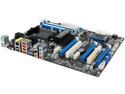
ASRock 970 Extreme4 AM3+/AM3 AMD 970 + SB950 USB 3.0 ATX AMD Motherboard with UEFI BIOS
Pros: Plenty of PCIe slots with good spacing. Will run all 5 without any issue. BIOS is nice though takes getting use to. Haven't OCed on it but does under-clock/volt nicely. Runs like a top 24/7.
Cons: NB does run warm for being underclocked. Possible cpu temp reading issues being it claims Athlon II x4 at 1600mhz .9v is at 45c under zero load. CPU fan profile due to odd temp reading cause factory Phenom II heatsink to rev high and throttle constantly.
Overall Review: Impressed all around generally with my first AsRock. 1 star off due to temp reading. Someone with a factory AMD heatsink is going to notice the unneeded noise.
9/28/2011See more detail
Soild
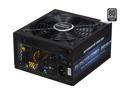
PC Power and Cooling Silencer Mk II 950W High Performance 80PLUS Silver SLI CrossFire Intel Haswell Ready Power Supply
Pros: Soild unit maintains 87% efficiency with 800-950w DC load. Been running 2 of these for several months straight pulling 900w+ AC read load 24/7 without a hick up. Rebates come in less than a month.
Cons: Fan has a click to it would not recommend for a heavy load build with low noise levels being a priority.
9/28/2011See more detail
Golden
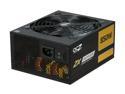
PC Power & Cooling ZX Series 850 Watt 80+ Gold Fully-Modular Active PFC Performance Grade ATX PC Power Supply (OCZ-ZX850W)
Pros: 80+ Gold saved ~40 watts compared to Corsair TX750 bronze @ ~600 watts Silent fan @ 600 watt pulled from wall 24/7 Cables well sleeved with plenty of length Modular = less mess Quality a/c power cable Velcro straps included, nice touch
Cons: Molex female pins were poorly fitted/aligned.
Overall Review: Replaced a Corsair TX750 with this. Was going for cool, quiet, efficient, clean/tidy, quality and that's what I got. The TX750 was just too loud under 600 watt load while the rest of the rig was quiet under water. Had to compliment and polish off the old build with a refresh.
6/11/2011See more detail
For the GRID
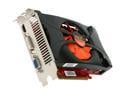
Palit GeForce GTS 450 (Fermi) 1GB GDDR5 PCI Express 2.0 x16 SLI Support Graphics Card NE5S4500FHD01
Pros: Cheap, overclocks easy in AfterBurner with voltage control. At stock voltage (1.05v) will run at 950/1900, havent messed with the memory and AB allows up to 1.2v I believe. Benchmarked at 1050/2100/1800 1.1v in Vantage with a GPU score of ~9500 which is pretty impressive for the cost. Im sure 1100/2200/2000 can be obtained for benchmarking but 950/1900/1950 would suite someone for daily use in gaming. Stock clocks operate at .975v which turns this card into a very quiet and cool one. At 950/1900 with 50% fan on GPUGRID(80%load) temps are 70c and the fan noise ~35db. Completes WU's in ~12hours, awaiting to see how many ppd.
Cons: The mosfets have no heatsinks and for long sustained loads like Im running they are important. The fan wire is coated in thin plastic and hangs just above the mosfets. In a case such as Im using with the fan in the upward position opposite of most cases, the wire could easily begin to sag due to heat and find it's self resting on the mosfets melting it and cause serious problems. The cooler is cheap but effective, red pcb is well red, and if your concerned about looks well, the card is ugly as sin.
Overall Review: I resolved the mosfet by placing heatsinks on them myself and after 12 hours under full load they remain cool to the touch so I think for anyone just gaming the mosfets would be fine as the cards come. The fan wire potential issue is resolved easily by taping the wire to the inside of the shroud. The most expensive version of this Palit card is the Sonic Platinum and reviews rate it the best overclocking GTS450 around, note it is the same as this and the Sonic just with a better cooler under the shroud and carry's the same overclocking potential. Great card for the cost all around would be great for any moderate gamer or someone on a budget.
12/31/2010See more detail