
Your Browsing History
 Holiday Shipping Details & Extended Holiday Returns Holiday Shipping Details & Extended Holiday Returns

Joined on 05/02/07
Surprising awesome despite high expectations
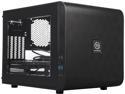
Pros: - top, bottom, and side panels come off with thumbscrews - very quiet (the only noise in my machine is a 1TB platter drive) - way more room inside than I expected - long cables from front-panel/bezel - innovative drive placement - removable dust filters - quality construction; this case doesn't scratch easily and the frame and its panels are solid - aesthetically beautiful, making this a perfect balance between form and function
Cons: - the *optional* PSU mounting brackets are not a perfect fit and a little bit awkward to install - the logo badge on the front is about 4x the size of a normal logo badge - the logo badge sits magnetically within an inset, so if you don't like the giant Thermaltake logo on the front of your machine, the front looks like its clearly missing something - the dust filters are held on magnetically, and I'm generally opposed to having magnets around my hard drives (old habits die hard)
Overall Review: My cons are not serious cons or deal breakers for me by any means. I consider the price of this case to be on the low side of the spectrum for a computer case, so I really wasn't expecting it to be so aesthetically pleasing nor was I expecting it to be so quiet. I would have preferred that there was no cheesy window, but since the case turned out to be so nice, I don't mind it at all. WARNING: this case is a lot larger than the pictures do justice for it; its like having an AS400 on my desk lol I'm extremely pleased with this case and if I had need to build another machine, I would buy this case again in a heartbeat.
Probably good but I will never know
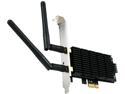
Pros: - looks nice - works with Linux sometimes and very fast when it does work - easy enough to physically install - comes with a low-profile bracket if you need one
Cons: - Linux community drivers for this are sketchy at best - Broadcom does not currently provide any Linux drivers for this card at all
Overall Review: I bought this card specifically because reviewers indicated that it works with Fedora. This is *mostly* true for Fedora 30, but *hardly* for 31. The "correct" drivers to use (broadcom-wl-dkms) require the UnitedRPMs repository which seems to be quite flaky. Half the time, the package can't even be downloaded from the UnitedRPMs repository. Half of the remaining time, the package *can* be installed but doesn't work. This may be a problem with Fedora 31 and not UnitedRPMs, but I couldn't even get a driver for CentOS. If you buy Wireless Cards for Linux because you need a project, this is the card for you. In my case, I just need a wireless card that works. If you are like me, stick with Intel chipsets, not broadcom chipsets. 2-eggs because Linux users are an afterthought for Broadcom. This is not the first time Broadcom chipsets have caused issues for this Linux user.
Ice Cream and this PSU
Pros: The price is right for a low wattage PSU that makes no noise. The cables are totally manageable (a real selling point for me in the future). This is a solid choice for a system with low power requirements.
Cons: Silverstone didn't prepare a nice bowl of ice cream for me while I installed this PSU in my client's system.
Silence is Golden
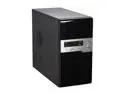
Pros: This case looks great to begin with, let alone for the price you pay for it. I was proud to present my client with a system housed in this case; no gimmicky features or cheesy visual drawbacks whatsoever. The case seems to be of really good construction, nothing about it feels flimsy. Behind the front panel is a really neat removable 120mm fan mount which made fan installation really easy. If you don't like the media card reader/writer, it's a removable, drive-sized device which can be used in another system. Both side panels come off.
Cons: The fan that came with this case is a real noise maker, the USB jacks on the front panel are aggressively snug (but functional), and I thought I was going to break the front panel while removing it. Newegg isn't going to send me 5 or 6 of these for free.
Overall Review: Once I replaced the noisy fan with a silent 120mm fan, the case was stealthy. The cons listed are really worth getting over for this case. Don't be nervous that this item has only been reviewed twice, it's undercover awesome. I can't vouch for the power supply; with few exceptions, I always replace stock PSUs with well researched (and known to be reliable) alternatives.
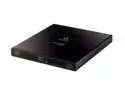
Pros: This drive is relatively silent, compact, lightweight, and reliable. Neither my wife nor I have managed to burn even one coaster with it so far. This drive seems to take less time to finalize a disk than other drives (internal or external) I've used in the past.
Cons: The casing is very thin, so you'll want to close the tray by grabbing the drive from the sides instead of the top, or the casing gets in the way of the drive fully closing. New Egg doesn't pay me to sit in the dark and write reviews.
Overall Review: The USB cable forks off to provide additional power to the drive. I wouldn't care if the additional cord wasn't as long as the cord that extends from the drive to the computer. All the extra cord is unsightly, but this would be useful if each side of your laptop only had one working USB port.
define performance
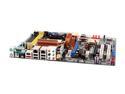
Pros: Honestly, I usually disregard complaints about defective boards. But right now, 80 percent of the 5 boards I've received (that means 4) have malfunctioned out of the box. That's not defective, that's normal operation.
Cons: (Read my first review for "operational" cons) Boards 3, 4, & 5 have automatic v-core of 1.44 (non-warranty-voiding processor calls for 1.35 - 1.40). Boards 3, 4, & 5 verified "defective" by three "level 3" techs at ASUS tech support. One guy even tried to tell me to under-clock it to cool it down. Yeah, Ok. Two separate processors on all three boards run between 51-63C, in a well ventilated case. I'm using the same processor (AMD X2 6000 @ 125w) on these boards as I do in my less-ventilated case, with a different motherboard, and pulling a full-load max temp of 44C. This is "performance?"
Overall Review: There is no time difference between "Advanced RMA" and "Basic RMA." Both take a week and a half to ship the board. (812) 282 - 2787 is the number for tech support, which you won't find easily on the ASUS website. Great board if you plan to over-clock and you have all the time and money in the world to throw at one machine to keep it cool.