


Your Browsing History


John P.
Joined on 12/21/07
0
0
product reviews
- 13
The Next Day
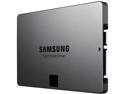
SAMSUNG 840 EVO 2.5" 500GB SATA III TLC Internal Solid State Drive (SSD) MZ-7TE500BW
Pros: I have a previous review where I found that this device was listed as SCSI in my computer even though my computer is set to AHCI. My Bad. The mobo has an X58 chipset. It comes with an ICH10R southbridge that controls the SATA ports. It also has additional SATA ports controlled by JMicron 362 or 363 chip. It turns out that it was plugged into a JM362 port which is listed as SCSI. I plugged it into the SATA0 port and it works great as AHCI. Now with Magician it almost hits the spec benchmarks for Sequential Read and Write and Random Write. It is about half of the spec for Random Read. Makes sense since the ports are not SATA 3.
Cons: The manual lists the additional necessary items to install this. A bracket, the screws and also the USB to SATA cable for data migration. I do not mind providing all this stuff but it would have helped my purchase if this would have been listed on the Newegg product page. Also, Newegg could suggest that these items be considered for purchase when checking out.
8/23/2013See more detail
Don't Lose the CD
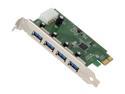
GWC USB 3.0 SuperSpeed 4-Port PCI Express Card Model PU3040
Pros: Very nice and clean add on card. Solidly built.
Cons: Take a look at the card and also the packaging for it here on the Newegg website. There is no indication anywhere that it is built by "Good Way Technology Company" or "GWC". After the card is installed the device manager in the computer never sees the manufacturer. The manufacturer website has the drivers for the 2 port USB 3.0 card but that is NEC and this card has a VIA chipset. The CD has no name on it. Just, "USB Drivers". After I installed it there were three drivers installed but now I have a fourth "unknown device" showing up in Device Manager. The USB 3 transfer rates for this from an X58 motherboard to a WD USB 3.0 external hard drive was 100 GB in thirty minutes. About 55 MBS. Sounds slow but it probably is about right for these cards.
Overall Review: After buying this I have done some research on USB 3 add on cards in general. The technology is not there yet. All of the cards fail to some degree. There is an excellent review in VR-Zone from AUG 23, 2011 that shows that none of the chipsets work at USB 3.0 speeds and that there are conflicts even among the same chipset manufacturers. I have several computers and if there is a problem in the future I doubt that I would remember the manufacturer of this card and if Windows Update does not recognize it then I am out of luck. It seems that USB 3.0 may not be a good technology until Intel has it built onto the CPU and Windows 8 comes out.
2/8/2012See more detail
Completely Unsatisfied
ThinkPad 14.0" Intel Core i7-4600U 8GB Memory DDR3L 1600 256GB SSD Windows 7 Professional Upgradable to Windows 8.1 Pro 64-Bit X1 Carbon
Pros: The X1 is a great laptop
Cons: This is not what was advertised. The part number is 20A7002QUS. I have found belatedly that this number does denote a specific laptop. It is a laptop that has been downgraded from windows 8.1 Pro to windows 7 Pro. It also has a 1600 by 900 screen. As on August 7, 2014 this product is listed as Windows 8.1 Pro and WQHD (2560 by 1440). I bought this with next day delivery because I only had 48 hours to get it ready to give to someone who was leaving for a year. I ended up spending hours converting it to windows 8.1 and paid extra for the high resolution that did not come with the computer. I cannot send it back since it is already gone.
Overall Review: The part number is 20A7002QUS and it is searchable to see the exact configuration. I will DEFINITELY search the part number in the future and not take what Newegg says the configuration is. Probably not buy a preconfigured laptop or computer from Newegg. (I could have gotten a refund but that would only have covered the purchase price and shipping and not the sweat equity involved. It also would not have been ready since the person with the laptop is gone for at least a year.)
8/7/2014See more detail
Gamers make sure you know what you want. Also HDMI 4K limited to 1080P
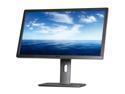
Dell UltraSharp U2713HM Black & Silver 27" WQHD IPS-Panel Displayport HDMI Widescreen LED Monitor 350 cd/m2 DC 2Million:1 (1000:1), height&pivot adjustable
Pros: This is a beautiful monitor that has great detail and very little eye fatigue. Wonderful LED picture. The finish feels great. I am always adjusting the tilt and swivel when I change my seating position and it just feels good to move it around. The USB 3 hub works great. All the Pixels are good.
Cons: The best HDMI cable will still only get 1080p. That is just the way it is. I am using a DVI-D cable and get 2560x1400. A Displayport cable will also work but it has HDCP and that can sometimes cause a problem. There are comments about how the cables are visible and cluttered underneath. The connectors on the back of the monitor are rather low so it is very hard to keep them out of view. It is possible with a right angle IEC adapter and also with a DVI-D to DVI-D swivel adapter to make them disappear. It is worth it to me. Very clean looking when no cables are visible.
Overall Review: Sometimes things are so obvious but I still miss them. I have been increasing my monitor size until I was using a 27 inch 1080p monitor. I just do gaming. No movies or work. The work stays at work. So, I get this monitor and hook it up and then I suddenly realize that the picture is not bigger. It is still 27 inches. Just everything on the screen is much smaller. Surfing the web is like looking at a font of 2. Games are interesting. My video cards in sli are robust enough so that the performance is good. The landscape is vast but the enemies are tiny. Having a lower resolution is sort of like having a built-in zoom scope on the rifle. Now it is the opposite. Battlefield 4 has an option where it will increase or decrease the field of view so that can make it like it used to be. But it is just too gorgeous not to see the whole wide world. I love this thing but my K/D ratio is taking a beating but who cares.
10/31/2013See more detail
Can I give negative Eggs?
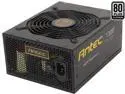
Antec HCP-1300 Platinum 1300W ATX12V / EPS12V SLI CrossFire 80 PLUS PLATINUM Certified Full Modular Active PFC Power Supply - Intel Haswell Fully Compatible
Pros: It seems like it has some power. I am too exhausted to find out.
Cons: Thank goodness there was an earlier post that the 8 pin connector must be connected to the power supply in addition to the regular mobo power cable to power the mobo. Has anyone seen this before? It is not in the instructions in the box. (none) Or on line. Also online there are some red colored connectors and they are all black.
Overall Review: I have two 680GTX sli running on an Antec Signature 850. No problems at all. I put together a new rig and splurged on what I thought would be fun. I put the whole thing together with cabling, etc. for two days and was pumped to start it up. The fan turned one rotation and stopped. I eventually grabbed an old Thermaltake and just hooked up the 8 pin CPU and the mobo cable and it worked. Thank goodness I did not have to reseat the CPU and undo all the cabling. Though I did have to take out all the cards that had been installed. Antec, please use common sense. If very few power supplies require an eight pin cable in addition to the mobo cable then PLEASE MAKE AT LEAST ONE COMMENT in the directions.
9/29/2013See more detail
Even USB 2.0 is faster
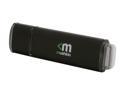
Mushkin Enhanced Ventura Pro 32GB USB 3.0 Flash Drive MKNUFDVP32GB
Pros: This is very fast. I have Windows 8 Pro on an x58 machine. This windows shows the data transfer rate. I have used many flash drives and usually the transfer rate is 5 MBS. This drive routinely has a 20 MBS transfer rate for writing to the thumb drive. I do not have USB 3.0 on this computer. This is four times the transfer rate for the USB 2.0 interface. I do not know if other USB 3.0 flash drives are also this much faster.
Cons: This is not a con. Just something to know. The computer said that there was not enough room to transfer a file. The file was 20 GB and the flash drive had 32 GB. That was an incorrect message. The flash drive was formatted as a FAT32. The biggest size for a file in FAT32 is 4 GB. Reformatting the Mushkin to NTFS fixed the problem.
1/29/2013See more detail