
Your Browsing History


Gregory S.
Joined on 04/23/04
0
0
product reviews
- 13
Almost perfect, except fo the power switch
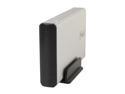
Rosewill RX35-AT-SC SLV Full Aluminum Cover, Metal Tray 3.5" Silver SATA I/II USB 2.0 & eSATA External Enclosure
Pros: Easy installation - 6 screws and the drive was securely mounted in the enclosure. USB 2.0 transfer speeds were limited by the USB interface to 30-31 MB/s. eSATA transfer speeds were very close to what I saw when the drive was used inside a PC case - 80-115 MB/s. Stays cool to the touch.
Cons: Eject the drive using Win 7 utility and the drive disconnects, but doesn't spin down. I have to throw the power switch to get the drive to spin down and stop to move the enclosure safely.
Overall Review: I have seen complaints in other feedbacks about the case getting very hot. The temperature rise appears to be strongly related to the drive model. I'm running a 1.5 TB Seagate 7200.11 Barracuda in this case and can feel no heat. A Green drive would be an excellent match for this enclosure.
6/29/2011See more detail
Good Byte for the Buck, when it works
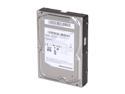
SAMSUNG EcoGreen F2 HD154UI 1.5TB 7200 RPM 32MB Cache SATA 3.0Gb/s 3.5" Internal Hard Drive Bare Drive
Pros: Excellent GB/$ ratio. Good transfer speeds (~75MB/s) for a value 5400 rpm drive.
Cons: 1 out of 2 was DOA. Showed 0 MB capacity. Failed SMART Test, would not reformat. Other disk worked just fine. Maybe I was unlucky. Samsung's disk tool requires booting from a floppy or CD just to test an attached drive. Not the most user friendly utility I've used.
Overall Review: I bought 2 of these to fill a D-link NAS so I'd have 3 TB (love that unit) of network storage to back up all of my home computers. One drive is now in that service, doing well (the network limits the transfer speed far more than the disk performance) so I'm hopeful the Newegg RMA process will bring me back to full capacity.
10/1/2009See more detail
Does what It's supposed to, but doesn't spin down
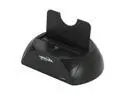
Masscool DS-UES001 USB2.0 + eSATA to 2.5"/3.5" SATA HDD Docking Station with one touch backup function - Retail
Pros: Connects via eSATA and USB 2.0. USB 2.0 speeds are limited to the 30-31 MB/s of the USB interface. eSATA speeds went up to the same level I was seeing on the internal bus (80-110 MB/s) which was exactly what I was looking for.
Cons: The drive does not spin down when the eject feature of Win 7 is used. Turn off the power switch and let the drive spin down before moving if you value your data integrity.
Overall Review: The includeded mini-CD has an interesting selection of options - clone internal disk, backup, FAT32 formatting (which is very useful for those trying to configure a hard drive compatible with the PS3.
6/29/2011See more detail
Elegant, Easy Build, but Static Prone
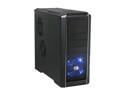
Cooler Master RC-690-KKN1-GP Black SECC/ ABS ATX Mid Tower Computer Case
Pros: Nice looking ATX case with plenty of room for disk drives. I used two of these for office builds - the lack of a door obstructing the CD/DVD was a key feature. USB ports on the top make for convenient use on a floor mounted position. Toolless mounting actually worked well.
Cons: The power/reset button placement on the side of the tower is a major pain if the tower is placed under the desk on the left side (as my setup was). It's all too easy to brush the switch with the side of my foot and trigger an unintended reset. Static electricity is a horrible problem for my low humidity office. There is no grounding between the decorative metal railings and the chasis (at least until my electrically conductive tape gets in). We were going nuts trying to figure out why openning the CD shut down the machine until we made this connection. Most installations won't have this issue.
2/27/2010See more detail
Confusing to install, but a good price

Microsoft Office Small Business 2007 V2 (no media, Lic only) English DSP MLK 1-Pack
Pros: As much as I think Office 2007 added far more confusion than useful features with the "Ribbon Bar" interface on its programs, it's a a requirement for the modern office. This is pretty much the ONLY way to get a full version on a new computer at a semi-reasonable cost.
Cons: Media only. Need to download the software. No big surprise there, but the Microsoft's information leads you to believe that you have to sign up for their Partner program to get the OPK kit. Turns out you can download the media from their backup site without having to jump through all the OPK hoops.
Overall Review: This is for a single license and installation. The full retail version allows two installations (an office computer and a personal computer used by the same worker) but costs twice as much.
12/13/2009See more detail
Simplify your office life and desktop
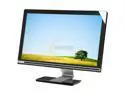
Gateway FHD2102bmidgz Black 21.5" 5ms HDMI Widescreen Full HD 1080P LCD Monitor w/ Built in Speakers 300 cd/m2 20000:1(DC) w/ Built in USB ports
Pros: Full HD (1920x1080) resolution gives LOTS of screen space. The built in USB hub and speakers neaten up an office desktop amazingly well.
Cons: Glossy screen can pick up background reflections, especially if facing a window. The 2w built-in speakers are fine for office work, pathetic for gaming.
Overall Review: On screen controls are a bit unusual - there's one physical button for power - the other screen selection buttons are all touch sensitive flat spots on the edge of the screen. I actually had to read the manual to figure out how to use them.
12/13/2009See more detail