
Your Browsing History


Trevor G.
Joined on 06/26/02
0
0
product reviews
- 14
It works
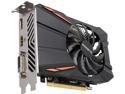
GIGABYTE Radeon RX 550 2GB GDDR5 PCI Express 3.0 x8 ATX Graphics Card GV-RX550D5-2GD REV 2.0
Pros: Installed fast, I have never noticed the fan coming on. I don't use this for gaming. It runs three 4K monitors flawlessly. If you're using HDMI your Monitor needs to support HDMI 2.0+ to get 4K.
Cons: The card is a little on the large side. No problems in my ATX case but a smaller case may be kind of tight.
Overall Review: Not sure how this will do with high frame rate games but it handles other applications, movies and business software across three monitors . I am using 3 28" AOC monitors. they have HDMI, DVI-D, and display port so I used cables w/same ends.
10/25/2017See more detail
Great big cooler
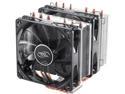
DEEPCOOL NEPTWIN V2-CPU Cooler Dual 120mm LED PWM Fans Twin-tower Polished Copper Base Metal Mounting Kit Support LGA2066/AM4
Pros: Large with plenty of surface area cooling. 2 fans-1 PWM and 1 DC. Install easily – it does take a little pressure to get the screws into the clamping bracket. The fans are very quiet, I could care less about RGB lighting.
Cons: Instructions are very lacking- check for videos. If you are mechanically inclined you will have no problem.
Overall Review: I would buy this again. Not sure why they used 2 types of fans but both of them work well. If your motherboard senses the difference between 3 pin DC and 4 pin PWM then you're fine otherwise you'll have to go into your bios and tell it what you have plugged into the fan headers if you want speed control. My I7-10700k is overclocked to 4.9 ghz. Under moderate load my CPU temps are less than 50° C. I have 4ea 120 mm case fans, 2 intake and 2 exhaust. All The fans don't seem to spin more than about 900 RPM at moderate load. At that speed they're barely noticeable. Before I got the DC fan switched in the bios it was running at 1300 RPM. I could hear it but still wasn't very loud. I took both fans off to install. They both went on without a problem although a 2nd pair of hands might be helpful. I raised the fan over my crucial ballistX memory about a quarter of an inch. There were no other clearance issues on my ATX mobo or mid-tower case (Fractal Focus G) It came with a small tube thermal paste, but I didn't try it out.
7/22/2020See more detail
This review is for the MSI review rebate program - MSI MPG Z490
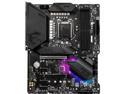
MSI MPG Z490 GAMING PLUS LGA 1200 Intel Z490 ATX Intel Motherboard
Pros: Easy to use, designed well, 2 m.2 for ssd, good heatsinks, preinstalled I/O shield, lots of configurable fan headers.
Cons: Was missing the M.2 screws, depending on your use-USB ports on the back may be a little sparse (I had a USB hub on my desk already), connectors for the front I/O and sound etc. should be more to the right end of the board. Wires for the front panel sound I/O were too short for good cable management because sound is on the left edge of the board at the bottom (concerns over interference necessitate this, so case manufacturers should include a longer wires I guess).
Overall Review: The motherboard came well packaged. While installing the bracket for the CPU cooler for my I7-10700k I was initially concerned about how close a few of the components were under the top clamping bracket. But it worked out well. There were no issues with the layout and all of the connectors went on fine. I bought a new power supply to make sure that I had the right connectors for the CPU. Tech support informed me that both needed to be plugged in and I did not try with just the 8 pin or just a 4 pin. Installing the M.2 drives slowed me down because I could not find the screws, the standoffs were on the motherboard but no screws. So rather wait for someone to ship them to me I drilled and tapped the standoffs for 4–40 screws which fits perfectly fine and are available at the local hardware store. I’m Using 2ea 1 TB cards. I used a fractal G case and the center standoff used an alignment pin. The motherboard neatly fit on that pin and everything else lined up with the case perfectly. My GTX 1650 O.C. Installed without a hitch and I disabled the onboard graphics in the bios. The system booted up with no issues. Once in the bios I set the profile for my 32 GB of RAM at 3200 MHz. I’m using a combination of PWM fans and DC fans (4 pin and 3 pin). It took me a minute to figure out why my DC fan wouldn’t slow down. I had a 3 pin on the pump header and needed to change it from PWM to DC. I did not update the bios as everything is working fine. The motherboard speaker would not work at 1st but I found that setting in the bios, not sure why “on” is not the default. The keyboard num lock is also off by default so I had to turn it on. I have been in the bios a dozen times looking for settings that I may have missed, it is easy to navigate with a little practice. The CPU is overclocked to 4.9 GHz and have no issues. The System runs around 45° C under moderate load. With the fans running at about 900 RPM. My air cooler is a Neptwin V2 dual 120 mm fan. The case has four 120 mm fans, 2 intake and 2 exhaust. Power supply – Seasonic focus GX – 650 gold (Ssr-650x) I have always used one of the other main competitor’s motherboard for my builds. This has more features for less price so I thought I would give it a try. So far, I’m glad I did.
7/22/2020See more detail
No problems
Intel Core i7 8th Gen - Core i7-8700 Coffee Lake 6-Core 3.2 GHz (4.6 GHz Turbo) LGA 1151 (300 Series) 65W CM8068403358316 Desktop Processor Intel UHD Graphics 630
Pros: No problems, works as it should. OEM equals less cost. Don’t have to Toss A fan/heatsink that has marginal performance
Cons: I didn’t find out until after I purchased this that OEM processors are warranted by the system builder not by Intel. There is nothing on the sellers website about warranty returns after 30 days.
Overall Review: I would be inclined to buy retail package to make sure I have a three-year warranty. Hopefully I don’t have to find out about any warranty issues and this just works through its expected life.
2/19/2019See more detail
I like them
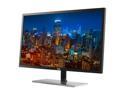
AOC U2879VF 28" 4K 3840 x 2160 UHD Gaming Monitor, 1ms Response Time, 10-bit Panel w/ Over 1 Billion Colors, AMD FreeSync, 20M:1 SmartContrast, DisplayPort/HDMI/DVI/VGA Inputs
Pros: I bought 3 of these monitors. The stands on 2 of them went together easily. One had to be finagled to get together properly. One is hooked up with DVI – D, another display port, another with HDMI. I did not like the software that I downloaded from the website so I uninstalled it. I use these with business software and out-of-the-box the colors and saturation worked well for me. I have had problems with the HDMI cable with screen blanking or horizontal lines. Re-seating the cable a couple of different days seems to have cured that problem. But if it persists I will buy higher-quality HDMI cable. Side-by-side the monitors look great. There is enough tilt to meet my needs.
Cons: One of the boxes had a gash in it and I was worried about the monitor inside. There was a small smudge on the screen but it cleaned up. I ran pixel checking software and did not have any dead pixels on any of the monitors. The supplied HDMI cable does not seem to be as high quality as one I purchased from another online retailer Basics line.
Overall Review: I have had these monitors about 2 weeks now and am pleased with the quality at this price point. Being a TN display I expected more a washout from extreme viewing angles. You have to get well past 90° before you start noticing any washout. I have them set 45° to each other and the colors look the same across all 3 monitors. They are definitely a lot more crisp than a 1080 P monitor. I'm running native resolution with windows set at 175%.
10/25/2017See more detail
good monitor
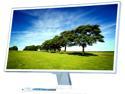
SAMSUNG 27" PLS LCD Monitor 4 ms D-Sub, HDMI SE360 Series S27E360H
Pros: I agree with the other reviews posted previous to this. Monitor looks great. No dead pixels no noticeable light bleed. text is better than most other 1080p monitors I've looked at, but not as crisp as a high res monitor.
Cons: none for me
Overall Review: I did not like the SD360 because the stand wobbled too much, so I was waiting for sale on the sd590 to go on sale. while waiting the newer se360 came on sale. I think this monitor is every bit as good as the 590 and this stand is much better than its predecessor. I am using a Z87 motherboard with an Intel I 7 processor and no video card over HDMI. video/movies look great on this monitor, but I don't do FPS games where faster frame rates are necessary
6/18/2015See more detail