

Your Browsing History


ROYCE L.
Joined on 03/13/01
0
0
product reviews
- 15
My first Pi! Never knew what an 'SBC' (single board computer) was until now...
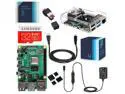
Vilros Raspberry Pi 4 Complete Kit with Clear Transparent Fan Cooled Case (4GB)
Pros: The opening by the I/O header is great for hobbyists who need to connect cables/wires to the GPIOs... The starter kit comes with everything you need (minus keyboard, mouse, and LCD/TV display) to setup and run for the first time.
Cons: At full-speed (5v dc), the fan is annoyingly loud. At slow-speed, the fan is quiet (but obviously doesn't cool as well.) Power users who plan on 'overclocking' the Pi and running compute-intensive apps will probably want to dispense with the stock cooling and bring their own solution.
Overall Review: I bought this for a home project and have found it to be quite capable. The I2C controller is able to drive a few peripheral control-buses in my hobby project. Although the controller is missing some features (such as genuine SMBus compliance with all protocol commands), it fortunately supports the commands I need. About the dual-HDMI output - With Ubuntu 20.04 LTS full desktop, the Pi4 is right on the edge of 'usable' -- it's sluggish to GUI input (especially when tabbing between windows), or if you have multiple webpages open containing animations. This is with a single 1080p60 HDMI-display connected ... I wonder how much slower it would be connected to a 4k60 display. Unless you overclock, or simply plan to use the 2nd screen in a static 'signage' role, the GPU just can't keep up with 2 displays.
5/6/2020See more detail
Not (yet) ready for RHEL 4/Centos 4 linux
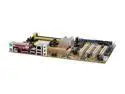
ASUS M2V AM2 VIA K8T890 ATX AMD Motherboard
Pros: ECC RAM support -- great for server applications that demand the extra margin of safety!
Cons: For *REDHAT* (RHEL 4.0 update 4) Linux? Regrettably, just about nothing works out of the box. The newer VIA Southbridges (VT8237A and VT8251) aren't recognized, so you can't install from SATA at all. (And IDE/PATA is painfully slow because the kernel defaults to 'PIO' transfer mode.) The unheard of 'Attansic' gigabit-LAN chipset isn't recognized either. Both VIA and Attansic offer kernel source drivers/patches to get this hardware running in Linux. Unfortunately, that's a lot of extra work (for the user/administrator), and you need an old PCI 10/100 LAN card (or another PC to get the drivers.)
Overall Review: I wanted this board for Redhat Linux (I need REDHAT or a REDHAT-compatible O/S due to vendor-software requirement.) The past Socket939 Via K8T800-Pro/K8T890 & VT8237 chipsets were solid performers (though lacking in modern features like SATA2) under Linux -- supported in every major distribution. Unfortunately, this motherboard has too many problems out of the box. Eventually, LAN and VT8237A/8251 support will be put into Redhat Enterprise 4, but it's just not there today. So as of today, this motherboard is not recommended for Linux users. Keep in mind, if you use a newer Linux (like Gentoo, SuSE, Ubuntu, etc.), you'll have an easier time: 2.6.16 and later will take care of the Southbridge support. (You'll still have to separately take care of the LAN and Marvell SATA controller.) Redhat Enterprise Linux 4 is frozen at kernel 2.6.9, so RHEL users are totally reliant on Redhat's kernel-maintenance team to backport new drivers.
8/19/2006See more detail
So far, so good, hope it lasts!
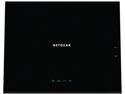
NETGEAR AC1450 Dual Band Gigabit Smart WiFi Router Two (2) USB ports—one USB 3.0 and one USB 2.0 port IEEE 802.11 b/g/n 2.4 GHz IEEE 802.11 a/n/ac 5.0 GHz Five (5) 10/100/1000 (1 WAN and 4 LAN) Gigabit Ethernet ports with auto-sensing techn
Pros: After following the simple procedure to change the unit's BoardID, I flashed the firmware to R6300v2.
Cons: Runs a little warmer than my Netgear WNDR4300. The shape of this unit makes it difficult to stack with other equipment. Compared to WNDR4300, the front panel LEDs are less informative (no separate 2.4GHz/5GHz wifi indicator. NO speed indication on LAN connections, etc.)
Overall Review: Have you seen the other reviews from users saying the unit lasted a few months then died? I hope I beat the odds! If I don't, I will return and update this review accordingly!
5/16/2015See more detail
Where's my 10-bit (30bpp) color?
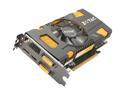
ZOTAC GeForce GTX 550 Ti (Fermi) 1GB GDDR5 PCI Express 2.0 x16 SLI Support Graphics Card ZT-50401-10L
Pros: I, for one, welcome our new Displayport overlords! Zotac is one of the few vendors who support the Displayport interface.
Cons: I was hoping to use 30-bit "deep color" (10-bit per channel) output through the Displayport interface, because my monitor supports 10-bit/30bpp input over Displayport. Nope, can't do it. It's not Zotac's fault. After some digging, I found out NVIDIA only supports 10-bit output on their professional Quadro cards, not on any consumer Geforce cards. (Their marketing literature is misleading -- they say "deepcolor" for HDMI, but the Forceware drivers don't give you option to turn on extended-color output. AMD has the same policy, 10bpp Displayport only supported on FireGL cards (well on Windows, that is. The Radeon 4870 Mac Edition supports 10-bit Displayport output in MacOSX.)
Overall Review: ...not that it matters...found out that most windows apps don't support 10-bit color anyway. (Adobe CS5 and some other high-end packages support deep-color output, if your display-driver and monitor allow it.) I tried a custom Windows 7 resolution : 1920x1200x72Hz (over Displayport.) My monitor accepts it but doesn't render it properly, but there was screen tearing all over the place...no 24Hz Bluray playback for me...
5/21/2011See more detail
Yeah, drops connection under certain conditions, only one N-radio
NETGEAR WNDR3300-100NAS 802.11a/b/g/n 2.4/5GHz Selectable Dual-Band RangeMax Wireless-N Router up to 300Mbps
Pros: Cheap dual-band router (both 2.4GHz and 5GHz at the same time.) The other competitor in the same price-range, Dlink DIR-628, only supports 1 frequency (2.4 or 5GHz) at the time. Netgear WNDR3300 is the next step up, but falls short of a "true dual/N router." Only 1 of the WNDR3300's radios has N-capability, the other radio is 2.4GHz-only (B/G). I guess Netgear should have called it a "1.5N band router", because it's not a true dual-N (2.4GHz/N + 5GHz/N) band router.
Cons: Same problem as everyone else -- dropped connections under certain conditions. It seems weak-signal will cause the connection to drop. The 5GHz radio is shorter range than 2.4GHz -- that's a given. Also, if you want N on the 2.4GHz-band, then you sacrifice the 5GHz capability completely. (Save your money and buy something else...something with better product support.) Sadly, this means you're limited to 802.11n on 1-band only (either 2.4GHz or 5GHz, but not both simultaneously.) If you want N on 2.4GHz, then no 5GHz radio at all! oh well
Overall Review: Beta-firmware (5/2008) fixes some connection-drops for me -- get it at Netgear's community website. It adds a new mode of oepration: 'wireless-repeater' (but only repeats on same one-band.) What's stupid is that the firmware doesn't offer a "5ghz only" radio-mode. You're stuck with RADIO_OFF, 2.4GHz B/G/N, 2.4GHz B/G + 5GHz A/N. huh
5/28/2008See more detail
One of few motherboards with onboard RS232 COM and IEEE1284 parallel!
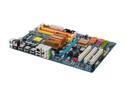
GIGABYTE GA-P35-DS3R LGA 775 Intel P35 ATX Intel Motherboard
Pros: I do hardware engineering/prototyping (mostly FPGA stuff), so I like the onboard RS232 (COM) and IEEE1284 (LPT) ports. It's hard to find those on modern PC motherboards. Well, I like the IEEE1284 port because Xilinx believes in overcharging for their USB Programming Cable. (The older Parallel Cable III/IV shows up often on auction.) But I guess that's a story for another day... Down with USB2 high-speed...Nothing beats the rapid transfer of a RS232 link @ 115.2 Kbps (that's an astounding 11.5 Kbytes/sec, folks!)
Cons: The onboard RS232 and IEEE1284 are 'pin-headers'. You need to buy the DB9M breakout and DB25F separately, they're not included! (Warning -- there are 2 styles of 10-pin DB9M. Make sure you get an 'asus/everex' style, and not the Intel/DTK!) The bootup time is a bit longer than the ASUS P35 boards, due to the AHCI-scanner. (The Gigabyte BIOS takes a few seconds longer to scan the ICH9R's SATA ports.)
Overall Review: Rev 1.x of the P35-DS3R and P35-DS3P had real onboard RS232 and IEEE1284 ports (on the backpanel.) Rev 2.0 replaces the backpanel RS232/IEEE1284 ports with more useless USB2 ports. Why anyone would want 2 additional USB2 480Mbps ports when they can have true legacy RS232/IEEE1284, is beyond my understanding. No one stocks new 1.x boards anymore, but if you want to buy refurbished...
2/9/2008See more detail