

Your Browsing History


John C.
Joined on 12/27/02
0
0
product reviews
- 14
As Promised
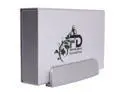
Fantom Drives GreenDrive 1TB USB 2.0 / eSATA 3.5" GreenDrive External Hard Drive GD1000EU
Pros: Well built. Reads and writes quickly and accurately. Runs cool. Competitively priced.
Cons: Seek noise is sometimes prominent - One egg removed. I don't know if this unit requires an unusually deep eSATA connector, but the eSATA cable that I purchased from Newegg for use with this unit (CABLE NIPPON|ESATA-1M-BK R 12-816-063) would not seat deeply enough to allow connection.
Overall Review: I spent a frustrating hour of troubleshooting during which the computer never recognized the Fantom drive because (I finally discovered) the connector on the eSATA cable would not seat deeply enough. I would not recommend trying to use the Newegg Item No. 12-816-063 eSATA cable with this drive.
1/28/2010See more detail
Difficulty with the USB connector.
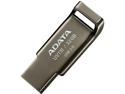
ADATA 32GB UV131 USB 3.0 Flash Drive (AUV131-32G-RGY)
Pros: Inexpensive. Recording speed as expected with use of USB3 port on the surface of the computer.
Cons: Inexpensive, but due to Newegg's odd rebate integration into the Check-Out process, I paid more than I expected to. Initially, I could not make a satisfactory connection of the device to a USB 3 extension cable, and the USB drive was not detected then. After multiple attempts, I was able to get the USB connector to seat properly in the USB 3 extension cable, and the Flash Drive was then detected. Recording speed and playback were satisfactory.
Overall Review: Purchase of this device is reasonable, with the above considerations.
1/10/2019See more detail
If you need this sort of thing, get this.
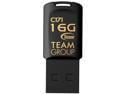
Team Group 16GB C171 USB 2.0 Flash Drive (TC17116GB01)
Pros: The Team Group 16GB C171 USB 2.0 Flash Drive is pretty small (about 1.12 inches long), extremely light, fairly slow (but hey, its USB 2.0, so you already knew that) and very, very inexpensive. If you are carrying around small files that you need to apply to a bunch of machines (or distribute to a bunch of people), they work just great. If you are looking for big and fast and hardy, look elsewhere. These fill a definite niche but don't lose sight of what they are: relatively small worker ants.
Cons: No cons. All 3 drives worked as expected with limitations as described above.
8/10/2018See more detail
A very good Blu-ray player for desktop computer
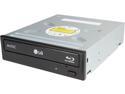
LG 12X Blu-Ray Disc Drive M-DISC Support Model UH12NS40 - OEM
Pros: Plays Blu-ray disks nicely. Inexpensive.
Cons: 1. As others have noted, this purchase is not ideal for anyone not experienced in computer assembly, but if not you could probably pawn the job (which is relatively easy and fun) off on a techie friend. 2. The Blu-ray Disk Player comes in a Newegg shipping box, wrapped in bubble wrap, with some plastic airbags in the box. THAT'S IT. The following are NOT included: Mounting instructions, mounting hardware (4 screws, 2 rails), SATA power cable, SATA data cable, playback software ( I downloaded Leawo Blu-ray Player, free, and it worked just fine.), or driver disk (but none needed at least for Windows, which interfaces with this device this natively). You will probably need all this hardware/software for a successful installation. 3. For most computers, the great tricks in installing this device are (1) REMEMBER TO REMOVE THE FRONT BEZEL FROM THE COMPUTER FIRST and (2) PROPERLY ATTACH THE RAILS TO THE BLU-RAY PLAYER . Doh! 4. I am glad that I had the great good luck of finding this device on sale.
3/22/2017See more detail
Hooray!
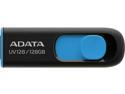
ADATA 128GB UV128 USB 3.2 Gen 1 Flash Drive (AUV128-128G-RBE)
Pros: Works well. Lots of storage for a low price. Nicely designed.
Cons: None
12/28/2015See more detail
Silent, fairly cool and nice picture
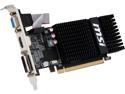
MSI Radeon R5 230 2GB GDDR3 PCI Express 2.1 x16 CrossFireX Support Low Profile Graphics Card R5 230 2GD3H LP
Pros: I have 4 computers running through one 4-port, dual monitor KVM. To help with standardization, I am using one of these cards in each of the 4 computers. The cards are doing a fine job, run at about 40°C and are dead silent, as are the computers they serve. I do not perform any graphics-intensive work, and the images are very good.
Cons: None.
7/5/2015See more detail