
Your Browsing History


Donald E.
Joined on 09/08/05
0
0
product reviews
- 17
Great MOBO
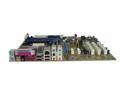
ASUS A8N-E 939 NVIDIA nForce4 Ultra ATX AMD Motherboard
Pros: What can I say? I'm not an overclocker, so my criterion is stability and no hassle. I dropped it into my case with memory (2x1GB), CPU (X2 4200+), Drives (2x25GB SATA2 + 1x120GB SATA2) and a video card, and it works great - never a problem.
Cons: None - I'm ordering 15 more for an organization Whose network I run.
5/4/2006See more detail
OK, but not the best
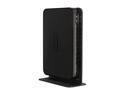
NETGEAR WNDR3700-100NAS V.5 Wireless Gigabit Open Source Router/ USB port Rangemax 2.4/5 GHz Simultaneous N600 Dual Band IEEE 802.11a/b/g/n, IEEE 802.3/3u/3ab
Pros: This router was easy to set up, and very stable. The speed drops off rather quickly with distance, but that's typical for a N router. Worked well while it worked, and then it didn't.
Cons: The 2.4 GHz radio stopped working after about 15 months. The 5 GHz still works, but the signal drops off more quickly with range inside the house and is thus not very useful to me.
Overall Review: Of the 8-10 wireless routers I've had over the years, only one lasted more than 2 years. Some were known to fail due to inadequate heat removal. It doesn't seem like it should be that hard to make a good one, even at the low price they sell for.
2/5/2015See more detail
Nice size, and works
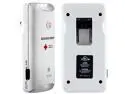
Eton Blackout Buddy - White
Pros: Works. Convenient small size, and lights for a long time after charged. Well worth the cost. Also contains a separate night-light which can be switched off. Can also be switched to a mode to work as an automatic emergency light when the power goes off.
Cons: Don't get it wet. I wiped it with a damp rag, and the switch would not turn the light fully off. I propped the case open for a few hours and it was then OK.
10/27/2013See more detail
Really tiny - and it works
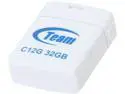
Team C12G 32GB USB 2.0 Flash Drive TC12G32GW01
Pros: Small. I mean REALLY small! The USB connector is by far the largest part of this flash drive. When seated it barely sticks out, which is what I needed.
Cons: Don't lose it.
Overall Review: Notthe fastest flash drive I've had, but not the slowest either.
10/6/2013See more detail
Fast and stable
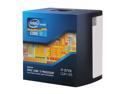
Intel Core i7-3770 - Core i7 3rd Gen Ivy Bridge Quad-Core 3.4GHz (3.9GHz Turbo) LGA 1155 77W Intel HD Graphics 4000 Desktop Processor - BX80637I73770
Pros: It's fast and works without a glitch. What more could one want?
Cons: None so far.
5/6/2013See more detail
Partially DOA
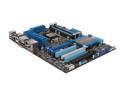
ASUS P8Z77-V PRO LGA 1155 Intel Z77 HDMI USB 3.0 ATX Intel Motherboard
Pros: Sort of works. To the extent that it works it is fast and stable with a 3.4 Ghz Ivy Bridge processor and 8 GB of PC3 10600 core.
Cons: Would not recognize a known-to-be-good display adapter board in any PCIe slot. Flashing the latest BIOS and loading the latest drivers didn't help. I tried another known-to-be-good board without removing the first one, and lo and behold it will then recognize the board in slot 1, but not the second one. Clearly a MB problem, but since it's working for now I'm not going to tear the system down and wait a week for a replacement. Don't they test these things when they make them?
Overall Review: This is the 12th Asus MB I've bought in 7 years, and 4 of them were bad from the start or failed within 60 days.
5/6/2013See more detail