




 here!
here!
I’m your shopping assistant for PC builds, upgrades, and everything tech.
Got questions? Ask away!
Start a conversation
here!
I’m your shopping assistant for PC builds, upgrades, and everything tech.
Got questions? Ask away!
Start a conversation

Joined on 09/13/06
Awesome PCs
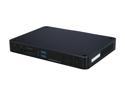
Pros: Great, picked up 9 of these for the sales presentation computers - work great. Also picked up 5 Asus EeeBooks, these are a million times better, hands down.
Cons: The plastic case is semi-delicate, even when using the plastic knife included to remove the side panel they are a little frustrating to remove.
Overall Review: Am a little worried about dust down the road, will update when these have a couple of more miles on them.
Other 5 star reviews are bogus
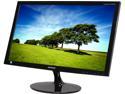
Pros: 23" and LED
Cons: Viewing angles are horrible, poor color
Overall Review: It doesn't matter how this thing is tilted (watch Samsung respond to this interview with instructions on how to do so.) This is a poor monitor, even for spreadsheets and office docs. There is light bleed, poor viewing angles, and the color match is horrible. I wouldn't take this again if it was free.
Not great
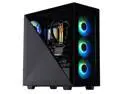
Pros: Initially worked well
Cons: Developed issues after 6 - 7 months that are worst. Either the HD or Ram is going out. Thought it was a problem with newest drivers from GeForce 4080. By the time it developed into a worse issue a year had passed.
Overall Review: Build your own
Good buy

Pros: Got here quickly
Cons: Not high capacity toner
Using it right now

Pros: Mechanical and tactile feel - N key rollover is pretty righteous.
Cons: N Key Rollover only works with PS2, but since they have fixed polling with PS2, that's okay. (200 Mhz vs 500 Mhz w/USB)
Overall Review: Some people mentioned how loud the Cherry MX Blue switches are - I don't agree. It's just fine. Thinking of buying another for my computer at work.
Wouldn't honor my rebate
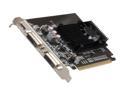
Pros: Cheap - two DVI ports
Cons: Slow
Overall Review: I just bought this on the cheap for a server. The reason I chose to buy it was a rebate -- which they didn't offer. We've all gone through the rebate process and looked at the checklist. I sent everything they asked for, well within the rebate time period. But, they denied my claim. Won't be doing any more business with them for this reason.


