
Your Browsing History


Corey C.
Joined on 11/21/05
0
0
product reviews
- 8
This mousepad is slick
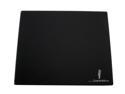
iCEMAT 2nd Edition BLACK Mouse Pad
Pros: I have tried about 10 different performance mousepads and this is my favorite. This mousepad is really good with laser mice. I found that when combined with the Razer Copperhead mouse, it is super slick and smooth. It is slightly less slick when combined with the Logitech G5 mouse.
Cons: It's glass and it can break. I shattered one by smashing my fist down on it in a fit or rage. Fortunately, it does survive most slamming.
3/27/2007See more detail
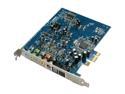
Creative Sound Blaster X-Fi Xtreme Audio VARPAK 7.1 Channels 24-bit 96KHz PCI Express x1 Interface Sound Card
Pros: This soundcard works as described.
Cons: This soundcard does not have the X-Fi processor. It has a lesser processor and uses software emulation to get the X-Fi features. This means there is a CPU hit and less performance. Also, you cannot output surround sound from games through the digital connections. Surround through digital connections must be encoded in Dolby Digital or DTS. This card (and all other Creative Labs cards) do not have a DD or DTS encoder. However, DD or DTS on a DVD will work.
11/13/2007See more detail
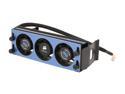
CORSAIR CMXAF1 Fans
Pros: I like these memory coolers and have ordered ones for all my PCs. They work with any ATX motherboard and DDR/DDR2/DDR3 memory.
Cons: Sometimes when you power on the PC, the fans will be really loud. But, they become quiet again after a minute.
11/13/2007See more detail
Does not work with USB KVM
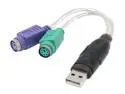
Rosewill RCW-606 USB To PS2 Adapter
Pros: This device work fine if plugged into the computer.
Cons: This item does not work with a USB KVM that has hotkeys. The device does not present itself as an ordinary keyboard, so the KVM cannot interpret the keystrokes.
11/13/2007See more detail
This is not a single PCI slot blower
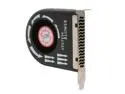
AOC FC-2002-B PCI Slot Case Cooler
Pros: Didn't use enough to make a judgement here.
Cons: This blower is about 1 1/2 PCI slots wide. This means you can't put it next to another occupied slot. The description fails to mention this.
3/27/2007See more detail
Nice MB
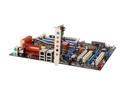
ASUS P5N32-E SLI LGA 775 NVIDIA nForce 680i SLI ATX Intel Motherboard
Pros: I haven't had any problems with this motherboard. When overclocking, the C.P.R. feature came in really handy. You don't have to reset the CMOS, just turn off and them back on to reset it back to the last stable setting.
Cons: The 90-degree flip on the SATA ports are confining in smaller cases. I have the Antec Overture II case and the SATA plugs press against the power supply cage which is at the front of the case.
Overall Review: The computer won't boot if the FSB is set above 375 MHz (displayed as 1500 in the BIOS because it displays quad data rate). However, other people have been able to get the FSB to run above 500 MHz--I'm not sure what the deal is with mine.
3/27/2007See more detail