
Your Browsing History


Valery H.
Joined on 10/31/04
0
0
product reviews
- 16
Good product
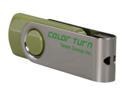
Team Color Turn 16GB USB 2.0 Flash Drive (Green) TG016GE902G
Pros: Price. Does what it's supposed to.
Cons: Actual transfer rates about 50% below advertised limits on a high performance desktop. However, I didn't trust advertised numbers anyway, so not disappointed.
Overall Review: Consistent read/write speed results in Windows 7 64 bit and Ubuntu 11.04 64 bit: write 4.3MB/s read 11MB/s
9/23/2011See more detail
OK
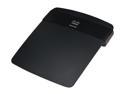
Linksys E1550 Wireless-N Router with SpeedBoost IEEE 802.11b/g/n
Pros: After flashing it with WRT its max transfer rate is 300Mbps. The effective transfer rate is yet to be determined. Admin pages open relatively faster.
Cons: Latest native firmware (1.03) won't let you force 40MHz channel width. It only has 20MHz and auto options. Auto is supposed to support 40MHz; however, in my case it never worked, so the max transfer rate is limited to 144Mbps. Also, neither of my wireless N adapters could connect at speed higher than 72Mbps, and the effective transfer rate was MUCH lower than that. My older N router rated 150Mbps allowed my adapters to connect at 150Mbps and the effective transfer rate was often pushing 90Mbps. It could probably do even better, but for my tests I copied files from wireless to 100Mbps wired PC, so the latter one must have been a bottleneck. For comparison I used exact same hardware configured exact same way and they were located at exact same place. Wired printer not supported via USB. I may have to find another WRT firmware which can do the trick. Admin pages is native firmware are super slow, taking between 5-15 seconds to open.
Overall Review: In general, I didn't have a positive experience with broadcom chipsets. My broadcom-based wireless devices don't always work good enough even with each other. I had a much better experience with cheap Atheros and Ralink ones. They work with themselves and one another a lot better. But again, that's just my personal experience. The E1550 hardware is probably not that bad, but native firmware makes it worse. If WRT were not available, I could hardly give it 2 eggs. If electronics and software engineering is not your lifetime hobby or profession, you should probably stay away from it.
10/4/2012See more detail
Good deal
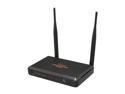
Rosewill RNX-N300RT, Wireless N300 Wi-Fi Router, IEEE 802.11b/11g/11n, Up to 300Mbps Wireless Data Rates, 2x 5dBi Fixed Antennas, DD-WRT Open Source Support
Pros: 2 EXTERNAL 5dBi antennas. 55 Mbps (rather stable) to/from N150Mbps USB adapter in a very noisy environment (I regularly pick up signal from 6-8 neighbor APs.) Inexpensive, makes it ideal for various tests / experiments.
Cons: None so far.
Overall Review: I am very pleased with RNX-N150RT and RNX-N300RT (I own both). Regarding wireless, they provide twice the throughput than other major brands (w/ internal antennas) that I own. Not to mention twice less price tag, which quadruples the bang for the buck.
10/25/2012See more detail
3.5 eggs
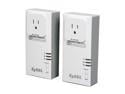
ZyXEL PLA407 HomePlug AV 200 Mbps Powerline Wall-Plug Adapter (Starter Kit - 2 Units)
Pros: Out of the box, faster than second Wireless N router as a repeater. The throughput is stable (fluctuates less than 10%)
Cons: More expensive than wireless N router as a repeater. Real throuput is only 25% (53Mbps) of max rate; was hoping to get 40% (80Mbps).
Overall Review: Tested with iperf between two computers, one directly wired to the router, another - through these adapters. The throughput is 53 Mbps (home is 14 y.o.) Cost of this setup is $50. Another setup - second computer is connected to the main router through another N router (w/ external antenna) configured as a repeater. The throughput fluctuates between 25 - 50 Mbps (depends on how noisy the environment at the particular time). The cost is only $20 however.
10/9/2012See more detail
UPDATE
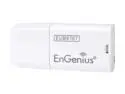
EnGenius EUB9707 Wireless-N Mini Adapter IEEE 802.11b/g/n, Up to 150Mbps, WPS Button
Pros: This is an update to my first review. I uninstalled EnGenius driver and installed RALINK one (for Windows.) 7 feet away from the router I now get full 150mbps, so this device is worth 4 eggs.
Cons: Very short range, but for such a miniature device that's expected. It didn't look that small on a picture though. Gets HOT. Not sure how long it will last.
9/13/2012See more detail
OK
EnGenius EUB9707 Wireless-N Mini Adapter IEEE 802.11b/g/n, Up to 150Mbps, WPS Button
Pros: Price, size, ralink chipset.
Cons: Driver is bad. I downloaded it (and the utility) from their website. It only connects at G speed (54mbps). Router is configured with wpa2+aes. If I disable b+g on my router, it won't connect at all. My laptop is 7 feet away from the router. My built-in card with ancient Broadcom chipset connects at 72/65 mbps just fine. My wife's laptop with Atheros chipset connects at full 150, and hers is 40 feet away from the router. The best tech support guy could say was "that's odd ..."
Overall Review: In Linux with ralink firmware, this thing connects at 90-120mbps. Not 150, but still a lot better than with native driver, hence 3 eggs; would be 0 otherwise.
9/13/2012See more detail