

Your Browsing History


Johnathon S.
Joined on 10/15/15
0
0


product reviews
- 38
Glad I switched back to AMD
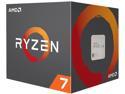
AMD Ryzen 7 2nd Gen - RYZEN 7 2700 Pinnacle Ridge (Zen+) 8-Core 3.2 GHz (4.1 GHz Max Boost) Socket AM4 65W YD2700BBAFBOX Desktop Processor
Pros: - 8c/16t monster of a chip for half the price of the 9900k.
Cons: - None so far.
Overall Review: Sure the 9900k beats Ryzen when trying to squeeze out every possible frame, but not enough to justifying spending double in my opinion. You can buy this chip, a decent b450/x470 board and ram for around the same price as the 9900k alone, which is insane. Can't wait for Ryzen 2.
2/8/2019See more detail
AMD users beware!
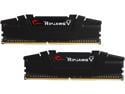
G.SKILL Ripjaws V Series 8GB (2 x 4GB) 288-Pin DDR4 SDRAM DDR4 3200 (PC4 25600) Desktop Memory Model F4-3200C16D-8GVKB
Pros: none so far, other than making potential ryzen builders aware of this issue. Read my lengthy explanation below. Sorry, it's drawn out but I wanted to be as thorough as possible within a 3000 word limit. Some information was omitted due to character limitation for the review (uninstalling and updating drivers that were "responsible" for the crash per dmp files, etc.)
Cons: not stable on ryzen PC even after the latest AGESA bios update for an Asus Rog Strix x470-f motherboard. Bios is on 4204.
Overall Review: This is no fault to Newegg. I blame Asus and G.Skill for this mix-up. I was commissioned to build a PC for a client's daughter. After sitting down and going over a few different configurations, we settled on the parts list, spend more now for a good board and cheap out a bit on the processor and ram. PC specs: Ryzen 3-2200g Strix x470-f Ram: this kit. This kit of ram was on the motherboards qvl (qualified vendors list), meaning it should have been completely compatible. After assembling the PC and installing Windows, I started getting blue screens. Everything was left stock in the bios, save for a few things (CSM turned off mainly). I though this might have been due to an older version of windows 10 that I have on my USB installation drive. I downloaded the latest version of windows 10, reinstalled and the problem persisted. I ran a system scan to check for corrupt/missing files, everything tested fine. Ran Memtest86, memory passed a 12 hour run with no errors. Motherboard goes through it's boot process with no known errors. What could be the problem? System crashed even in safe mode, pointing me to the hardware. I changed everything trying to isolate the issue (cpu, PSU, SSD and after more troubleshooting, the ram.) I downloaded 2 programs, thaiphoon burner (had to turn off defender because it seen this as malware, it's not as long as you download from the official site) to identify all information for this kit of ram. Then I ran the other program, Ryzen DRAM calculator, plugged in this Rams information and it calculated the safest timings for this Rams rated speed of 3200mhz (which was way off compared to what d.o.c.p. wanted to run it at) on a ryzen 2000 series processor. I input the timing information into the bios and finally after troubleshooting for over a week, I have achieved some stability. Unfortunately after running some stability tests, the motherboard failed to boot twice (yellow debug led indicated ram was the cause). A fellow techy that I'm friends with had an expensive kit of Samsung b-die trident Z that he let me borrow for further troubleshooting and voila! No blue screens, no crashing, d.o.c.p. runs that kit at 3200mhz cl14 beautifully. I'm done with this kit, this should not have been this difficult to get this ram working on a ryzen PC, it ran fine in my Intel system. My client wasn't too happy that their daughters PC won't be ready for Christmas and is now, understandably, refusing to pay. I'm stuck with the bill because Asus put this kit on the x470-f's qvl, because I didn't do enough research before hand (I'm not the only person that's had problems with this kit on ryzen, I've read multiple reports on quite a few forums to stay away from this kit. If only I had known this before hand) but really how much more should I have to do besides check the qvl for the board? I ordered the same kit that my friend loaned me so that I can hopefully recoup some of the money lost by selling this system after the new kit arrives.
12/21/2018See more detail
Phenomenal case to build in
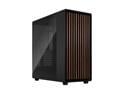
Fractal Design North XL ATX mATX Full Tower PC Case - Charcoal Black Chassis with Walnut Front and Dark Tinted TG Side Panel - FD-C-NOR1X-02
Pros: -Tons of space -Tons of space inside of THAT space -Its not as large as I thought it was going to be but it's still got some chonk to it. -Really good airflow. -Removable SSD trays. -Everything about this case makes it a joy to build in and it looks purdy too! -Read your manual, it's your friend, unlike the Corsair 360 RS ARGB AIO that doesn't come with a manual. -This one's a double edged sword but it's got a standardized front IO panel plug. So if your motherboards front panel header isn't standardized (a lot of older boards aren't) then you may want to skip this case.
Cons: -None that I could see while building in it or think of after I got my PC all put together.
Overall Review: Not as big as the XL implies but still plenty of room. This case was a dream to build in but doesn't reinvent the wheel in any way. It just takes that wheel, makes it classy as all get out and smooth as butter. Get it if you don't mind the $200 price tag. For me it was worth it. A well built case, like a good PSU, is one of those things you'll use multiple times throughout its life and I plan on keeping this one a while.
1/30/2026See more detail
Great PSU for RTX 50 series 12v hpwr
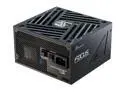
SeaSonic FOCUS GX ATX 3 (2024) GX-1000 1000 W ATX 3.1 80 PLUS GOLD Certified Full Modular Power Supplies
Pros: -More power than I need but it's nice to know as the RTX 50 series can have high power spikes under load. -Very nice sleeved cables, only thing missing are some cable combs but oh well. -Cables require a bit of force to secure snuggly into their respective connectors, so I know they're not going anywhere.
Cons: -Cables require more force than I'm used to, specifically the MB 24 pin connector. I felt like I was going to break my motherboard inserting and removing the 24 pin plug. I had to remove it initially due to a cable management oversight on my part and it was difficult pulling out. -There aren't any split CPU connectors (a 4+4), you have to squeeze the prongs together on either side of the CPU 8 pin to get them to split apart if you have an 8 and a 4 pin CPU socket on your motherboard. Not a deal breaker but it would've been nice since previous SeaSonic PSU's had at least one split CPU plug.
Overall Review: I'd absolutely still recommend this PSU despite the minor negatives because it's such a well rated unit for the RTX 50 series. It's the main reason I got it, I did a lot of research before purchasing a PSU because I've heard the horror stories surrounding the 12v HPWR connectors melting/frying or PSU's shorting during high power spikes from the 50 series cards under load. I wanted to mitigate those issues as much as I could and I feel I made the right choice here. Only time will tell. SeaSonic has always been one of my go-to PSU manufacturers along with Superflower.
1/30/2026See more detail
Nice 360mm AIO

CORSAIR NAUTILUS 360 RS ARGB Liquid CPU Cooler – White – RS120 ARGB Fans – Fits Intel® LGA 1851, AMD® AM5/AM4 – Simple Daisy-Chain Connections - Direct Motherboard Connection
Pros: Fairly easy to install Keeps my stock 12700k at around 60°C under load Pretty quiet once you get a nice fan curve set up Doesn't require Corsair iCue
Cons: No installation manual in the box. Go to corsair's website for installation instructions
Overall Review: Overall I'd absolutely recommend this AIO so far, just make sure you check installation instructions on Corsair's website first.
1/30/2026See more detail
Neat little gpu support brace
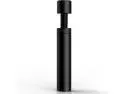
Graphics Card GPU Support Bracket, Adjustable Height GPU Sag Stand Bracket with Magnet and Non-Slip Sheet, GPU Holder for Prevent Universal VGA Graphics Card Sag - 2.8-4.7"- L - Black
Pros: -Cheap -Metal internals -Rubber pads on both ends so it doesn't slip
Cons: -None that I can think of, just make sure you have a flat spot in the middle or towards the end of your GPU to use this on.
Overall Review: I'd absolutely recommend this for someone that wants a cheap, no frills, easy way to support their GPU from sagging over the years.
1/30/2026See more detail
seller reviews
- 2
Pleasantly surprised
Normally I shy away from Newegg marketplace, however, I decided to give it a shot because I was looking to buy a Pentium g5400 and Newegg marketplace was the cheapest I could find it. I ordered from platinumMicro and was not disappointed. They were cheaper than every one else by at least $10 and shipping was fairly prompt. I received the processor a day before it was expected ( about 4 business days) and it was brand new in box as advertised. Im very picky about who I purchase from but platinum micro is definitely on my radar now.
On-time
Delivery
Product
Accuracy
Customer Service
Satisfactory
8/16/2018See more detail
Decent cooler
Cooler looks good, an included rgb fan would've been awesome but the white led fan isn't half bad. Keeps my i5-8600k pretty cool with a mild 4.5 GHz overclock, haven't tried pushing it farther (I'm content with the current speed). Cam software is necessary to control the RGB and the software leaves something to be desired. Overall not a bad buy though for $45.
On-time
Delivery
Product
Accuracy
Customer Service
Satisfactory
3/8/2018See more detail