
Your Browsing History


Carter D.
Joined on 01/17/08
0
0
product reviews
- 10
Initial thoughts: Very pleased, some minor gripes
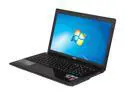
MSI GE Series 15.6" Intel Core i7-3610QM 8GB Memory DDR3 1600 Windows 7 Home Premium 64-Bit GE60 0ND-042US
Pros: Great CPU/GPU combination, good storage space, not too heavy considering its size, not too much bloatware and its fairly easy to remove, good build quality, upgradeable components (HDD, RAM) are pretty easy to get at. As you'd expect of a laptop marketed for gaming, the screen on this looks great - very sharp with great viewing angles. I put it side to side with my ASUS N80Vm and the difference is absolutely night and day.
Cons: Doesn't support 5GHz Wireless-N networking. The BIOS that it shipped with has VT-x disabled and no option to re-enable it (had to flash a custom BIOS). Optimus is expectedly disappointing, but seems to be a necessary evil at this point if you want Nvidia.
Overall Review: Compared to many of the other offerings with similar specs (such as ASUS), this is a great price point for what you get. Another consideration that's neither a "Pro" nor "Con" for me is that Nvidia's driver support for the GTX 660M is *just* appearing (it was in the 6/18/2012 driver update). As of writing, you need to manually modify the driver's INF files to get it to install, but it's worked fine since doing that. Nvidia has said that it was an oversight that some specific models are not recognized by the installer, so in theory it won't be an issue in another few weeks or so.
6/21/2012See more detail
ADATA 32GB UV128 USB 3.2 Gen 1 Flash Drive (AUV128-32G-RBE)
Pros: Works fine, reasonably priced. Put it in a Raspberry Pi so I could back up files to it with BitTorrent Sync. It's been sitting in there for the last 6 months without any problems.
Cons: None at this point.
10/5/2014See more detail
Works well
Seagate Momentus ST9750420AS 750GB 7200 RPM 16MB Cache SATA 3.0Gb/s 2.5" Internal Notebook Hard Drive Bare Drive
Pros: Relatively quiet, good price for good capacity (during sales, anyway), speeds are where they should be.
Cons: Nothing offhand.
6/21/2012See more detail
Works well with DD-WRT
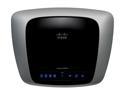
Linksys E2000 Wireless Router Selectable Dual Band Gigabit 802.11a/b/g/n 2.4/5GHz up to 300Mbps
Pros: Not too bulky, less ugly than a lot of other routers, supported by DD-WRT, 5GHz Wireless-N support.
Cons: Runs a little warm (see also the "Other thoughts" section), dual-band means you can run broadcast at either 2.4 or 5GHz, not both simultaneously.
Overall Review: As other reviews have noted, I think this works best with DD-WRT installed rather than the default firmware. It flashes in a pinch and is fully supported, so you get a great feature set with very little hassle. The stock firmware also runs the processor at a slightly overclocked frequency, from what I've read. Using DD-WRT to downclock it back to the stock frequency level hasn't affected the performance at all and allows it to run quite a bit cooler. Overall, very satisfied over the last 6 months. Haven't had any network issues yet. I don't think I've even needed to reboot it in the time I've had it except to flash DD-WRT, whereas my old router needed a reboot about once a month to fix connectivity issues.
6/21/2012See more detail
Working Great
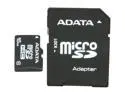
ADATA 16GB Class 10 Micro SDHC Flash Card with SD adaptor Model AUSDH16GCL10-RA1
Pros: Got this to upgrade the 8GB class 2 card that came with my EVO. So far it's performing well within the class 10 specs and doubling my space is great for all the NAND backups I tend to make. I actually had a few read tests exceed 20 MB/s (typically around 14-16 MB/s), and writes are usually around 10-12 MB/s or so. Getting an SD adapter with the card was also nice since I have an SD slot on my laptop but not a microSD slot.
Cons: Every once in a while I'll get a fairly slow write, but it's so infrequent that it doesn't bother me.
3/2/2011See more detail
Works Fine
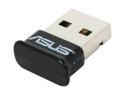
ASUS USB-BT211 Mini Bluetooth Dongle
Pros: Worked out-of-the-box on my Fedora 14 installation. Had to go to Asus for Win 7 drivers (64-bit), but those installed pretty painlessly, too. I really like the small form-factor since I got this for my laptop.
Cons: The Windows drivers don't seem to like my Wiimote, but this is a somewhat common issue. Linux picks it up just fine, but Windows is really finicky about it. Both OSes can use this to connect to my phone and my Thinkpad, though, so no major complaints.
1/15/2011See more detail