
Your Browsing History


Brennan N.
Joined on 06/13/08
0
0
product reviews
- 5
Careful Install but Great Cooler!
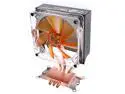
Rosewill RCX-Z4 120mm 2 Ball CPU Cooler
Pros: Well to start, this cooler is one of the best I have worked with. This is my fifth build in eight years and I have never been more pleased with a cooler. Paired this with a E7200 and I have a weak OC at 3.0ghz at the moment. It idles at 31C.
Cons: Only real cons I can think of were the tedious installation. I got this cooler because it came with a bundle with my CPU and I did not want to use the stock cooler. Many people did not give this that great of reviews, so I did not know what to expect going in. It is preconfigured for use with Socket AM2, so you have to switch out the mounting unit for socket 775 (not a big deal though). Only other Con is that it is huge and made connecting the 24 pin power connector to my motherboard a hassel. Then again, I would rather the cooler be huge, so I guess thats not really a con.
Overall Review: My suggestion to you before installing this is to look at your motherboard layout. I made the mistake of mounting and installing the heatsink before mouting the motherboard, which is what some reviews suggested. My recommendation would be to install the mounting for the heatsink onto the motherboard, then mount the motherboard, and finally, screw down the heatsink. One reason I think this cooler got some bad reviews is because the installation needs to be done properly, and I can see why people have some high temps if they did not install it 100% correctly. The cooler is fastened in by 4 thumb screws which may appear tight by screwing them in with your hand. A tool should be used to make them extra tight to ensure that it is flush with the CPU (all 4 screws should be equally tight as well). Also, the thermal paste that came with it looks very cheap. I suggest investing in some better thermal compound. I would buy another though, this cooler is great.
6/18/2008See more detail
Diamond in the ruff
Intel Core 2 Duo E7200 - Core 2 Duo Wolfdale Dual-Core 2.53 GHz LGA 775 65W Processor - BX80571E7200
Pros: Everything about this CPU is a pro. This thing can OC easily to frequencies of $300+ chips and outperform them. I saw a few complaints of this processor running hot?! Check your heatsinks because mine is stable at 3.1ghz and idles at 29C, hits 40-45C under load. This thing kicks ... I wouldn't even spend the extra $50 for the 8200 as extra 3mb Cache it delivers is not much of a performance gain.
Cons: Nothing at all ... 3MB cache i guess, but I knew that going in.
Overall Review: Can't beat the price, performs at a wayyyy higher level than its price range.
6/18/2008See more detail
Get this board
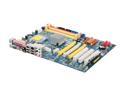
ASRock Penryn1600SLI-110dB LGA 775 NVIDIA nForce 650i SLI ATX Intel Motherboard
Pros: I could go on about this board. For one is supports 1600mhz FSB, which will help OCing any budget chip. It has all the bells and whistles that the boards twice as much as this one have. The chipset is a bit dated but it still supports everything so who cares? Not to mention the SLI support for under $100 and the improved audio over other boards. One of the best Motherboard budget buys for me personally.
Cons: There were a couple things that I did not like about this board. First of all, the 24 pin power connector is right next to the CPU socket. I recommend connecting the power prior to installing any large third party heatsinks or you will have trouble. Also, no external SATA, but there are addon cards for that i guess. Only other thing is that the chipset runs VERY hot. Make sure you have some air movement around that heatsink.
Overall Review: Great board for the price. Running very stable and have had no problems. BIOS also has plenty of tools to play around with. I recommend it to anyone on a budget.
6/18/2008See more detail
Perfect Case
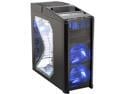
Antec Nine Hundred Black Steel ATX Mid Tower Computer Case with Upgraded USB 3.0
Pros: Everything, plenty of room for everything, and comes with all the fans you need. This case MOVES AIR big time ... I have never had a case with such a great air cooling system. Also makes for easy cable organization.
Cons: None
Overall Review: Great for the price
6/18/2008See more detail
Great!
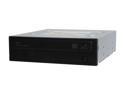
SAMSUNG 22X DVD Burner 22X DVD+R 8X DVD+RW 16X DVD+R DL 22X DVD-R 6X DVD-RW 16X DVD-ROM 48X CD-R 32X CD-RW 48X CD-ROM Black SATA Model SH-S223F
Pros: Quiet, Fast, gets the job done. And its SATA
Cons: None
Overall Review: Can't beat the price IMO, get one
6/18/2008See more detail