

Your Browsing History


Gordon H.
Joined on 05/21/03
0
0
product reviews
- 19
Great Hard Drive for Apple uMB
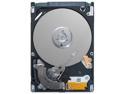
Seagate Momentus 7200.4 ST9320423AS 320GB 7200 RPM 16MB Cache SATA 3.0Gb/s 2.5" Internal Notebook Hard Drive Bare Drive
Pros: I installed the 320GB Seagate Momentus 7200.4 in my 2.4 GHz Apple uMB, and I'm getting absolutely no vibrations, nor do I hear any loud sounds, and while it gets warm, it's not hot. It's running great. It's also a lot faster than the stock 250 GB, 5400 RPM Hitachi. I'm running both OS X and Windows 7 RC on it.
Cons: None
Overall Review: As a note, you will need a T6 Torx head tool for the screws on the OEM hard drive, which you will need to transfer to your new drive. Just be careful, they are very small.
6/8/2009See more detail
Innovative Design.
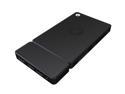
Kangaroo Plus Mobile Mini PC, Intel Atom x5 Z8500, 4GB LPDDR3, 64GB eMMC, Finger Print Reader, Non OS, Windows 10 Compatible
Pros: - Nice design, being nice and small, and easy to carry around like a cell phone. - Using it w/an iPad worked. - Windows 10 was easy to install using a USB memory stick.
Cons: - Heat is a BIG problem. With temperatures of around 65 Celsius, at idle, to as high as 83, using IE. The Throttling shouldn't have kicked in until 90 Celsius. - There was a great deal of Throttling, up and down, almost like a sine wave, using the Windows CPU Resource Monitor. - The case got extremely warm. . Using IE, the temperatures would go up, causing lag. - I couldn't get any movie to play. - I tried playing an old game, and while it loaded up OK, and the graphics worked, the Throttling kicked in causing lag to happen in the game. - I tried laying the Kangaroo on a Laptop Pad w/a Cooling Fan, and it indeed cooled it a lot, and as such, the Throttling did drop, but it still kicked in.
Overall Review: - If the heat issue could be addressed, and thus stop the Throttling problem. you would have a great product. - I don't know if there is an issue w/mine of not enough Thermal Compound. I didn't want to open it up and find out. Or there being a bad heat sink design, not enough air circulation, or both. - I looked a round for pictures of the inside of the Kangaroo, but couldn't find any.
4/24/2016See more detail
Great, Lightweight Gaming System

ASUS Desktop PC ROG G20AJ-US023S Intel Core i5-4460 8GB DDR3 1TB HDD 8GB SSD NVIDIA GeForce GTX 750 2 GB Windows 8.1 64-Bit
Pros: - Small, lightweight Gaming machine, very similar to an Alienware X51. - System is upgradeable, using a socket 1150 CPU, as well as supports up to 16 GB memory, but uses laptop memory rather than desktop. Opening up system voids warranty. - Mounting support for an SSD - Video card upgradeable, using proper power supply's.
Cons: - Opening up case, even to upgrade memory, voids warranty.
2/4/2015See more detail
Great Memory
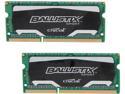
Crucial Ballistix Sport 16GB (2 x 8GB) 204-Pin DDR3 SO-DIMM DDR3L 1600 (PC3L 12800) Laptop Memory Model BLS2K8G3N169ES4
Pros: I own a new Lenovo IdeaPad Y410p, which shipped with one stick of 8GB CAS 11 DDR 1600. I wanted 16 GB, and buying it separately was cheaper than buying a system w/it installed. Plus you generally don't get the very best, nor fastest memory pre-installed.
Cons: None what so ever.
11/8/2014See more detail
Good Tablet Start
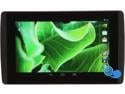
EVGA TEGRA NOTE 7 Tablet - 16GB Flash, 1GB RAM Quad Core NVIDIA Tegra 4
Pros: The price, the Nvidia Tegra 4 cpu, it's light weight, it's gaming performance, and sound. Also the EVGA name.
Cons: I wish it came w/2 Gb of RAM, rather than 1, as well as 32 GB Flash, rather than the 16. If anything, the option to upgrade everything, memory and flash storage.
Overall Review: I'm hoping for great support, from both EVGA and Nvidia. If they can do that w/the Tegra 7 Note, then they can expect future customer loyalty, from both myself and others, for their future products. I'm hoping for some good serious games to start being released for the tablet market w/the Tegra 4 release.
11/28/2013See more detail
It Works
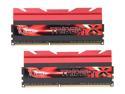
G.SKILL TridentX Series 16GB (2 x 8GB) DDR3 1600 (PC3 12800) Desktop Memory Model F3-1600C7D-16GTX
Pros: Memory works, but only at 1333 MHz, in my Alienware X51. Running an Intel i7-3770 cpu, which supports both 1333 and 1600 MHz.
Cons: - Heat Sink height is too tall for my system, whereby I can just barely fit it in. - Not running at 1600 Mhz. BIOS, sadly, offers no manual settings for the memory.
1/28/2013See more detail