

Your Browsing History


David T.
Joined on 03/12/09
0
0
product reviews
- 18
Acer S241HLbmid Black 24" Review
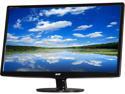
Acer S241HL bmid UM.FS1AA.001 24" Full HD 1920 x 1080 5ms 60 Hz D-Sub, DVI, HDMI Built-in Speakers LCD Monitor
Pros: excellent amount of real estate. picture looks excellent. Comes with all the cables.
Cons: none so far
Overall Review: I heard the audio is terrible, but I'm not using the monitor to transmit my audio so I can't say how bad it is. However, if you want a good monitor and you can get it for under $140, then don't delay
1/12/2015See more detail
I like the NAS, but...
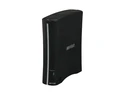
BUFFALO LS-CH1.0TL 1TB Network Storage
Pros: NAS drive!
Cons: I am used to NAS drives at work that are ready when I am. I turn my computer off after most uses and then when I restart my computer the NAS drive isn't available right away about 50% of the time. I've poked around the settings but can't find out why this happens.
Overall Review: Good price for a NAS and you can connect a USB drive to it also, but I just don't like the delay before I can use the drive.
11/23/2014See more detail
Great machine for the price
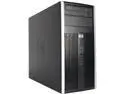
HP Grade A Compaq Pro 6300 Tower, Intel Core i5-3470 3.20 GHz (up to 3.60 GHz), 16 GB DDR3, 2 TB HDD, DVDRW, Intel HD Graphics 2500, Windows 10 Pro (English / Spanish), 1 Year Warranty
Pros: ample memory, I5, windows 10
Cons: no SSD
Overall Review: not disappointed. All I did was add a 120GB SSD and this desktop is awesome. I have not had any issues since I bought it 4 months ago.
7/8/2018See more detail
Wife couldn't be happier
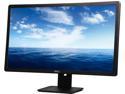
DELL E2414HM Black 24” 5ms 1920 x 1080 Widescreen HD LED Backlight LCD Monitor 1000:1 DVI & VGA
Pros: more real estate to display your windows...
Cons: None
Overall Review: I replaced a 17" flat screen for my wife. She couldn't be happier with the upgrade. All the computer/monitor is used for is email, surfing the web, and some light MS Office work, so the monitor is great. I can't talk about how it works when playing games, but for our use and to get a good sized desktop, it can't be beat for the price.
1/28/2016See more detail
Breaths new life in a core duo...
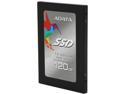
ADATA Premier SP550 2.5" 120GB SATA III TLC Internal Solid State Drive (SSD) ASP550SS3-120GM-C
Pros: Works great, copied my O/S and use as my boot device. I had a core duo that booted in about 75 seconds. Now my boot time is under 30 seconds. Windows O/S upgrades used to take many, many minutes to install, now those same installs are cut in 1/2.
Cons: None
Overall Review: If you've been contemplated an SSD, just do it - you'll be glad you did... A 120 GB is more than enough to store the O/S and all of your programs (I'm not a gamer so I don't know about games). If you want to cut costs to the minimum, I would say a 120 GB drive is the minimum. I have windows 10 and office running on a 60 GB drive, but I'm constantly checking to make sure my disk space is not running low.
1/28/2016See more detail
Sandisk 240GB SSD
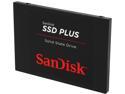
SanDisk SSD PLUS 2.5" 240GB SATA III TLC Internal Solid State Drive (SSD) SDSSDA-240G-G25
Pros: Works great, copied my O/S and use as my boot device. I had a fast machine (i7 with a fast drive) that booted within 20 seconds. Now my boot time is under 10 seconds. Windows O/S upgrades used to take many minutes to install, now those same installs are cut in 1/2. A 220 GB is more than enough to store the O/S and all of your programs (I'm not a gamer so I don't know about games). If you want to cut costs to the minimum, I would say a 120 GB drive is the minimum. I have windows 10 and office running on a 60 GB drive, but I'm constantly checking to make sure my disk space is not running low.
Cons: None
Overall Review: An SSD will blow the doors off a hard disk any day, so if you're contemplating an SSD to speed up you computer, just do it.
1/28/2016See more detail