
Your Browsing History


John L.
Joined on 07/17/05
0
0
product reviews
- 9
Works Well
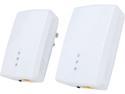
ZyXEL PLA5405KIT HomePlug AV2 MIMO AV1200 Powerline Gigabit Ethernet Adapter Kit, up to 1200Mbps
Pros: Big improvement in throughput compared to previous generation powerline networking. Because this is a MIMO product instead of a SISO product, it uses multiple data streams (specifically the hot-neutral and the hot-ground wire pairs) to increase bandwidth and counteract interference. It works, although you won't get anywhere near gigabit speeds unless the two adapters are on the same physical circuit and there are no interference sources in between the adapters.
Cons: A bit expensive. If you are happy with your current powerline setup, it's probably better to wait for the next iteration of powerline adapters. This one only operates on ~10 - ~65 Mhz frequencies. The AV2 spec allows for powerline devices to operate in a frequency range of ~10 - ~85 Mhz, which allows for more bandwidth. I dinged this a star because of the price.
Overall Review: The powerline industry seems to have taken a play from the Wi-Fi world by advertising theoretical peak line rates instead of real world data rates (data rate = line rate - protocol overhead). Just like Wi-Fi, you will not get the advertised link rate in the real world. Powerline networking bandwidth can also be limited by any one or more of the following factors: -Type and Quality of electrical wire in your house (i.e. thickness of wires (10 guage vs. 12 guage vs. 14 guage, age/condition of wires - older wires may suffer from corrosion, material of wires - such as aluminum vs. copper) -Length of the powerline. For example, one of the rooms in my house is on two different electrical circuits on my electrical panel. Even though the 2 outlets are 10 feet from each other, data travelling between the two outlets has to travel several hundred feet as the signal goes down to the panel in the basement and comes back up on the other circuit. -Location of other electrical appliances and devices. These generate line noise similar to the interference multiple Wi-Fi routers near each other would cause. It's best to have as few things plugged into the powerline between the two adapters if possible. Every device will have a different impact due to local environmental conditions. - Circuit breakers in your breaker box matter. If you're trying to cross multiple circuit breakers in your breaker box, this will kill performance between two adapters. Arc-Fault and Ground-Fault adapters are the worst offenders, although some are manufactured in a powerline networking friendly manner.
11/27/2014See more detail
Piece of Junk and Technical Support is a Joke
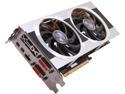
XFX Double D Radeon HD 7970 3GB DDR5 PCI Express 3.0 CrossFireX Support Graphics Card FX797ATDJC
Pros: It's a shorter card than some of the other 7970's on the market. So you get better air flow if you put this card in a large case, or you can choose to put this card in a smaller case.
Cons: The card is defective. It took me forever to diagnose the problem, but my particular card causes display artifacts to be rendered, frame stuttering, and then my computer to do a hard-freeze when playing games that use Directx11. I've been able to confirm its not a driver problem, software or computer configuration problem, but I can reliably reproduce the fault. It appears to have a faulty chip that doesn't handle DirectX 11 properly However XFX's customer support is a joke. I contacted their support and explained the problem. They (specifically someone named "Krell") asked me to send them a copy of my invoice and asked me one or two clarifying questions. That was 5 days ago and I haven't heard back from them since despite repeated attempts to contact XFX. Now, I'm left in limbo. You buy enough parts and eventually, you will buy a bad one. It happens. What is unacceptable is when a company doesn't stand behind their product or warranty or provide even a minimum level of customer service. Spend your money on a card from another manufacturer. If you buy a bad part, at least they will stand behind their products and not leave you hanging when you need help.
3/28/2014See more detail
Crucial Lied - Not Compatible With Motherboard
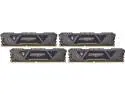
Crucial Ballistix Sport AT 3200 MHz DDR4 DRAM Desktop Gaming Memory Kit 32GB (8GBx4) CL16 BLS4K8G4D32AESTK
Pros: None
Cons: It does not work with my motherboard, even though Crucial’s website specifically listed it as compatible. My motherboard is an ASRock B450M-Pro, which supports 64 GB of memory. While this memory is not listed in ASRock’s QVL, I know they can’t test everything. However, when checking Crucial’s website, Crucial listed this kit as compatible. It’s not - the system will not boot when the XMP profile is enabled. I have to run it at lower speeds than advertised to get it to boot. I am highly disappointed as I feel that Crucial lied.
Overall Review: At least it works, albeit not as advertised.
10/6/2019See more detail
Follow Up Review
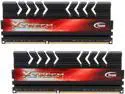
Xtreem LV 16GB (2 x 8GB) DDR3 2133 (PC3 17000) Desktop Memory Model TXD316G2133HC11DC01
Pros: See previous review entitled "Not Product Advertised." Although the sticks do not contain XMP profiles matching their advertised timings, I was able to manually set the timings and speed in my BIOS. They appear to be functional and stable.
Cons: The heat spreaders are *THICK*. Too thick. Placing two of these sticks side by side in my motherboard had the heatspreaders of the adjacent ram contacting each other. This leaves no room for air to travel between the ram sticks. It also makes it hard to grip a RAM stick after you have installed it. I have never had this problem before - the heat spreaders of my previous Ram did not contact each other.
Overall Review: I did not knock off an additional egg for the over-sized heat spreaders because it does not appear to impact my system. In my experience, RAM heat sinks are more bling than functional. I've never had RAM get hot or overheat, but then I always run my RAM at stock/standard compliant voltages (e.g. 1.5 volts for DDR3). Heat sinks might be necessary for overclocking your memory by increasing the voltage. If so, see my comments above about the lack of airflow around the DIMMS when you install these.
1/7/2014See more detail
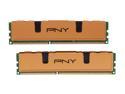
PNY Optima 8GB (2 x 4GB) DDR3 1333 (PC3 10666) Desktop Memory Model MD8192KD3-1333
Pros: No problems. Works as advertised. Stable for the last year.
Cons: Doubled in price since I bought it.
12/26/2013See more detail
great ram
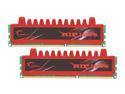
G.SKILL Ripjaws Series 8GB (2 x 4GB) DDR3 1333 (PC3 10666) Desktop Memory Model F3-10666CL9D-8GBRL
Pros: Great ram. I bought it three years ago, and it has been working flawlessly ever since. Speedy, stable, and works as advertised.
Cons: None
Overall Review: When I bought these sticks back in 2010, higher bandwidth ddr3 was either too expensive to be practical or simply not available. Now a days, you can get high quality 1600 or 1866 MHz ram for the same price.
12/26/2013See more detail