
Your Browsing History


James N.
Joined on 10/08/07
0
0
product reviews
- 20
What IS the best disk?

Verbatim 4.7GB 16X DVD+R LightScribe 30 Packs Spindle Disc Model 95091
Pros: They work, and I have nothing significantly bad to say abou them except...
Cons: The label side burns rather light compared to at least one other brand of disk... Here's my review: It is my experience that Memorex labels come out significantly darker. I say that as I sit here comparing them side by side. I even double-printed this Verbatim label sitting right in front of me, and it still isn't quite as dark as the Memorex single-print DVD label. I don't know if different batches of DVDs can make a difference, but if there is little variation between batches of disks, I'd say the Memorex brand labels darker. As for label resolution, it seems to be about the same (as viewed under a magnifying glass). Does anyone else have any 'right in front of them' comparisons of other brands? I'd really like to hear from you so we can figure out who really does have the best label side.
Overall Review: I read a thousand comparison reviews before purchase (okay, over 200), trying to determine what was THE best LightScribe DVD to get. All reviews have been based on things like 'lasts for years'. Oh really, you've only owned this batch of the product for 2 weeks. How do you _know_ that this brand and batch of DVD holds its digital information for YEARS longer than the nearest competitor? Because other reviewers said so... I'm NOT saying these are bad disks, because they do work. My success rate is equal to the equivalent Memorex brand, at a 100% successful burn rate thus far. People with a disk-burn failure rate, check your hardward, software, and data. I'm just saying I looked to the reviews to find out about the label side quality, and I feel rather misdirected by some inaccurate and outright false reviews.
12/20/2009See more detail
Not the worst
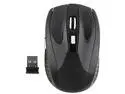
Insten 1042809 Black 6 Buttons Tilt Wheel USB RF Wireless Optical Mouse Version 3
Pros: It works, it has a lot of range. Small and comfortable. I got it on sale, for less than a third of the price of a name-brand, cordless optical 3 button mouse.
Cons: No drivers, no info, no button remapping software. These problems are all easily overcome (see Other thoughts). No 'tilt wheel' on the scroll wheel, but after reading all the comments (before purchase), I knew it wasn't going to be. It's a 5 button mouse, neither 6, nor 8 (would've been 7 if it really had a 'tilt wheel'). The 6th button is the DPI / resolution switch, which is not an OS/program interactive button. DPI switch doesn't seem to make any difference compared to other multi-DPI mice I use. Requires 2 AAA batteries (not included) instead of 1 (as listed). Battery requirement not a 'Con' per se, but be aware that you'll want to already have some when it arrives. The [only] real problem is that it goes to sleep way to fast, like a minute or less, and requires a button-click to wake up. No way to change this (that I've found yet). Mine also seems to hang randomly and temporarily (10-15 seconds), but I haven't gotten a mouse to act 'perfect' yet in Ubuntu 14.04. Whether it's actually asleep or just hanging, a button-click always wakes it up. If it was my only computer / mouse in operation, perhaps I'd get used to it in time. The sleep function is 'different' and slightly annoying more than an actual deal-breaker.
Overall Review: Standard mouse drivers work. 3rd party mouse software (freely available online) works as a button re-mapper (Windows, haven't found one that works right for Linux yet). Although I have a name-brand $30 (retail) 3 button mouse, I still choose to use this cheap-o mouse instead for the extra buttons, so it isn't all bad. It's not the worst mouse I've ever owned, even if it was the cheapest (on sale price).
5/18/2015See more detail
Nice Monitor, Nice Price
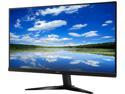
Acer KG271 bmiix 27" Full HD 1920 x 1080 75Hz 1ms HDMI VGA AMD FreeSync ZeroFrame Flicker-Less BlueShield Built-in Speakers LED Backlit LCD Gaming Monitor
Pros: Big Screen (27 inch), nice price (bought on sale ~$130, free shipping), arrived fast, no dead/stuck pixels, great image (for TN panel), small bezel (top and sides), sturdy stand with a wide foot-pad that I feel confident about.
Cons: No cons, but some caveats - see 'Other'
Overall Review: I got exactly what I expected, and I'm pleased and would recommend this monitor to others. However: I "upgraded" from an Acer 24" IPS, so I advise caution to those who already have an IPS - this is a TN panel monitor. Whites are not quite as white, they're slightly yellowish compared to the blue-white whites of the IPS monitor sitting beside it (no matter what adjustments I make in the monitor's control panel). Also, the darkest blacks are faded compared to the somewhat crisper blacks of the IPS monitor. If you're using your monitor for Design or other color-sensitive applications, you might want to go with an IPS monitor (although I'd still recommend going for an Acer brand). However, this particular TN panel has a VERY good viewing angle, nearly as good as the Acer IPS which sits beside it. And although there isn't technically more 'real estate' to work with than my 24" IPS (which implies a higher resolution, they're both 1080p), it's larger size does make it easier to see and work with. I'm using a dual-monitor set-up on Ubuntu Linux 16.04LTS so I can't say how this monitor might be on a Windows machine. But I am perfectly content with Linux gaming (Dolphin) and watching videos on this monitor. I can't really tell much of a difference between the 75MHz refresh and the 60MHz refresh of the IPS monitor that sits beside it, but I have no complaints about the 75MHz refresh, either.
11/14/2018See more detail
Replacement for Logitech Cordless Rumblepad 2

Logitech F710 Wireless Gamepad, 2.4 GHz Wireless with USB Nano-Receiver, Controller Dual Vibration Feedback, 4 Switch D-Pad, PC - Grey/Black
Pros: It works just as I expected. (Admittedly, with ownership of 1 hour or so, it hasn't survived the longevity test yet.) Unlike a lot of comments, I have no problems with range. In fact, if I could see through walls I could keep playing, because the F710 works just like my Rumblepad 2 did, even from my bedroom (comp in living room, it works right through the wall). I wonder if Logitech fixed the problem others have reported, or if it's because I'm using the 'legacy' setting (D, not X on the front panel switch), or if others were having some other kind of problem. Nonetheless, 'range' is a 'Pro' for me, not a con. If only my old Logitech wireless keyboard/mouse had this range...
Cons: Not precisely a 'con' so much as a dislike that I'll get used to - the L2 and R2 buttons are different from the Rumblepad 2, with a much longer range of motion (not a button push like the L1 and R1 buttons). Not a big deal, it just makes the gamepad feel slightly smaller or different somehow in my hands than the Rumblepad 2, in spite of having the exact same dimensions. I'm sure I'll get over it. (Edited and added at 2 months ownership): Range is good, but like Stephanie B has noted in her review, the gamepad randomly drops connection for a second or so occasionally. Whatever the problem is, it isn't an issue of 'range'. It only happens very infrequently for me, maybe 15 times in 2 months (used daily for at least a half an hour a day). I'm not a 'professional' gamer, and the momentary spaz isn't enough to get me killed in the games I play (or I'm good enough to recover from it), so it doesn't bother me as much as it probably will others. But the problem does exist, and some people will find it to be an unacceptable annoyance and distraction from their gameplay.
Overall Review: One button finally died on my Rumblepad 2, after 6 years or more of use. I sure hate to throw it away, but since I cannot find replacement rubber pads (internal) to fix it (the only thing that's wrong), getting this as a complete replacement was certainly my next best option. I'm using my gamepad on both a Windows machine (XP) as well as a Linux machine (Ubuntu). It's mostly used as a Dolphin emulator gamepad (both machines) as well as for GTA games on the Windows machines. For any Linux users, just letting you know that the F710 works with Linux, too.
1/30/2018See more detail
It works
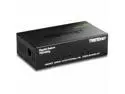
TRENDnet 5-Port Unmanaged Gigabit GREENnet Desktop Metal Switch, Ethernet-Network Switch, 5 x Gigabit Ports, Fanless, 10 Gbps Switching Fabric, Lifetime Protection, Black, TEG-S50g
Pros: It worked right out of the box, and does the job.
Cons: None. It's a 'switch'. There's not much functionality that can go wrong so long as it works out of the box.
Overall Review: These comment are in "Other thoughts" and not "Cons" because, well, read for yourself. I got the Model 3 version, which only has 1 row of lights. I specifically purchased this brand/model over the others because the model shown is a Model 1, with 3 rows of lights. Disappointed? Not really, since I'd read others' reviews before ordering, and researched what they were talking about. I knew I'd probably get a Model 3, although I was hoping for 3 rows of lights. 3 lights per port seemed more "informational" than 1 (and looks cooler late at night in the dark). However, 1 row of lights probably makes it slightly more energy efficient, and delivers sufficient information. I am unable to achieve 1,000 Mbps transfer speeds. But perhaps this is due to 'older' hardware. My peak speeds are around 450 Mbps (still much faster than 100Mbps). My computers are SATA II (3 Gbps) instead of SATA III, with motherboards that are getting older (but still quad-core machines). Also, I have WinXP (AMD, Gigabyte mobo) and Ubuntu Linux (pure Intel, mobo and i7 processor) talking to each other via an MS Workgroup. Having messed with all the settings, I strongly suspect that short of upgrading other hardware (and XP OS maybe), my speeds are as good as they would be no matter the brand of switch I bought. Don't forget to upgrade your cables, if necessary. I was running the network through my 100Mbps DSL Modem/Router, but with the Linux build and some necessary massive data transfers (a few terabytes worth of data) I needed more network speed. My old cables were Cat 5 (more than enough for 100Mbps). I thought they were Cat 5e, but they were labelled as simply Cat 5, so I wasn't comfortable with them. I would recommend the Rosewill 7 foot Cat 6a cables, that's what I bought as replacements. But maybe (unlikely) they might be the culprit of my less-than-anticipated speeds? I don't know, personally I blame the older hardware (and maybe the XP OS).
6/4/2015See more detail
Overall Decent
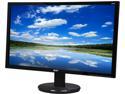
Acer K242HL Bbid Black 24" 6ms HDMI Widescreen LED Backlight LCD Monitor250 cd/m2 ACM 100,000,000:1 (3000:1), Tilt Adjustable
Pros: Bright screen, great colours, great range of view. Decent size, decent price. Zero dead pixels (white screen test), Zero stuck pixels (black screen test). This is my second Acer flat-screen monitor, neither have dead or stuck pixels, I feel like I can trust Acer.
Cons: As mentioned in other reviews, this monitor can wobble like a bobble-head if someone is pounding on a keyboard like they're playing the drums. Okay, it's not THAT bad (on a stable desk), but even on a solid desk I have noticed the bobble-wobble a few times. My computer desk has a hutch, so simply pushing the monitor back against the hutch prevents the wobble. With such a great picture, the wobble isn't enough to bring this item down a rating notch. The blue power light can be like an eye-penetrating laser-beam when at eye level. I only really notice this when watching videos, if I start to slouch in my chair when the light is suddenly at eye level. Again, not a deal breaker, or worthy of lowering the rating by a notch. I still give it a 5 of 5.
Overall Review: A really decent monitor overall, and at a worthy price whether on sale or not. (But I'd recommend patience, and watching and waiting for a sale price anyway.) A decent and trusted brand (based on my experiences). At this moment in time, I'd say this monitor exemplifies the market's current "sweet spot" for price / size / quality (spring 2015).
5/19/2015See more detail