




 here!
here!
I’m your shopping assistant for PC builds, upgrades, and everything tech.
Got questions? Ask away!
Start a conversation
here!
I’m your shopping assistant for PC builds, upgrades, and everything tech.
Got questions? Ask away!
Start a conversation

Joined on 09/01/11
READ BEFORE INSTALLING
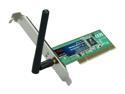
Pros: Product works exactly as described.
Cons: Bought several of these and deployed them into all different models and operating systems. Noticed when installing the card into a Windows 7 64 bit computer, the driver/software would cause the computer to freeze. All you have to do is go to Rosewill's website and download the latest driver package. Do not bother with the CD that comes with the unit. Also don't care for the software that comes with the installation CD. The basic driver works fine with Windows.
Overall Review: If you install hardware that does not have plug and play drivers and it causes problems (especially if you see a pattern), try the latest drivers from the manufacturer website before writing a negative review. What is even more disturbing is Rosewill's generic RMA message they are sending to all these one egg reviews instead of providing steps to resolve the problem.
DOA
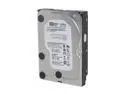
Pros: Bought two. The one that works passed a long test and functions as it should.
Cons: The one that is bad makes clicking noise right out of antistatic bag. Not recognized by bios. Unable to run tests. Had to DOA right away.
Overall Review: I know these hard drives are refurbished but I buy Western Digital because of their quality control and reliability of their product. Given all the negative reviews, this many DOAs are unacceptable.
Tiny but powerful
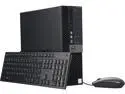
Pros: - Latest and greatest 6th gen Intel i7 Processor - High benchmarking integrated graphics - Updated look to the previous stagnant generation of Optiplex - Runs cool and extremely quiet
Cons: - No VGA or DVI ports on motherboard. Has one HDMI port and two display ports. Was hesitant to add this as a "con" but if you are like me you assume business class desktop computers come with a VGA port. Carefully read the description and look at the picture of the back. I should have ordered a VGA display adapter with this computer. - Came with a Seagate drive installed. Personally not a fan.
Overall Review: I added an ATI FireMV workstation graphics card to see how the system handled it and it hindered the computer's performance. There is really no need to since the integrated graphics are so good. Also the x16 PCIe slot is right up against the power supply so there isn't much room for a graphics card to ventilate anyway. The Windows 7 Pro downgrade is a nice gesture, and a must for some people. However upgrading to Windows 10 Pro can be a pain using the included Dell install media. You have to change the BIOS settings from Legacy to UEFI and when you try to do the install on top of the Windows 7 installation it says the drive is "locked". I guess you have to format the drive or do something in Diskpart. I gave up and chose the alternative method which is the limited-time free upgrade provided by Windows update. This option isn't going to be available in a few months and it leaves about 20 ~ 30 GB of temp files on your hard drive that's used for the option to revert back to the previous operating system. You have to play around with ownership and permissions in order to delete them. The performance bottleneck is definitely its hard drive. Put an SSD in it. You'll have to use a 2.5" to 3.5" enclosure if you want it to fit right but the speed is worth it. I didn't expect the computer to be as small as it is. Read the dimensions if you think this might be a problem for you. C'mon Dell. Give us our VGA port back. There is literally a blank slot on the back of this thing where one could go.
P O 'd
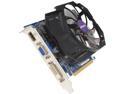
Pros: Looks nice
Cons: Run CD and it immediately says Vista not supported. Think to myself that they must have the drivers online (which they say they do) and download them. Run it, drivers install, reboot and nothing. Get a code 10 in device manager. I have tried everything I know to do (new power supply, cables, clean installation, motherboard settings etc...) and no progress. Contact gigabyte support in the only possible way which is creating a login on their website and submitting a ticket. A full two days later I get a message back that Vista and before isn't compatible. Well hell. I wish this would have been in the description for the product somewhere. This was for a customer of mine so I don't personally have a practical use for it. If I were to send it back I end up paying shipping and a restock fee.
Overall Review: To hell with Gigabyte. You know, Windows XP I would understand but in a CURRENTLY SUPPORTED OPERATING SYSTEM, if it isn't compatible a heads up would be nice. Have wasted hours of my time and about a hundred bucks.
I honestly wouldn't have bought it
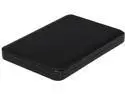
Pros: Like man others, I bought this as a shell shocker. It is a 2.5 SATA drive and it works.
Cons: Misleading title and description.
Overall Review: I can still use it. It is a good price for a 3.5 drive.
Better than others
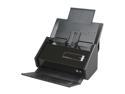
Pros: I can't tell you how many other scanners in its class that I have deployed that can't handle a large stack of papers without passing more than one and jamming. This thing works perfect. Deployed in a high volume scanning environment and it got the job done without a single problem. Software is stable and easy to use.
Cons: None


