

Your Browsing History


William T.
Joined on 07/01/08
0
0
product reviews
- 19
Good Cable
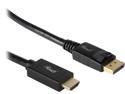
Rosewill RCDC-17005 6 ft. DisplayPort 1.2 to HDMI Active Converter Cable, Black, Gold Plated, 4K x 2K Ready, Eyefinity Support
Pros: - Connections are solid - It works - 6ft is optimal - Better installation than using HDMI cable and DP-to-HDMI adapter
Cons: - None
Overall Review: RX 480 Graphics card - (3) monitors running Eyefinity - (2) monitors using Native HDMI, the 3rd using this DP-to-HDMI active cable...everything works as it should.
7/21/2017See more detail
Not an active adapter
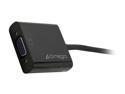
Cirago DPN1011 DisplayPort to VGA (HD-15) Adapter
Pros: Was not broken.
Cons: Description says 'active' adapter, but it is not.
Overall Review: If using 2 or less monitors, it may work.
12/7/2015See more detail
Works
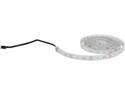
Phanteks PH-LEDKT_M2 Multi Colors LED Strip 2m Specified for Phanteks Enthoo Luxe Case Upgrade
Pros: - LEDs work as intended - No dead LEDs
Cons: - Adhesive backing does does stick very well
Overall Review: Clear packing tape or Scotch tape is your friend.
7/21/2017See more detail
Good Little Card
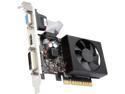
PNY GeForce GT 710 1GB DDR3 Low Profile Graphics Card RGMGT71WE2F1EA1KTP
Pros: - Small - Quiet (can't tell the difference between the CPU fan and this fan) - HDMI + DVI + VGA - Plug-n-play
Cons: - No cons for what it is. Does the job it is intended for.
Overall Review: Does not include the low profile bracket. It is not shown in the pics or description, so it is not expected, but just an FYI. Installed in an older Dell XPS 400 running Linux Mint Cinnamon 17.3. Worked right out of the box, no known issues.
7/21/2017See more detail
Works Great
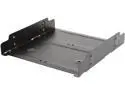
BYTECC BRACKET-25525 HDD Accessory
Pros: - Holds (2) 2.5" SSD drives or (1) 3.5" HDD - Comes with 2 sets of SSD screws (the tiny ones) and screws for the HDD - Holes all line up - Black finish - Very useful for filling up those empty optical drive bays so you can remove the HDD trays from your case for better airflow. - The drive sits flush with the back of the tray so you don't have a hard time squeezing your hand into the bay to connect SATA/Power - Sturdy - Low price for it's value (granting is is just a small piece of metal)
Cons: None
Overall Review: - SSD holes are meant for one side or the other, not in the center...Manufacturer could have drilled 4 more holes to allow center mounting of SSD. Just a thought, not really a 'con'. - HDD sits right in the center
1/27/2016See more detail
Works
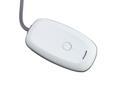
AGPtek Wireless Controller PC Windows Gaming Receiver for Microsoft Xbox 360 - White
Pros: Works so far. I'll leave another review if it fails or whatever.
Cons: None.
Overall Review: Being used with the Xbox 360 Wireless Wheel. Haven't tested it with a controller, but the wheel hasn't lost connection or messed up or anything yet. The adapter rest on top of the PC which is under the desk the wheel is mounted to, which is approx 24" away. Connection is stable at this distance. I don't know the overall usable range. It wasn't recognized by Windows 7, but loading the correct drivers was easy. The directions are here on Newegg and other places on the interweb. Don't let that scare you away, the product works as intended.
4/1/2015See more detail