
Your Browsing History


Karl M.
Joined on 08/16/08
0
0
product reviews
- 8
Set Limits and tame th fire dragon!
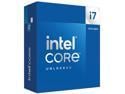
Intel Core i7-14700K - Core i7 14th Gen 20-Core (8P+12E) LGA 1700 125W Intel UHD Graphics 770 Processor - Boxed - BX8071514700K
Pros: I built 2 duplicate machines other than hard drives, and ended up doing one I7- 14700 & the other a I9- 14900. For the money the 14700k is probably the best CPU out there! Download the latest BIOS and flash the thing! The chip will run cool while you in BIOS or at idle! Start by changing to "advanced mode" then go thru all the menu settings. In order to run at the speeds I have, the cooler changes to 240 AIO, but I am running a Be Quiet Dark Rock 5 PRO / 270-TDP. I set the BCLK to "Locked 100mhz" set the AVX2 offset to 2 or 4, set LoadLine to 3 or 3.5. I set "Base Frq Boost" to 125, set P-core ratio to 4.8 AT LEAST to start, set Ecore Ratio to around 3.4. Don't be TOO greedy! I run "ALL CORE" which I would rather have all cores running the same speed, even thou you won't get quite as high a speed! PLL-1 set to 240, PLL-2 set to 250 and 280A ----The factory setting after BIOS update are 253, 253, 301A - SO I am running on the cooler side rather than trying to fry my CPU! I think I am running my P-core at 4.8ghz & E-core at 3.4. I'm getting ready to try to bump Pcores to 5ghz. I have the same voltage setting on the I9-14900k & I am running P-cores at 5ghz. Couple other things - IMPORTANT set a hard voltage limit of 1.4v too! 240, 250, 280A and 1.4v you should run around 29c idle, and not much more than that when web browsing, watching video etc! Under extreme stress running mid 50s to mid 60s. ANOTHER thing I did was to set a "Hard Throttle" at 82c and "Max Temp" of 84c. I use the Intel XTU utility to stress test, I DO NOT USE IT TO MAKE SETTINGS!!! Don't use any overclock program to do your overclocking, if your setting are "non bootable" you will have to go in safe mode a delete the program! If BIOS changes are unbootable the BIOS will try to make adjustment to allow you to get back in a make changes! The XTU will show your temp, and your TDP at the bottom left, so scroll down so it is visible! If your "Thermal Throttling" there is a problem! Do a "Max-Temp" of 95c (to dial in) and run the test(s) for JUST 1minute, if the TEMP starts to climb, don't run the whole minute - STOP - SHUT DOWN & boot into Bios to change settings or shut down and re-install your cooling device! I used Liquid Metal - You don't want to overdo it, but you should put it on the heatsink FIRST AWAY from any electronics, because it will short stuff out! Then put the stuff directly on the CPU. I was lucky, but when first trying to gently squeeze it out, the first bit wants to "shoot out" so keep that in mind! That's why I say put it on heatsink FIRST! There is an option for "extra Voltage" for AVX & I didn't feel safe letting the BIOS decide, so I took it off "AUTO" and entered 1 (the number is multiplied by .05 to the AC-LoadLine) The AC & DC Load Line Should be the same, since .05 was added to the AC load line, I set the load line to .40AC & .45DC! When you increase these values the help VDROOP, BUT increase the TEMPs the higher you go! Actually the .40 & .45 are on the i9, the i7 is in mid to upper 50s. I am thinking I can lower them slightly and go from 4.8ghx to 5ghz. ALL THIS IS DONE WITHOUT AN UNDER-VOLT!!!!! I keep "Under-Volt Protection" ENABLED! The easiest & best way to start out is to set your speed manually by setting BCLK to 100mhz & set the multiplier to 40 P-core & 28 e-core, go up slow. Be patient and don't be greedy! ONE MORE THING - Get the CPU with onboard video, and set everything up right, before you add a video card to the mix! If video card ever goes bad, it will be a blessing to both trouble shoot, and allow you to get online temporarily until you get a new card!
Cons: I had to read up a LOT!!! Even thou I am CompTIA A+ Certified in 2001, things have changed a lot since my last builds! I was running Windows 7. I had some issues with heat, and I don't know if it was me, or the hardware, BUT NEWEGG SENT ME A NEW MB & CPU! They are THE best place to get hardware & OS!
Overall Review: I think the i7 14700k & i914900k, with the onboard video are the BEST deals out there! The heat is Tameable, and think what I could have done if I went 360-AIO (water cooling) The Dark Rock 5PRO is an awesome air cooler! I am running 64gb / 4x16 sticks of Corsair Vengeance and have NO PROBLEM with clearance. The Dark Rock that is 280 TDP looks like it would have clearance problems, and the difference between 270 & 280 make the Dark Rock 5 PRO the sure bet!
9/17/2025See more detail
Most all my PCs have Corsair Power Supplies!!!
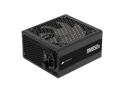
CORSAIR RMx Series RM850x ATX Power Supply - Fully Modular - ATX 3.1 - PCIe 5.1 - Cybenetics Gold - Low-Noise - Japanese Capacitors - 850 Watts
Pros: Corsair Power supplies JAM! Love the know on the back that clicks when you turn it on and allows you to turn it up to the fan speed you want! I have NEVER had a Corsair power supply fail - EVER! I have 4 Corsair 850watt power supplies, and on Corsair 750watt power supply. And a "1200watt Thermalright or Thermaltake power supply???" and I have another 850watt OCZ power supply, and one I don't remember!
Cons: None, they could give me a 10% good dude discount, as a matter of fact, I think I rember that great customer service dude said something about trying to get me in the 10% club, still waiting to hear back!
Overall Review: Corsair is top of the line!!!! And that memory pretty good too! Did I say Iove me some NewEgg?
9/18/2025See more detail
Love Windows XP, Loved Windows 7, NOW I'm on 11?
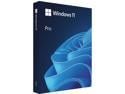
Microsoft Windows 11 Pro (USB)
Pros: Windows 11, so far seems like a really good OS!!!! Some learning how to find my way around town! I always go with Windows PRO version, and I always go OEM version! This time I built two almost duplicate machines, an i7 14700k, and a i9 14900k. So I am now leaving feedback on a "FULL version" of Windows-11, I purchased OEM CD for one machine and FULL Retail for the other. With all the "STUFF" with Secure Keys, PK Keys etc., I would spend the extra money and just get the Full retail. I know $40 or $50 bucks is a lot of money, but if you need support, and with this version of Windows you probably will somewhere down the road! You can "Log IN" with a Microsoft Account to add to your security!
Cons: Secure Keys and Security measure can be a real pain! It keeps your PC safer online, but if you need a new hard drive or have to do a "re-install" the secure keys will be a nightmare! I am a security freak, so I think it is worth it! I would think hard about Bit Locker! I have two 500gb SATA SSD drives in a RAID-1, and that is my C: drive or OS drive - I DO NOT HAVE IT ENCRYPTED!!!! I am not worrying about someone stealing my computer, I just want it as secure as possible. I do have a single 300gb Velociraptor drive for storage, AND that drive I have Bit-locker ENABLED. So if I want to post a pic, when I try to open the drive, it requires I type a password ----- AND I kind of like it! Removable drives are one thing "Bit-Locker" was made for. If I build a new machine, or just want to put the drive in a different PC all is good. I would think this would make it harder for someone to steal you files, delete your files, or plant a virus! If you use it on RAID drives, you will have to type in a password for every drive in the RAID array! Having to use a Microsoft Account to Install & Log-IN to Windows OS - UNLESS you use the work around - AND I did, to much oversight for the extra security! LOVE Microsoft - They have been good to me!!!! Just can't see logging in thru Microsoft - just feels creepy!
Overall Review: Love the pictures! It's is always changing my desktop, I was going to pick one out and try to lock it in, BUT I kind of like it now! It tells you some about the pic, but has links to learn more about the picture. AND there are some BEAUTIFUL Pictures!!! I think between Windows-11 and all the Security features, which are entangled with the BIO/UEFI features, your PC will a LOT safer. Love the idea that my storage drive has to have a password to access it!! Did I say before, I Love me some New-EGG!!!! If I popped the question, would you say yes????
9/18/2025See more detail
Gigabyte 3060 12gb
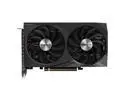
GIGABYTE WINDFORCE OC GeForce RTX 3060 12GB GDDR6 PCI Express 4.0 x16 ATX Graphics Card GV-N3060WF2OC-12GD REV2.0
Pros: It is in a smaller/shorter package, but punches above it's weight! Not gunning the most demanding games. Actually I am a recovering GAMER, so I really haven't checked them out with something that would REALLY Tax them! They are quite, I like the design of the fan blades themselves!!! I like the fact they made the fans "reverse spin" one spins to the right & one spend to the left!!!! This is FUNCTIONALLY SIGNIFICANT!!!! 12gb RAM on the card, more is usually better! I purchased two of these, as I built two almost duplicate machines! The SONIC motherboard is way better that people say! One person said they couldn't get the power to run his i9-13900. The number he listed were WAY lower than mine, AND I had lowered mine from default 253, 253, 301A. I run my 14900k at 240, 250, 280A and get 5ghz ALL Core - NO THROTTLING! This person said they couldn't even get the voltages as high as mine, so I got TWO of these board with NO PROBLEMS!
Cons: NONE - HIGH PROBABILITY I will be buying Gigabyte when I upgrade this i9 14900 PC
Overall Review: GREAT Card for all but the most die-hard gamer! It should satisfy most, and WHEN I upgrade, I will probably put it on the shelf for backup! My customer service rep was a good kind and seriously helpful dude! He had to put up with me, and I can get into "MINUTE Detail!"
9/18/2025See more detail
Nice LOOONNNNGG Cables!!!
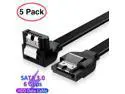
AUBEAMTO SATA Cable III 5 Pack 6Gbps 7pin Female to 90 Degree Right-Angle Data Cable with Locking Latch Compatible for SATA SSD, HDD, CD Driver, CD Writer, 20 Inch Black
Pros: Needed some LONG cable & they fit the billl!!!!
Cons: They cost too much....LOL....Everything needs to be cheaper or peeps just need to have better income!!!!
Overall Review: Not much to say, they were longer cables and the were just as advertised!
9/18/2025See more detail
I've purchased a few Samsung SSDs from "Da Egg"
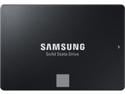
SAMSUNG 870 EVO Series 2.5" 500GB SATA III V-NAND Internal Solid State Drive (SSD) MZ-77E500B/AM
Pros: I think Samsung has the BEST products out there! I have Samung TVs, Monitor, and of course a few SATA SSDs. This pair I am running in RAID 1 so if one drive goes bad, I have another ti "Rebuild a new one from." I would not run RAID on a SSD again, I would have just purchased one drive with the same space! I could have just 1 drive with 1tb capacity, instead of 2 drives with 500gb capacity! Both Windows-11 & Samsung Magician won't run TRIM on RAID drives! I was freaking because my drives were showing up as regular hard drives, and I didn't want defrag to ruin the drive. I forget where in Windows I found ONE place that showed them as SSD drives. SO for those that run RAID, Windows-11 does know they are SSD drives - RELAX! I spent hours running stuff from command prompt as admin, and scouring "Control Panel" - JUST take my word, which if your like me, you won't - but your safe ALTHOUGH TRIM function will not work. Don't matter RAID-1 or RAID-0. SAMSUNG is my go to place for SATA-SSDs, Monitors, & Blu-Ray players! I'm currently using my new i9 PC thru a Samsung 27" Odyssey 240HZ with NVIDIA G-Sync.
Cons: NONE, except I would have gotten one 1TB drive, instead of 2 - 500gb drives! Can't use TRIM or Samsung Magician on "RAID-1" drives or any other RAID type! I would DEFINITELY go with Samsung SATA SSDs again to replace a drive, or build a new PC!!!!
Overall Review: We love us some NewEgg!! They are the only online folk that I would buy complete builds from!!!! I admit I did use to get used CPUs off line, BUT buying used CPUs now is just too risky! To the customer service rep that helped me out: THANK YOU FOR YOUR SERVICE!!!!
9/18/2025See more detail
seller reviews
- 1
NewEgg is my GO-TO PC Place
NewEgg has always satisfied my PC Needs! Never Had any issues, other than one time I ordered Two Video Cards for "Crossfire" and only one ended up being available, but I got a couple used ones to do the crossfire & have a spare!
On-time
Delivery
Product
Accuracy
Customer Service
Satisfactory
7/23/2018See more detail