

Your Browsing History


daniel s.
Joined on 08/12/09
0
0
product reviews
- 10
seem good
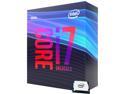
Intel Core i7 9th Gen - Core i7-9700K Coffee Lake 8-Core 3.6 GHz (4.9 GHz Turbo) LGA 1151 (300 Series) 95W BX80684I79700K Desktop Processor Intel UHD Graphics 630
Pros: its faster than my 2nd gen i3 laptop. it think
Overall Review: works fine for playing everquest without a graphics card. although i turn down graphics as i don't recognize any one at higher setting so i'm not pushing anything hard.
5/19/2020See more detail
Poor English
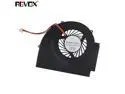
New Laptop Cooling Fan for IBM T510 W510 For Discrete Video card PN: MG60090V1-C060-S99 GC055010VH-A CPU Cooler Radiator
Pros: It fit in the laptop. Was clean and new looking. Would turn a bit as the power button was hit.
Cons: I could not boot past the bios. Just kept getting fan error message. He asked me to send photo of old fan 3 time. Which I did 3 times then got ----- From: <STCI Tech LTD> To: <daniel e schiffman> ----- Dear daniel : Thanks for send the photo to us. we are sorry for this. and we can accept refund to you. thanks STCI Tech LTD I hope someday to get refund or better yet a working fan.
Overall Review: I understand sometimes, stuff comes broken. But if you have a posting on an English web site be able to help if there is a problem. I can't say much about the fan except I fits like it's the right one. If there is a bad wire or contact inside for the speed sensor I can't say. as you know short of using a hammer there's no good way to open them up.
3/9/2020See more detail
umm it works
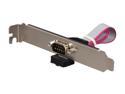
StarTech.com PLATE9M16 9 Pin Serial Male to 10 Pin Motherboard Header Slot Plate Adapter
Pros: it works. would be hard for it not to if you have a serial header not bring used.
Cons: in win 10 got a blue screen of death. i installed it, only fits one way. plugged and old serial track pad/ mouse (first serial thing i found on junk shelf) in turned on pc. loaded very slow, walked away came back to blue screen of death that had a qr code. as windows did not have a up date serial driver!!!!! the mother board came with the header been using pc for 3 year. serial ports are what 40 years old how would windows not default to a current driver?!?!? went to hardware manager, update driver in 10 sec, restart, pad works fine as mouse.
Overall Review: if you got room why not.
4/27/2024See more detail
It's a case
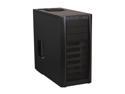
Antec Three Hundred Two Black Steel ATX Mid Tower Computer Case with Upgraded 2 x USB 3.0
Pros: Quite 2 speed fans (2)
Cons: Hard to pull out PSU air filter. EVGA SuperNOVA 650 G3, 220-G3-0650-Y1, 80+ GOLD, 650W Fully Modular, EVGA ECO Mode with New HDB Fan, Includes FREE Power On Self Tester, Compact 150mm Size, Power Supply is smaller than filter so it rests on filter added to difficulty removing it. Toolless external drive bay, makes a short card reader I had laying around harder to secure. DVD locked in nice.
Overall Review: Mother board shows up next week Mother board got here. I went with a liquid cooler. The 2 speed fans are the only good spots to put the coolers radiator. You can't relocate the 2 speed fans as the speed switch is on the back of case near top. So I had to use one of them said just mounted the liquid coolers fan in the front to blow over drives. Which I connected to the card reader which has dials to control 2 fans. Wish the vents were flat so I could easily find magnetic filters for the sides.
6/8/2020See more detail
worked
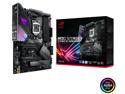
ASUS ROG Strix Z390-E Gaming LGA 1151 (300 Series) Intel Z390 ATX Intel Motherboard
Pros: works fine
Cons: instructions. see below
Overall Review: this was my first build, I've upgrade pre builds in the past but never from nothing before. i figured i would start at page one step be step to be 'safe'. after i was just about to turn it on... i read for more cooling if you over clock put this fan on. the screws are in the top-left corner i could take the liquid cooler out then pull the power connection then pull the board out then install the fan or cut a whole in the top of the case to reach the spot or do what i did, not over clock and say .... it. as i was not planning to oc anyway.it would have been nice to have it in but i'm running ok on temp i think.
5/27/2020See more detail
ok
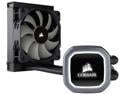
Corsair Hydro Series, H60 2018 (CW-9060036-WW), 120mm Radiator, Single 120mm PWM Fan, Liquid CPU Cooler LGA 1700 Compatible
Pros: highest temp I've seen is 52 c, i only play everquest on a i7 9700. using no graphics card, so i guess it's fine normally surfing web between 25 c and 32 c in 73 f degree room.
Cons: hoses cross and don't look neat.
Overall Review: leave the plastic on until you mounted fan, so you don't smear paste. i took plastic off then tried to move radiator, dropped heat sink( it landed paste up) i put the plastic back on.
5/27/2020See more detail