
Your Browsing History


Sam T.
Joined on 12/15/01
0
0
product reviews
- 8
Great with Vista Media Center
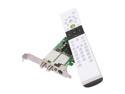
ASUS My Cinema-PE9400 Combo TV Tuner Card w/Low Profile Brackets
Pros: Works great with Vista Media Center. OTA picture quality is the best. I have Fios and it works well with the set top box too. Comes with all the accessories you might need. The blaster would be worth the price itself. Works perfectly with the media center, not like something being adapted to all tvs. Has an infrared emitter so your PC controls your set top box.
Cons: Yes, the documentation really sucks. The quick start guide is useless. Go to the manual on the CD, even though that is pretty poor too. At least you can see the connectors on it. This isn't that hard though and the tuner card is worth it.
Overall Review: First of all, don't over install. Put the card in, load just the drivers. Turn on Windows Media Center and it will guide you through the set up from there. I think this is where a lot of people are running into confusion and conflict. Second, the top RF connector is ASTC / QAM. This is where any kind of UHF/VHF, rabbit ears, either supplied antenna will do just fine, provided you have any kind of OTA available. The lower RF connector is NSTC / FM. Don't plug your set top box into this, bad results, and IMO only good for FM. The next two inputs, #1 mini jack, where the audio left and right splitter goes, and #2 s-video, with video input RCA jack converter is where you plug in your set top box. If you have Vista with any kind of decent performance score, do this, and you should be among the reviewers having fun. If you have some other kind of setup, I don't know, it may get a little dicey because this thing was obviously designed for Vista Media Center. Someone else let us kno
10/4/2008See more detail
Good for HTPC
AMD Sempron 140 - Sempron Sargas Single-Core 2.7 GHz Socket AM3 45W Processor - SDX140HBGQBOX
Pros: Cheap, cool, quick, quiet, no quirks.
Cons: my con field is empty. bitchbitchbitch.
Overall Review: Using it for Vista HTPC. HDMI through Onkyo SR606 to 50" Panasonic plasma. Biostar TA790GX A2+ mobo, onboard HDMI, no graphics card, Asus PE9400 tuner card. Awesome 1080p and 7.1.
9/2/2009See more detail
Home Theater PC
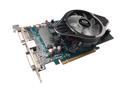
SAPPHIRE Radeon HD 4830 512MB GDDR3 PCI Express 2.0 x16 CrossFireX Support Graphics Card 100265L
Pros: Fast and stable. Cheap. HDMI Audio. ATI. Dual Monitors.
Cons: CD provided doesn't have the manual for a 4830, or 4800 series on it. Sapphire 4830 webpage manual is worthless. Go to the download page for 4830, while your getting the latest drivers, download the 4800 series manual there. Register and go to ATI for good support. See their forums for any answers. Don't let this prevent you from getting the card.
Overall Review: I used a Biostar 790GX A2+ mobo, AMD 9950BE. All 5.9's Vista Score. Had to go to ATI to find this. Plug the HDMI converter into the DVI closest to the mobo. Plug the other end of the cable into HDM1 on your AV receiver. See sound in the control panel, Realtek lights up with HDMI, click on config, choose 7.1, have fun.
12/22/2008See more detail
Put My Ashes in This Case When I Die
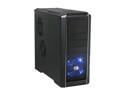
Cooler Master RC-690-KKN1-GP Black SECC/ ABS ATX Mid Tower Computer Case
Pros: Ventilation closest thing to having no case. Fans provided very quiet and move lots of air. Love the rack arrangement with quick releases on the upper racks, and slide out trays on the lower racks. Nice cable race clips already mounted. All the expansion space I'll ever need. Great ambient temp readings and room for more of the same great fans from the Egg cheap. I would never have bought blue LEDs for a case, but you know, they are kinda cool.
Cons: The red HD led is too dim, so I swapped it with the blue power LED which is much brighter. Now, even fast HD activity is more noticable, and the red LED is on steady with the power, not like I can't tell the computer is on. Sometimes I wish the auxiliary jacks on top were in front, but then if they were the stuff plugged into the front would look sloppy and annoying, oh well.
Overall Review: This is a case you could live with for a long time. I have looked at the other Cooler Master models, and can't find one I like better. Their are nifty looking ones, on the outside, but this one is all business where it counts.
10/4/2008See more detail
Oh yeah
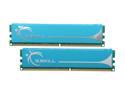
G.SKILL 2GB (2 x 1GB) DDR2 1066 (PC2 8500) Dual Channel Kit Desktop Memory Model F2-8500CL5D-2GBPK
Pros: It's really nice when something that looks this good works this good.
Cons: Doesn't come in choice of colors.
Overall Review: Buy these
10/1/2008See more detail
Here's your sign
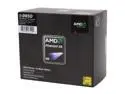
AMD Phenom 9950 X4 Black Edition - Phenom X4 Agena Quad-Core 2.6 GHz Socket AM2+ 140W Processor - HD995ZFAGHBOX
Pros: Fast, stable, cheap. Included heatsink and fan, nicest and quietest AMD, so far. Does fine unless you plan to push OC above 20%.
Cons: None.
Overall Review: Don't let the 140W rating scare you. Running it won't dim the lights in your house. If you weren't told, you couldn't tell this is a 140W rated processor. It won't create near the heat your video boards and power supply do. Judging by grabbing the heatsink after running 100% at OC, well, that's a little like grabbing the tailpipe of your car. That's gone be hot.
10/1/2008See more detail