
Your Browsing History


Roberto C.
Joined on 12/31/01
1
0
100%
100%


product reviews
- 199
Hyper X is a SAVAGE speed demon

HyperX Savage 2.5" 240GB SATA III Internal Solid State Drive (SSD) SHSS37A/240G
Pros: This is one super fast SSD, fastest I've ever owned, the build quality is great, the casing is thick and heavy and while it was operating to fill the entire drive and to transfer back files, the drive wasn't even warm. <br><br>Speeds as fallow: <br><br>On a Z97 chipest: <br><br>Sequential Read (Q= 32,T= 1) : 561.762 MB/s<br>Sequential Write (Q= 32,T= 1) : 542.858 MB/s<br>Random Read 4KiB (Q= 32,T= 1) : 377.167 MB/s [ 92081.8 IOPS]<br> Random Write 4KiB (Q= 32,T= 1) : 371.292 MB/s [ 90647.5 IOPS]<br>Sequential Read (T= 1) : 392.830 MB/s<br>Sequential Write (T= 1) : 469.340 MB/s<br> Random Read 4KiB (Q= 1,T= 1) : 26.714 MB/s [ 6522.0 IOPS]<br>Random Write 4KiB (Q= 1,T= 1) : 116.725 MB/s [ 28497.3 IOPS]<br><br>This is where the tricky part begins: <br><br>Hooked to an ASMedia SATA 106x Controller the speeds were that great due to "DRIVER" issues, nevertheless very fast: <br><br>Sequential Read (Q= 32,T= 1) : 400.833 MB/s<br>Sequential Write (Q= 32,T= 1) : 377.299 MB/s<br>Random Read 4KiB (Q= 32,T= 1) : 240.217 MB/s [ 58646.7 IOPS]<br> Random Write 4KiB (Q= 32,T= 1) : 151.153 MB/s [ 36902.6 IOPS]<br>Sequential Read (T= 1) : 373.435 MB/s<br>Sequential Write (T= 1) : 353.411 MB/s<br>Random Read 4KiB (Q= 1,T= 1) : 28.167 MB/s [ 6876.7 IOPS]<br> Random Write 4KiB (Q= 1,T= 1) : 66.330 MB/s [ 16193.8 IOPS]<br><br>On a Z97 USB 3.0 port with a USB 3.0 adapter speeds: <br><br>Sequential Read (Q= 32,T= 1) : 163.945 MB/s<br>Sequential Write (Q= 32,T= 1) : 228.479 MB/s<br>Random Read 4KiB (Q= 32,T= 1) : 19.300 MB/s [ 4711.9 IOPS]<br>Random Write 4KiB (Q= 32,T= 1) : 27.555 MB/s [ 6727.3 IOPS]<br>Sequential Read (T= 1) : 220.848 MB/s<br>Sequential Write (T= 1) : 248.324 MB/s<br>Random Read 4KiB (Q= 1,T= 1) : 17.072 MB/s [ 4168.0 IOPS]<br> Random Write 4KiB (Q= 1,T= 1) : 26.948 MB/s [ 6579.1 IOPS]<br><br>On an HM65 chispet USB 3.0 (Win7 Sandybridge i3): <br><br>Sequential Read (Q= 32,T= 1) : 108.434 MB/s<br>Sequential Write (Q= 32,T= 1) : 113.362 MB/s<br>Random Read 4KiB (Q= 32,T= 1) : 7.890 MB/s [ 1926.3 IOPS]<br>Sequential Read (T= 1) : 101.297 MB/s<br>Sequential Write (T= 1) : 110.738 MB/s<br>Random Read 4KiB (Q= 1,T= 1) : 11.167 MB/s [ 2726.3 IOPS]<br> Random Write 4KiB (Q= 1,T= 1) : 20.125 MB/s [ 4913.3 IOPS]<br><br><br>On an HM65 chispet, fresh install of Win7 (and no updates): <br><br>Sequential Read (Q= 32,T= 1) : 497.818 MB/s<br>Sequential Write (Q= 32,T= 1) : 500.948 MB/s<br> Random Read 4KiB (Q= 32,T= 1) : 337.024 MB/s [ 82281.3 IOPS]<br> Random Write 4KiB (Q= 32,T= 1) : 231.177 MB/s [ 56439.7 IOPS]<br>Sequential Read (T= 1) : 342.305 MB/s<br>Sequential Write (T= 1) : 462.710 MB/s<br>Random Read 4KiB (Q= 1,T= 1) : 18.692 MB/s [ 4563.5 IOPS]<br>Random Write 4KiB (Q= 1,T= 1) : 32.408 MB/s [ 7912.1 IOPS]<br><br>Win7 HM65 i3 2440M Fully Updated: <br><br>Sequential Read (Q= 32,T= 1) : 549.248 MB/s<br>Sequential Write (Q= 32,T= 1) : 497.788 MB/s
Cons: NONE
Overall Review: This drive is very fast, it tops SATA 6. <br>Although is really fast when it's connected directly to a SATA port via Intel's controller, it's a bit slow on an ASMedia SATA 106x controller, but that's not as slow as when the controller had old drives, speeds dropped to 45MBs write but with the new 3.0.2.0 ASMedia drivers the controller improved damatically and it helped the speeds overall as well. <br><br>In USB 3.0 mode using an enclosure, it performed fairly but I'll admit that the enclosure was very inexpensive and perhaps I need an enclosure that would have a high end USB 3.0 controller chip, <br><br>Overall it performed really well and it's faster than my previous Mushkin Reactor 256GB and 512GB, along with the 120GB OCZ in my laptop. <br><br>While the units is rated for 240GB, in the bios is recognized as a 228936MB drive. <br>Not formatted reads: 223.57GB<br>When ready to be formatted in the process it says you have 228934MB available to format.<br>Fully formatted reads: 223GB. <br><br>For the speeds you get with this drive and the price you pay, you cannot go wrong with this drive, the HYPER X SAVAGE, its' right on top with the competition and Kingston makes high quality products, this drive is built to last. EDIT: I've been using this SSD on my new Toshiba laptop now for about two months on a daily basis and staying on for about 4-6 hours average, so far I have not encountered any errors or lock ups or BSOD, the laptop runs smooth, no lost of data or corruptions either. I also notice that the SSD does not run hot at all, I don't feel any eat coming from my laptop, it's always pretty much cool to the touch, as I expected this drive is very reliable, reason why I pretty much some of my USB storage devices are Kingston and the memory upgrade in this laptop was also a Kingston kit, but definitely the SSD is a must for a laptop nowadays. I'm going to buy a 2nd laptop since that I use this one for work and upgrade my new one with a 480GB Savage X and a 2GB memory kit (for a total of 6GB). I, am so glad that SSD are this size, because a mechanical drive for a laptop is so slow.
1/31/2016See more detail
Worst Refurbish Job (More like re-packed and shipped to re-sellers)
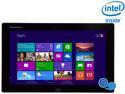
Lenovo IdeaTab Lynx K3011 Intel Atom Z2760 11.6" 2GB 64GB SSD Tablet - Windows 8 - Gray - 59RF0098 1 YEAR WARRANTY
Pros: That USB cable that you can use to hook other devices to it if you don't want to get Bluetooth.
Cons: Lots! ohh! Where to begin? 1-Screen is so reflective, watching movies when you're in a bright room is almost unwatchable. 2-Screen had about a half-inch long trail of bright (dead) pixels, which disappear during dark webpages or watching movies. But on the desktop on the wallpaper? Horrible, just horrible. I opened this tablet (starting from the bottom, don't start from the top) and noticed that the area where the bad pixels are, someone fiddle with that and left their finger prints, trying to fix that issue perhaps? But anyhow, Lenovo should have fixed that instead of just re-packing it and sending it to re-sellers. I filed for an RMA but since newegg doesn't have this in stock and I already promised my buddy for one of these things as a gift and on top of that I have a case for this, I would end up wasting $38 ($18 for shipping it back and $20 for the case I already have for this). 3-The wireless speed is bad, I have 50/35 and this thing barely reaches 12Mb/s. I have this about 8 feet away from the wireless N router and still, can't get a decent speed, my $100 Virgin Mobile phone gets 30Mb/s speed. 4-Feel sorry for those that paid full price for this, the built quality and parts, makes this $249 refurbish price $50 more than what it should really cost. Refurb price should be $99. This lags sometimes, the touch screen is not as responsive as it should be, sometimes to shrink a window, pressing your finger down and dragging it won't work, it takes a few tries before it does. 5-8 hours battery life? Even during sleep mode is using more power than it should in my opinion. I've used this to watch movies with FLV player and I think the most battery power I would see is around 4-5 hours, pretty decent but I rather use my full size 14" Acer TimelineX , as I get the same amount of video playing and the screen is not so reflective. 6-I have to come back to the quality of the parts, as I decided not to go through with the RMA, when I opened this (using my finger nail to pry it open) tablet, pretty much everything is integrated but my Samsung Galaxy Tab was built so much better, except I can't deal with Android (no full flesh flash player with Android). The picture quality was decent (for the web) but I can't figure out why the screen dims out and stays that way despite the fact that I have the brightness turned all the way up. 7-Can't no longer get the dock-keyboard for this thing. Overall, I'm very disappointed that I bought this, the price point and full windows 8 made it look so appealing but that ASUS makes a table ($299 brand new with a full keyboard/mouse) that's probably a better choice, except it's a 10.1 inch table and yes 11.6 is better. I'm done with Lenovo, aren't they part of IBM? This is the first and the last Lenovo product I'll ever buy, for the price and quality of the parts, they're right up there with HP, although I'm sure my friend is going to love this thing regardless of the bad pixels.
12/29/2013See more detail
No Issues Or Hiccups. Super Fast Drive
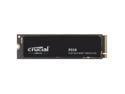
Crucial P310 M.2 2280 1TB PCI-Express 4.0 x4 NVMe 3D NAND Internal Solid State Drive Speed Up to 7100 MBps (SSD) CT1000P310SSD8
Pros: -Easy setup (partitioning and clean) -5 Year Warranty -No RGB -No heatsink -Fast and meets expectations -Micron made
Cons: There is not a single cons on this drive, it does what it says it will, plus more.
Overall Review: The drive runs cool, and maintains fast speeds at all times, transfer rates. The installation of Windows went very smoothly and not a single issue during or after the installation. The reading speeds are very accurate on the writing speeds exceeded the rated speeds. The Crucial drive is compatible with the Cloning software (even though it's from 2020) provided by Crucial (Micron), and the program is by Acronis and while it was also provided to another SSD company, I never had luck with that combo (software/brand of SSD), I was never able to clone the drive, but I will give it a try some other time and see how it goes, although I have faith that with Crucial, the drive would be cloned without a glitch. I find myself comparing Crucial to others, mainly because the drives are a little faster or much faster than some other competitors which happened to be brands I'd consider only besides others. Also the drive is priced very competitive, much better than what I did buy two years ago. I highly recommend this drive, due to its great pricing for the features you get and the quality, Micron has been on my radar since the Micron D9s, that's DDR for the young people, and frankly I'd prefer Micron chips besides the other brand when it comes to ICs. 2 sets of DDR4, 2 SSDs and now this! Crucial (Micron) has definitely come with great and reliable products, I use a 2TB each day for storage on a 2nd machine and this drive is now the main drive of my 2nd PC and I am gonna clone this drive and test the Acronis software. Great drive for the price.
1/3/2025See more detail
Exactly the price I wanted to pay for.

Xbox 12 Month Live Gold Membership - US Registered Account Only (Email Delivery)
Pros: It worked right away.
Cons: None
Overall Review: Well, it was on sale but would've like MS to lower the price a little more, but hey! It worked and I can go back to pla
9/27/2023See more detail
4.5 Star though. 5 if black PCB
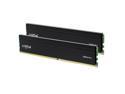
Crucial Pro 32GB (2 x 16GB) 288-Pin PC RAM DDR4 3200 (PC4 25600) Desktop Memory Model CP2K16G4DFRA32A
Pros: -Run cool -No LED -Warranty (but keep the receipt) -Low Voltage -Fast enough -Inexpensive when on-sale -Black heat sinks
Cons: PCB could be black.....just for aesthetics. Or could there be too much black? Oh well!
Overall Review: -The memory has been reliable since the first day I replaced the 16GB kit (to this 32GB kit), for over 5 weeks non-stop basically the computer has been on, except with the occasional update, and the computer was in use in my son's room playing games that do not demand much of the system but nevertheless, it's been running non-stop, heat is not an issue overall. The Ballistix kit I had installed worked great but somehow now the 32GB Pro kit feels like it can handle a little more than before, games, and background tasks do not put a strain in the 32GBP Pro kit. Depending on your usage, this 32GB is what I'd say go for, mainly because of the brand's name as I tend to sway towards the reputation and not "price". I have learned my lesson and it's not worth it to save $1 here or $1.50 there, buy from reputable brands, that certainly offer better quality and reliability. My specs: -Asus Z90 Strix -Intel i7 10700KF -GeForce 1650 Super -Sound Blaster Z -Corsair 750W -Fractal case -LG 48" OLED TV (my kid's room is big)
8/12/2023See more detail
Fast and Smooth...........
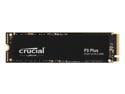
Crucial P3 Plus 2TB PCIe 4.0 3D NAND NVMe M.2 SSD, up to 5000MB/s - CT2000P3PSSD8
Pros: -Unnecessary Heat-Sink -No RGB -Good Gen4 speeds -Faster than Gen3 -5 Year Warranty -Runs cool
Cons: -"Free" cloning software is pretty much useless and buggy, Acronis, ha!. Faster and better FREE available elsewhere.
Overall Review: Gen4 5K vs Gen4 7K, I've been using this and tested it with Windows installations, in Windows environment almost no difference, but when used for storage, it runs smoother than my Corsasir NVMe, transferring files from one drive or out, the Crucial looked and felt faster at the start, but then it was noticeable because of the 5K read vs the Corsair's 7K read. Considering the speed in the 1TB and 2TB and the price difference and seeing the other options? The P5 would be a better choice, the P3 only if you don't mind the speed difference which can pretty much be negligible. Nevertheless, $15 difference is also not much. This drive runs cool, must be due to its controller, my main C drive runs 10 to 15 Celsius hotter, probably a variable to extend its lifespan. A heatsink was not necessary, most, if not all Gen4 compatible motherboards come with an integrated heatsink and in some cases, removing an integrated heatsink from the NVMe is difficult, so was the case in my Corsair LPX, which turned out to be more like a glue pad than padding. I'd recommend this drive for storage, transferring files was in the upper 2.2-2.5GB/s. For Windows is also a much better choice than some drives in the same category and brand.
11/7/2022See more detail
seller reviews
- 10
Also super fast and great price
Got a TUF mouse, great price, free shipping and also super fast, from CA to VA. This is my 2nd (same) purchase and both times have been a great experience.
On-time
Delivery
Product
Accuracy
Customer Service
Satisfactory
11/15/2024See more detail
5 Star Price And Shipping
I didn't see this was not being sold by Newegg, just hit buy it, but everything was perfect, came as fast as it should (From CA to VA), and everything was packed perfectly. Simple and fast, gets a 5 Star definitely.
On-time
Delivery
Product
Accuracy
Customer Service
Satisfactory
11/3/2024See more detail
Fast shipping and good communication
Ordered the item, it arrived and was definitely worth the price. I recommend this product.
On-time
Delivery
Product
Accuracy
Customer Service
Satisfactory
7/9/2022See more detail