here!
here!
I’m your shopping assistant for PC builds, upgrades, and everything tech.
Got questions? Ask away!
Start a conversation
here!
I’m your shopping assistant for PC builds, upgrades, and everything tech.
Got questions? Ask away!
Start a conversation Top Rated Top Rated


Make informed decisions with expert advice. Learn More




Any questions? Ask CelesteSM will help you find out quickly.
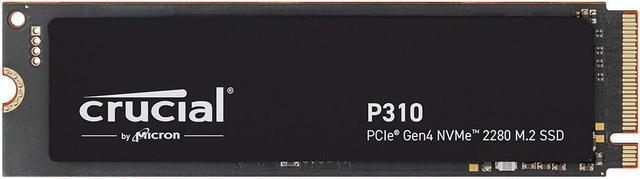
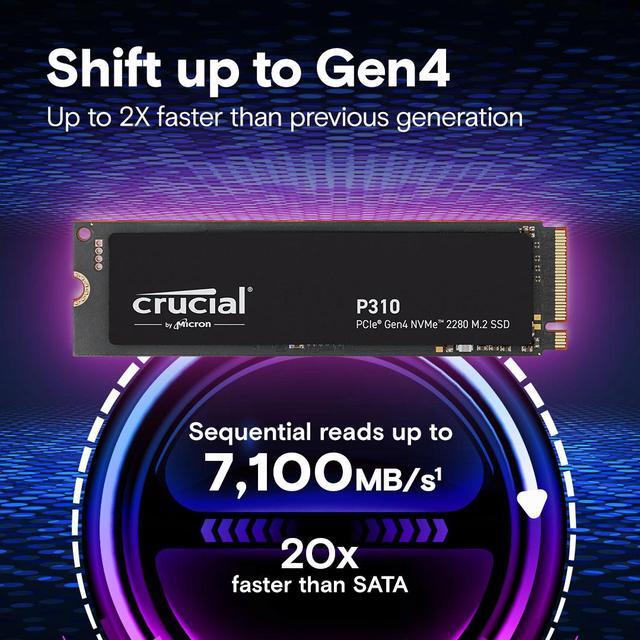
The Crucial P310 is a 1TB M.2 2280 PCIe 4.0 x4 NVMe 2.0 internal SSD with up to 7,100 MB/s sequential read and 6,000 MB/s sequential write speeds, making it suitable for consumers who want faster bootups, game loads, file transfers, and everyday applications.
| Attribute | Value |
|---|---|
| Best For | Consumer system storage upgrades needing 1TB of PCIe 4.0 x4 NVMe capacity in an M.2 2280 internal SSD |
| Capacity | 1TB of internal solid-state storage |
| Interface And Form Factor | M.2 2280 drive using a PCI-Express 4.0 x4 interface with NVMe 2.0 protocol |
| NAND And Cache | 3D NAND memory with no DRAM and Host Memory Buffer (HMB) support |
| Read Write Performance | Sequential read speeds up to 7,100 MBps and sequential write speeds up to 6,000 MBps |
| Thermal Design | Ships without a heatsink |
| Model Identifiers | Crucial P310, model CT1000P310SSD8 |
Q: Should I buy the Crucial P310 1TB or WD Black SN7100 1TB?
A: Choose the Crucial P310 1TB when the priority is a lower-cost Gen4 SSD for gaming, everyday software, and normal file transfers. Choose the WD Black SN7100 when sustained writes, heavier content-creation workloads, or higher write endurance matter more, because the SN7100 uses TLC NAND while the P310 uses QLC NAND. The P310's rated speeds are higher on paper, but real-world workload results depend on the drive's cache, capacity, and workload pattern.
Q: Is the Crucial P310 1TB a better upgrade than the Crucial P3 Plus 1TB?
A: The P310 1TB is the more performance-oriented choice when replacing a P3 Plus and the prices are similar. It uses a newer controller and offers substantially higher rated sequential speeds, with testing showing better sequential and small-file performance in several workloads. Both drives are DRAMless QLC models, so the upgrade improves performance more than it changes endurance or sustained-write behavior.
Q: Should I choose the Crucial P310 1TB or Samsung 990 Pro 1TB?
A: Choose the P310 1TB for a cost-conscious gaming or general-purpose PC where high Gen4 sequential performance is sufficient. Choose the Samsung 990 Pro 1TB for sustained professional workloads, frequent large writes, or higher endurance requirements. The 990 Pro uses TLC NAND and onboard DRAM, while the P310 uses QLC NAND with HMB; the P310 is rated up to 7,100 MB/s read and 6,000 MB/s write, compared with up to 7,450 MB/s and 6,900 MB/s for the 990 Pro.
Q: Is the Crucial P310 1TB 2280 suitable for a Steam Deck or gaming handheld?
A: Use this P310 1TB 2280 model only in a device that accepts an M.2 2280 SSD. Steam Deck, ROG Ally, and other compact handhelds commonly require the shorter M.2 2230 format, so those systems need the P310 2230 version or another compatible 2230 drive. The 2280 model is better suited to desktops and standard laptops because its longer form factor provides broad compatibility with conventional M.2 storage slots.
Q: Will this SSD work in my laptop or desktop?
A: It is suitable for a laptop or desktop with an available M.2 2280 slot that supports PCIe NVMe storage. Confirm the computer’s slot size, NVMe support, and manufacturer-approved capacity before purchasing; an M.2 SATA slot is not sufficient. ([bestbuy.com](https://www.bestbuy.com/site/questions/crucial-p310-1tb-pcie-gen4-2280-nvme-m-2-ssd/6594250?utm_source=openai))
Q: Does the Crucial P310 include a heatsink, or do I need one?
A: This model does not include a heatsink. A desktop motherboard with an integrated M.2 heatsink can be used; otherwise, consider a compatible heatsink for sustained high-load use or systems that require one. Check clearance carefully, especially in laptops and compact devices. ([bestbuy.com](https://www.bestbuy.com/site/questions/crucial-t710-1tb-internal-ssd-pcie-gen-5-x4-nvme-m-2-with-3d-nand-memory/11078423?utm_source=openai))
Q: Is this SSD good for gaming, bootups, and everyday work?
A: Yes. Its 1TB capacity and PCIe 4.0 x4 NVMe interface make it appropriate for operating-system storage, application launches, game installs, and general file transfers. It is rated for sequential speeds of up to 7,100 MBps read and 6,000 MBps write, although actual results depend on the computer and workload. ([bestbuy.com](https://www.bestbuy.com/site/questions/crucial-p310-1tb-pcie-gen4-2280-nvme-m-2-ssd/6594250?utm_source=openai))
Q: Can I use this as an external or travel SSD?
A: Not by itself. The Crucial P310 is an internal M.2 NVMe drive, but it can be used externally with a compatible M.2 NVMe USB enclosure or adapter. External transfer speeds will be limited by the enclosure and USB connection rather than the SSD’s full PCIe 4.0 capability. ([bestbuy.com](https://www.bestbuy.com/site/questions/insignia-m-2-nvme-to-usb-c-ssd-enclosure-black/6500317?utm_source=openai))
Q: Is the Crucial P310 1TB a good choice for Windows, Linux, gaming, and everyday use?
A: Yes. The P310 is suitable as an operating-system, application, and game drive when the computer supports an M.2 2280 PCIe NVMe SSD. Community discussion describes it as a reasonable OS drive and generally adequate for gaming and everyday workloads. Its main trade-offs are DRAM-less HMB design and weaker behavior during sustained heavy writes than higher-end SSDs.
Q: What are the main trade-offs of buying the Crucial P310?
A: The P310 offers high advertised sequential speeds—up to 7,100 MB/s read and 6,000 MB/s write—but it has no dedicated DRAM cache and may lose performance during long, continuous write workloads. It is better suited to consumer use, gaming, boot drives, and normal productivity than to frequent large-file transfers or sustained professional workloads.
Q: Will the Crucial P310 work in a PCIe 3.0 computer?
A: Usually, yes, provided the system has an M.2 2280 slot that supports NVMe storage. In a PCIe 3.0 system, the drive will operate at the system's lower interface limit and will not reach its advertised PCIe 4.0 speeds. Check the motherboard or laptop manual before buying because M.2 slots can support different protocols, lengths, or lane configurations.
Q: Is the Crucial P310 easy to install as a replacement or secondary SSD?
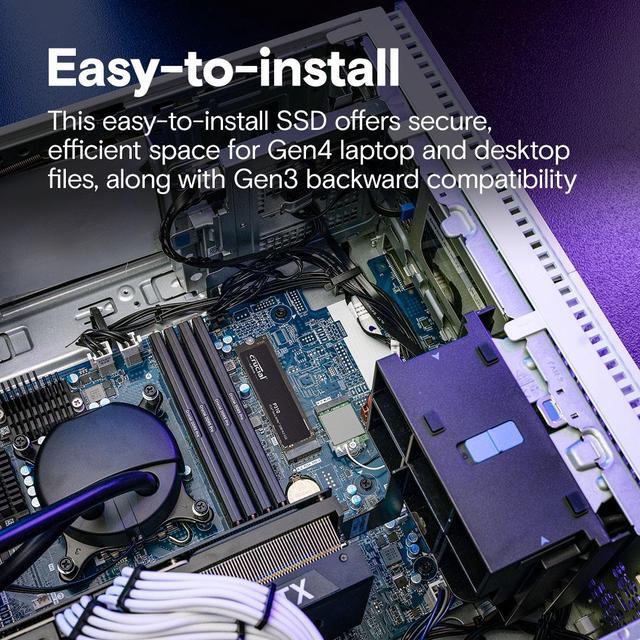
A: Installation is standard for an M.2 2280 NVMe drive, but compatibility and setup are system-dependent. Reddit discussions mention issues involving motherboard recognition, Windows installation, boot configuration, BIOS versions, and physical access to the M.2 slot. Confirm slot support, update the BIOS when appropriate, and plan for cloning or reinstalling the operating system if replacing the boot drive.