
Your Browsing History


James R.
Joined on 06/19/08
0
0
product reviews
- 9
Much better than expected
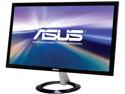
ASUS 23" LCD Monitor 1ms (GTG) HDMI x 2, D-Sub VX238H
Pros: Awesome monitor for an awesome price even, before the huge discount and rebate that I got with it. Fantastic image quality! I own some great quality HDTVs at home but, as another reviewer mentioned, this was like experiencing HD as if it were new all over again. 23 inches is the perfect size, and it's THIN! Ultimately, my expectations were exceeded.
Cons: Only con I can think of would be shipping related... The monitor was shipped as-is in the actual product box with an inner styrofoam casing that only covers the top and bottom ends of the monitor, leaving the middle section completely open to puncture. I was worried initially because my box DID in fact have a nice big slide in it down the middle. Thankfully the monitor was intact, but shipping it in the product box is not a great idea, it needs to be packed and padded in a separate box.
12/11/2013See more detail
Incredible set of RAM
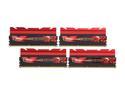
G.SKILL TridentX Series 32GB (4 x 8GB) DDR3 2400 (PC3 19200) Desktop Memory Model F3-2400C10Q-32GTX
Pros: Flawless. This RAM is amazing, you won't be disappointed (unless you get a bad batch of sticks of course, BUT...) THIS is why I stick with G.Skill, they stand behind their product 100% and will take care of you if their are any problems. Loaded all 4 sticks in at once, booted up, loaded XMP profile, DONE! Intel i7 4770k ASUS Maximus VI Hero Z87
Cons: None.
Overall Review: The only thing I suggest G.Skill SERIOUSLY consider, is changing their packaging! Every time I open one up and am about to literally "pop out" a stick of RAM, I feel like I'm going to break it on accident. I love G.Skill, but the packaging has been the same and sucked for years. Please consider a re-design.
12/11/2013See more detail
Works with LGA 1150
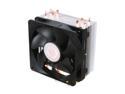
Cooler Master Hyper 212 Plus - CPU Cooler with 4 Direct Contact Heatpipes
Pros: Pretty difficult to find a CPU cooler that OFFICIALLY and CLEARLY states that it is LGA 1150 compatible, but after some digging around and lots of review reading, I settled on the Hyper 212, and although it doesn't officially say it will work for LGA 1150, it works beautifully with my i7 4770k. Definitely like that you can mount fans on either side of the heat sink fins and move them up higher or lower as desired (useful for dealing with RAM height issues). Comes with all the necessary items - AMD and Intel adapters, backplate for motherboard w/screws, CM thermal paste, adhesive fan pads to help with potential rattling.
Cons: Nothing. Pretty straightforward setup.
Overall Review: The instructions could be improved upon. Also, CM and others need to start officially and clearly stating LGA 1150 compatibility.
12/11/2013See more detail
Great board but has some HDD setup issues
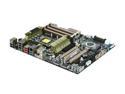
ASUS Sabertooth X58 LGA 1366 Intel X58 USB 3.0 ATX Intel Motherboard
Pros: I've had great success with this board, despite the many bad reviews it seems to have. 6 DIMMs is great for expandability. Only going with 8 gigs for now but this board obviously supports much more. Also great having the space and PCI-E 2.0 16x slots for SLI if needed. Bios is designed pretty nicely, though I've been spoiled with their new BIOS interface on my AMD Sabertooth X58 at home (I forget what it's called) that allows you to use the mouse and just the whole look of it is great is very nice.
Cons: I really wish mobo manufacturers would quit placing the SATA ports they way they do though. Also, had some issues getting the mobo to boot from the hard drive that I'd just installed Windows 7 on. Everything installed fine and I was installing drivers afterward, restarted and it doesn't want to boot from the hdd. I set the boot order correctly, set the HDD priorities correctly, set the SATA ports to AHCI, etc, etc...still wouldn't boot. I started going through the reviews here on Newegg to try and find others that may have had the same issue and, I did! See "Other thoughts"
Overall Review: THANK YOU JARLAX! "SATA 3 works great just remember to turn on AHCI in the BIOS FIRST before you install the OS or it will blue screen you if you try after and with the registry fix its still buggy." My error, was that I installed Windows before changing my drives to AHCI, and I needed to set them to AHCI FIRST, BEFORE installing. I simply re-installed again and it boots every time now! Thanks again Jarlax! No egg deduction because of this but I've never had issues by not setting the drives to AHCI first before so, I don't see why this mobo had a problem with it.
9/22/2011See more detail
AWESOME RAM, highly recommended!
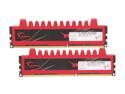
G.SKILL Ripjaws Series 8GB (2 x 4GB) 240-Pin PC RAM DDR3 1600 (PC3 12800) Desktop Memory Model F3-12800CL9D-8GBRL
Pros: 8 gigs of ram for this price is insane, not to mention it's high quality ram that G.Skill fully stands behind if anything at all goes wrong with it.
Cons: The price dropped 15 bucks less than a week after I ordered it! Ugh!! And I bought 2 sets too so that really sucks...
Overall Review: I always used to laugh seeing the reviews of people complaining about the price dropping on them after they order, and now I'M a victim, haha, karma I guess...
9/13/2011See more detail
Cool case but not a CoolerMaster...
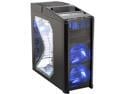
Antec Nine Hundred Black Steel ATX Mid Tower Computer Case with Upgraded USB 3.0
Pros: Comes with 4 fans, which is awesome, including already installed mounts for 2 more fans if you wish you add them. The LEDs look great, I love the blue. Case seems strong and well built.
Cons: No real cable management, and installing or removing hard drives is a pain. I knew this wasn't a tool-less case setup but I thought most case manufacturers had abandoned THIS kind of setup... Not only do you have 4 screws to unscrew, you have to pull out the whole dang HDD cage (which holds 3 hard drives). You have to pull it out the front too, so that means you gotta take the front plastic border off as well, which will probably break at some point. Also, depending on how you arrange your cables, you may or may not have to unhook every hard drive to do this. I'm not done either, once you get the case out, THEN you have the traditional 4 screws per hard drive to unscrew to get the hard drives out.
Overall Review: I've been spoiled by Cooler Master cases with all the tool-less stuff and fantastic cable management design but my preferred CM case is no longer available, so I had to go with this Antec. I'd take it back if I could but forking over the return shipping cost isn't worth it.
9/12/2011See more detail