
Your Browsing History


Christopher P.
Joined on 03/03/03
0
0
product reviews
- 46
Solid Board, Great Overclocking Features
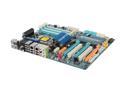
GIGABYTE GA-EX58-UD5 LGA 1366 Intel X58 ATX Intel Motherboard
Pros: This is a solid board; work great. The BIOS has great features for overclocking. Currently running a Core i7 920 at 2.92Ghz (3Ghz when Turbo kicks in) on the stock intel cooler, and everything works great. Also, the Dual BIOS feature is nice. It'll fall back to the secondary BIOS to boot if it fails with your settings so you can change it back. Also, just in case it wont boot, the BIOS Reset button on the back is very convenient. BTW, the button isn't easily pushed by accident, so no worries there.
Cons: None
Overall Review: Always make sure you watch the temp when overclocking. Mine has gotten up to 86c at 100% cpu load with stock cooler at 2.92Ghz (3Ghz Turbo). I need to get a better cooler for overclocking.
11/26/2008See more detail
Not For WinXP Media Center Edition
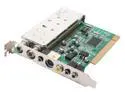
KWorld ATSC-110 Digital / Analog HDTV Tuner
Pros: It works without issues on WinXP using the software that comes with it.
Cons: It is not compatible with the WinXP Media Center application. If you are looking to put a tuner card in you Media Center then stay clear of this one.
10/26/2006See more detail
Excellent Motherboard on the Cheap
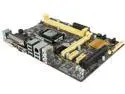
ASUS H81M-C/CSM LGA 1150 Intel H81 USB 3.0 Micro ATX Intel Motherboard
Pros: High quality motherboard and works great. Plenty of USB 3.0 ports.
Cons: none
Overall Review: Very good deal for the price. ASUS always make great motherboards.
12/7/2014See more detail
Minecraft runs great
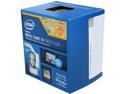
Intel Core i3-4150 - Core i3 4th Gen Haswell Dual-Core 3.5 GHz LGA 1150 54W Intel HD Graphics 4400 Desktop Processor - BX80646I34150
Pros: Runs Minecraft really well at 60fps no problem. 3.5Ghz per core offers great performance on the cheap.
Cons: none
Overall Review: I bought 2 of these for a couple gaming rigs meant to mainly play Minecraft. I paired the i3 with an Nvidia GeForce GTX 750 1GB and they run great!
12/7/2014See more detail
Works Great
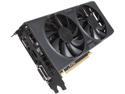
EVGA 01G-P4-2757-KR G-SYNC Support GeForce GTX 750 1GB 128-Bit GDDR5 PCI Express 3.0 FTW w/ ACX Cooler Video Card
Pros: Works great and cheaper than many other GTX 750 cards.
Cons: none
12/7/2014See more detail
Works Great
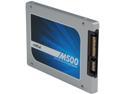
Crucial M500 CT240M500SSD1 2.5" 240GB SATA III MLC Internal Solid State Drive (SSD)
Pros: Works great. 7mm fits in laptop no problem.
Cons: none
Overall Review: I bought this to replace the hard drive in an Acer V5 laptop that has gone bad. This was an excellent replacement.
12/7/2014See more detail