
Your Browsing History


STEPHEN S.
Joined on 03/13/07
0
0
product reviews
- 13
Excellent processor
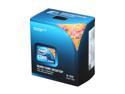
Intel Core i5-760 - Core i5 Lynnfield Quad-Core 2.8 GHz LGA 1156 95W Desktop Processor - BX80605I5760
Pros: This is an ideal processor for a well equipped PC at a reasonable price. Stock it performs very well, but when overclocked the performance compares with high end i7 systems (with the exception to missing hyperthreading). Gaming wise, combined with the HD6850, every single game we have (including Crysis) will run with ultra or near ultra settings at a 1920x1080 resolution with at least 30 fps. I ran some multi-threaded CPU benchmarks comparing this CPU's raw processing power to my 8-core dual E5420 workstation and to our 2-core i3-550 PCs and found the performance ratios were roughly 15:20:24:9 (i5-760 @3.2GHz: E5420 @2.5GHz: E5420 OC'd @3.0GHz: i3-550 @3.5GHz). I was shocked to see it had 75% of the processing power of my 8-core workstation (before OCing the 8-core). These chips will typically overclock to 4.0+ GHz (it still could not replace my dual E5420 system since the work I do requires 48GB+ of RAM and the i5-760 supports 16GB; the E5420/5400 chipset supports 128GB)
Cons: None other than being aware the i5-760 does not support hyperthreading so you are limited to 4 simultaneous threads and that the maximum memory size supported is 16GB.
Overall Review: COOLER MASTER Sileo 500 case (RC-500-KKR3-GP) Gigabyte P55A-UD4P motherboard HIS HD6850 video card (@850MHz/1135MHz) 8GB G.Skill memory (2x F3-12800CL9D-4GBNQ) @1600MHz Intel Core i5-760 CPU (slightly overclocked to 3.2 GHz; it could run much faster) 2x Seagate 500GB drives in RAID 0 Logitech wireless keyboard & mouse Logitech C200 webcam
2/22/2011See more detail
Great board - except for the 6G SATA
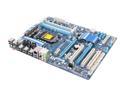
GIGABYTE GA-P55A-UD3 LGA 1156 Intel P55 SATA 6Gb/s USB 3.0 ATX Intel Motherboard
Pros: Rock solid stability, great overclocker, extremely fast wake from sleep (Windows 7 likely helps), easy to set-up, excellent performance, USB 3.0, etc. I bought two of these for my two children and these systems have been so stable there has not been a single crash or BSOD since my children helped build the systems on Christmas day. I also bought a Gigabyte P55A-UD4P for a system for my wife for Christmas and for some reason it locked up regularly when trying to resume from sleep until ATI released and I installed the 11.1 drivers for the HD6850 video cards I used (in both the UD4P and UD3s).
Cons: The Marvel 9128 SATA 6G controller has horrible performance in this motherboard (and with all Gigabyte P55 motherboards). Using a pair of moderately fast Seagate 500GB drives in RAID 0 the I/O performance was in the 100-190 MB/s range. Using the "slower" Intel SATA 3G controller instead for the same drives in RAID 0 provides I/O performance in the 240-260 MB/s range. I have tried every BIOS option (Turbo SATA, etc.), every driver and RAID software version I can find and the performance is always the same (or worse). My tech support case with Gigabyte about this has only resulted in them stating the performance for the 9128 is worse than the Intel controller due to a hardware limitation. IMO this is totally unacceptable since Gigabyte is still advertising these boards as providing up to 4X the SATA performance compared to typical, older SATA 3G controllers. You are better off to buy a board without this controller and install a PCIe SATA 6G controller
Overall Review: According to other people on the Internet, PCIe SATA 6G cards using the same Marvel 9128 controller and installed on Gigabyte P55 motherboards perform very well so the poor performance seems to be a problem in the way Gigabyte integrated the controller on the motherboard. If it wasn't' for Gigabyte advertising incredible SATA 6G performance and not coming anywhere close to this performance I would have rated this board 5 eggs. Had Gigabyte come clean about this and updated their advertisements I would probably still have given them 5 eggs too, but due to the false advertising, even 3 eggs is pushing it. I don't know about you but I am sick and tired of PC component manufacturers advertising features that they know will never work as advertised. I thought Gigabyte was "better than this". I will be looking at ASUS boards for my next build.
2/22/2011See more detail
Excellent at first, failed after 3 months
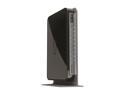
NETGEAR WNDR4000-100NAR N750 Wireless Dual Band Gigabit Router IEEE 802.11a/b/g/n, IEEE 802.3/3u/3ab Manufacturer Recertified
Pros: Excellent set of features (Gigabit switch-including WAN port, high speed wireless (450 & 300 Mbps), quad access points (2.4GHz & 5GHz, full LAN access & guest), reasonable signal, IPv6, USB ports, usage meter & limiter that pops up a warning when using a browser (we are limited to 80 GB/month), Server functionality (USB ports can accept USB hard drive or flash drive to share), USB storage can be configured for Internet access as well as LAN access, WEP, etc.) Performance is also very good and replacing our old router this doubled our Internet download speeds, quadrupled our Wi-Fi speed to LAN and the Gigabit ports provide high speed connections to wired PCs (we also have a Cisco SG 200-08 switch but by adding this router we now have 4 additional Gigabit LAN connections available). Configuration is fairly typical of modern routers and if anything the web based interface is better than average.
Cons: The WAN port failed after 3 months so most of the functionality was lost. We continued to use it's Wi-Fi features (and used a cheap router for Internet access to provide a NAT) but the guest feature doesn't work without the WAN port operational. Last week (4.5 months of ownership) the Wi-Fi stopped working. We can still connect to the router through Wi-Fi but the built in switch fails to forward packets through any LAN ports.
Overall Review: The initial failure occurred during a thunderstorm and the external antenna (4G WiFi on a 60 foot tower) may have been hit by lighting - although the 4G WiFi modem itself continues to work properly and the only device to fail was this router. We have gone through a router per 2 years on average, typically with a similar failure and I suspect lightning is to blame for all of the router failures. We are contemplating purchasing a new one along with installing some sort of protection device between the router and the WiFi modem.
11/20/2013See more detail
Good Webcam, Great Price
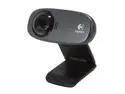
Logitech C310h USB 2.0 HD Webcam
Pros: - Good image quality, even in non-ideal lighting (typical room lighting). - Good sound quality. - Decent 1280x720 HD resolution (1280x960 is sensor's actual max. resolution) - Reasonable webcam frame rates of 30fps@640x480 or 15fps@1280x720 - For webcam use this webcam is a good choice for video and sound quality at the right price ($33 on sale with "bonus" headset).
Cons: - While the image quality is good for real time webcam use, it is too low to be used to record high quality videos or to capture photographs. - CMOS video sensor is only a 1.2 Megapixel sensor. - Logitech "claims" it captures 5 Megapixel photographs but this is done by capturing several 1.2 Megapixel images and through software "enhancing" a virtual 5 Megapixel image. - If you have very good high speed Internet with a true upload greater than ~1 Mbps it might be worth spending more on a webcam supporting 30fps@1280x720 and possibly higher resolutions (30fps@1920x1080 is possible with a high end webcam plus a very fast Ineternet connection and fast PC). - Only includes Logitech's most basic image manipulation gadjets. - Doesn't include Logitech's auto-logon software. - Logitech's "Rightlight" auto video adjustment software isn't very good in certain light situations. Manually adjusting exposure, gain, brightness and contrast can often improve image quality considerably
Overall Review: - Overall this is a practical sub-$50 webcam that generates good quality webcam video and sound. - Unless you have very good upload speeds you won't be able to take advantage of much more than this webcam can provide. - I removed one star (4/5) due to the framerate of 15 fps when using 1280x720 (HD) resolution. IMO, if the sensor (and webcam) was able to generate a clean 24 fps or more @1280x720, this would be the perfect budget HD webcam. 15 fps isn't quite smooth enough (actually generates too much motion blur in Logitech's implementation).
9/21/2012See more detail
Good webcam, great sale price
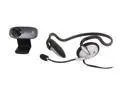
Logitech C310H USB 2.0 HD WebCam
Pros: - Good image quality, even in non-ideal lighting (typical room lighting). - Good sound quality. - Decent 1280x720 HD resolution (1280x960 is sensor's actual max. resolution) - Reasonable webcam frame rates of 30fps@640x480 or 15fps@1280x720 - For webcam use this webcam is a good choice for video and sound quality at the right price ($33 on sale with "bonus" headset).
Cons: - While the image quality is good for real time webcam use, it is too low to be used to record high quality videos or to capture photographs. - CMOS video sensor is only a 1.2 Megapixel sensor. - Logitech "claims" it captures 5 Megapixel photographs but this is done by capturing several 1.2 Megapixel images and through software "enhancing" a virtual 5 Megapixel image. - If you have very good high speed Internet with a true upload greater than ~1 Mbps it might be worth spending more on a webcam supporting 30fps@1280x720 and possibly higher resolutions (30fps@1920x1080 is possible with a high end webcam plus a very fast Ineternet connection and fast PC). - Only includes Logitech's most basic image manipulation gadjets. - Doesn't include Logitech's auto-logon software. - Logitech's "Rightlight" auto video adjustment software isn't very good in certain light situations. Manually adjusting exposure, gain, brightness and contrast can often improve image quality considerably
Overall Review: - Overall this is a practical sub-$50 webcam that generates good quality webcam video and sound. - Unless you have very good upload speeds you won't be able to take advantage of much more than this webcam can provide. - I removed one star (4/5) due to the framerate of 15 fps when using 1280x720 (HD) resolution. IMO, if the sensor (and webcam) was able to generate a clean 24 fps or more @1280x720, this would be the perfect budget HD webcam. 15 fps isn't quite smooth enough (actually generates too much motion blur in Logitech's implementation).
9/21/2012See more detail
Very good webcam
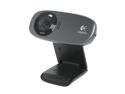
Logitech C310 HD Webcam, HD 720p/30fps, Widescreen HD Video Calling, HD Light Correction, Noise-Reducing Mic, For Skype, FaceTime, Hangouts, WebEx, PC/Mac/Laptop/Macbook/Tablet - Black
Pros: Very good image quality, produces a high quality image in typical room lighting, much better than our C200 webcams (I highly recommend spending the extra $10 and stepping up from C2xx series cameras to this C310 HD), sound quality from the built in microphone is good.
Cons: Although not a con for the webcam itself, our 5Mbps (download) Internet connection is pushed to its limit (1.5 Mbps upload advertised speed) when using Skype with this camera due to the high resolution. Skype does automatically reduce the transmitted resolution as required so everything works well - except at times whoever I'm talking to does not benefit from the cameras high resolution. Our C200 doesn't have this "issue", but the image quality is MUCH better with the C310 HD even when Skype is dropping down the resolution. The C200 was very picky about room lighting too compared to the C310 HD.
Overall Review: Currently the camera is installed in my 8 core, 64 GB workstation, but I expect it would work just as well in any modern PC.
2/22/2011See more detail