
Your Browsing History


Daniel S.
Joined on 04/24/06
0
0
product reviews
- 7
Surprisingly High Quality. Very Impressed!
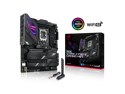
ASUS ROG Strix Z790-E Gaming WiFi 6E LGA 1700(Intel 14th &12th&13th Gen)ATX gaming motherboard(PCIe 5.0, DDR5,18+1 ower stages,2.5 Gb LAN, Bluetooth v5.2,Thunderbolt 4,support up to 5xM.2,1xPCIe 5.0 M.2,Front panel USB 3.2 Gen 2x2 Type-C wi
Pros: - Had no problem getting my CORSAIR Vengeance DDR5 7200 to run at full speed with XMP right out of the box. No voltage tweaks were necessary. Plenty of headroom for higher frequency as well (up to 7800 MHz). - AI overclocking is surprisingly good, especially if you don't have the patience for a perfect manual overclock. Does it MAYBE use a bit more voltage than a manual overclock? Maybe. But it's incredibly easy (literally 1 button), and more importantly, it was immediately stable. The AI overclock set my 13900k to 61/60/60/58/58/57/57/57 and 46 on all efficiency cores. Passed Prime95 and Intel XTU stress tests for several hours, never crashes in games, CPU temps between 88-92c at 100% load with the Noctua NH-U12S in a 76-degree air-conditioned room. Acceptable for sure. This is better than what I was able to do manually. Maybe I suck at overclocking? Who knows, but I'm sure I'm not the only one who just wants an insanely fast PC without the headache. ASUS sold me on this feature pretty quickly after turning it on. For the casual enthusiast who doesn't need hyper-granular control of every single CPU setting, get a good cooler, and just turn AI overclocking on. You won't be disappointed.
Cons: - There's a chance your board won't be compatible with the RTX 4090 out of the box until you update bios. Not a huge deal, you should always update bios on a new build anyway (it's good practice). But if your PC crashes every 30 seconds in windows, this could be why.
Overall Review: I've built 10 or so PCs in my life, and have never spent over $300 on a motherboard. For this build, I wasn't planning on it, either. But due to stock issues, this is the board I went with and I'm glad I did. Newegg is littered with bad reviews on boards that can't run ram at full speed with XMP. If you're even the slightest bit concerned, get this board. It'll give you some wiggle room between the max-supported ram speed of the board (7800 MHz) and 99% of the DDR5 on the market. If you Google ASUS AI overclocking, you'll see mostly hate, and frankly, it's not justified. I completely understand the hardcore builders who want to do everything manually, and I can appreciate that. But man... AI overclocking is pretty great. It's the perfect setting for people who like having all the latest and greatest stuff, but don't get immense satisfaction from tackling blue screens.
1/19/2023See more detail
First experience with GIGABYTE is an A+
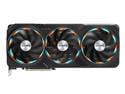
GIGABYTE Gaming GeForce RTX 4090 24GB GDDR6X PCI Express 4.0 x16 ATX Video Card GV-N4090GAMING OC-24GD
Overall Review: What else can you say about the 4090 that hasn't been said already? Card is a beast. Reviews show that the GIGABYTE 4090 stays slightly cooler than some of the other partner cards, as well.
1/19/2023See more detail
All the power you need
Seasonic PRIME TX-1000, 1000W 80+ Titanium, ATX Form Factor, Full Modular, Low Noise, Premium Japanese Capacitor, 12 Year Warranty, Nvidia RTX 30/40 Super, AMD GPU Compatible, Ref# SSR-1000TR
Overall Review: Handles an OC'd 13900k and an OC'd RTX 4090 without blinking. Couldn't ask for more, really. Power + stability + quality.
1/19/2023See more detail
Great airflow, roomy
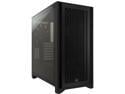
Corsair 4000D Airflow 4000D Black Steel / Plastic / Tempered Glass ATX Mid Tower Computer Case
Overall Review: Fits the RTX 4090 with some wiggle room. Keeps it cool. Plenty of places to hide cables.
1/19/2023See more detail
13900k needs this cooler

Noctua NH-U12S chromax.Black, 120mm Single-Tower CPU Cooler (Black)
Overall Review: Keeps my OC'd 13900k at respectable 88-92c on 100% load.
1/19/2023See more detail
Hit 7200 no problem
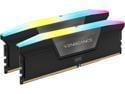
CORSAIR Vengeance RGB 32GB (2 x 16GB) 288-Pin PC RAM DDR5 7200 (PC5 57600) Desktop Memory Model CMH32GX5M2X7200C34
Overall Review: XMP worked right out of the box with the ASUS ROG Strix Z790-E Gaming WiFi. Very fast Ram!
1/19/2023See more detail