
Your Browsing History


Joshua M.
Joined on 05/22/06
0
0
product reviews
- 6
Good, once you update the BIOS
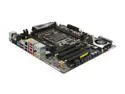
ASRock X79 EXTREME4-M LGA 2011 Intel X79 USB 3.0 Micro ATX Intel Motherboard
Pros: Nice board, easy to use UEFI with readily accessible overclocking options. Good feature set, and no problem once I got the BIOS chip updated. Rock solid ever since
Cons: Came with a BIOS that was known to have issues with some i7-3820s. Very, very frustrating to see the computer go together, than get the "AF" error code without even posting. However, this is fixable. ASRock offered to send me a new BIOS chip, but I got it working with a bit of time. Bit miffed that the boards weren't just recalled from the distributors and fixed, but at least I got mine up and running quickly.
Overall Review: Process to update BIOS if you get a "AF" error code with a i7-3820. Worked for me, but no guarantees. 1. Unplug the power connector after trying to boot a few times. 2. Prepare a flash drive with the newest bios, and plug it in to one of the USB2.0(Important!) slots on the back. 3. Wait 3 hours 4. Reset the BIOS with the button on back by pressing quickly three times, then immediately holding it down for 5 seconds, all within 10 seconds. 5. Turn on computer, enter setup, select easyflash, update BIOS, enjoy your awesome board! Using with: G.Skill 16GB Quad channel kit F3-12800CL9Q-16GBRL Intel i7-3820
3/9/2012See more detail
Adhesive Issues
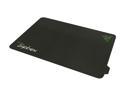
RAZER Sphex Gaming Grade Desktop Skin
Pros: Nice surface, first attachment is wonderful. The thin design allows you to use whatever wrist rest you wish with it.
Cons: Adhesive is awful. I attached it to a smooth plastic desk, and when I tried to remove it, pieces of the black under layer came off with the adhesive. Now I have a black mouse mat with white polkadots showing through, classy. Not to mention that there is now a square of adhesive on my desk. I contacted Razer support, and according to them, "The warranty does not cover the damage to the Mat caused by the adhesive."
Overall Review: If you have problems with the adhesive, Razer support reccomends alcohol to remove it from tables. Lousy warranty, doesn't even cover damage done to itself. I liked the product at first, but once I tried to use the whole move it around and take it with you, the thing started ripping itself to bits...
6/29/2010See more detail
Good, not perfect
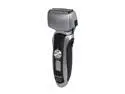
Panasonic ES-LT41-K Men's Shavers
Pros: Seems to be pretty close, though maybe not quite as close as a manual shaver. Nice to be able to rinse it off in water, and the cleaning mode does help knock out bits of hair from the blades. Charging is quick, and the battery lasts for plenty long. Nice to not have to use shaving cream!
Cons: Not as close as a blade... Probably normal in electric shavers, though I had my hopes up. It is a bit hard to get the top lip because of the way the head is, just takes a bit of extra work to get it.
Overall Review: First Electric Shaver I have owned...
2/8/2012See more detail
Good for flashlight as well
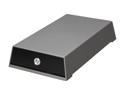
macally T-S350SU 3.5" SATA USB & eSATA External Enclosure
Pros: Seems to be well built. It would probably hold together without the fina screw. Power button has delayed turn off like an atx computer case to keep from accidently turning it off. Nice design, looks pretty good on my desk. Doesn't seem to have heat issues. I like that the hard drive sits on rubber pads within the case.
Cons: Plastic... Little hard to seperate top and bottom to install drive. I would not plan on using this as a fast swap case unless you want to leave the top off completely.
Overall Review: The rubber feet are not enough to keep my whole desk from resonating, but I suspect my desk might be the culprit there. The top and bottom really snap together. I had to sit for a few minutes to get it to open, and it took a few more minutes to get it to close afterwards.
5/28/2010See more detail
Actually Quiet!
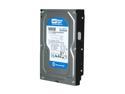
Western Digital Blue WD5000AAKS 500GB 7200 RPM 16MB Cache SATA 3.0Gb/s 3.5" Internal Hard Drive Bare Drive
Pros: This drive is actually quiet. With other so called "quiet drives" you hear the read head clicking all the time (rather like a group of crickets in your computer), but I can't hear this one over my power supply and CPU fan, except on spin-up, which does seem to take longer than some drives. Overall a nice, fast, quiet drive.
Cons: ? Spin-up seems to take longer than average, not a real problem, as BIOS takes longer than spin-up. More noticeable in an external enclosure.
Overall Review: As usual, Newegg shipped it promptly. Comp: C2D E7200 W/ Stock cooling Asus 9600GT (Silent) Antec 630w PS, also basically silent.
11/10/2008See more detail
Loud, as usual
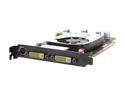
XFX PVT84JUDD3 GeForce 8600GT XXX 256MB 128-bit GDDR3 PCI Express x16 SLI Supported Video Card
Pros: Nice card, runs WinV*sta and WoW at highest settings (1680x1050). No problems with drivers or anything.
Cons: LOUD. I'm used to quiet computers, but this thing seems to be ridiculously loud. It almost sounds like the fan is already going out, with less than 5 hours of use. The fan on the card is about 5 times as loud as a stock C2D processor fan.
Overall Review: Should have gone with a fanless version...
4/11/2008See more detail