


Your Browsing History


Nicholas D.
Joined on 11/27/09
0
0
product reviews
- 4
Best Membrane Keyboard in Existance
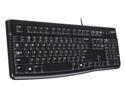
Logitech K120 Wired Keyboard for Windows, Plug and Play, Full-Size, Spill-Resistant, Curved Space Bar, Compatible with PC, Laptop - Black
Pros: Simple Extremely cheap Extremely quiet Plug and Play (Most Linux distros require settings changes for numpad to work correctly) Durable (Might feel flimsy and cheap, but I've spilled my share of drinks in to mine. After pulling+bathing the keys and swabbing the rest with small amounts of distilled water, it functioned within a few minutes after vigorous drying. The drainage holes on the bottom work perfectly to avoid disaster.) Ergonomics are fairly decent
Cons: Doesn't have PS/2 support Doesn't contain any extra multi-media/other scan-code keys. Although they're nice for utility/extra binds for gaming, it's not a huge con.
Overall Review: Lack of PS/2 support combined with no extra scan-codes is the only thing wrong with this keyboard, if you don't mind using a membrane keyboard.
8/21/2014See more detail
Beautiful Hardware, Iffy Software
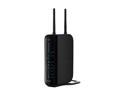
BELKIN F5D8235-4 802.11b/g/n N+ Wireless Gigabit Router up to 300Mbps
Pros: Built in USB 2.0 slot for moderate NAS is nice on small home networks Can forgo routing and firewall to use it as a pure access point User friendly UI (Ties in with a con though) Great for a home and most users, but...
Cons: Can't view current local DHCP assignments Can't filter or disable the log, and it only keeps something like 30 entries before it starts erasing impossible to customize QoS priorities Customization is watered down pretty hard. It's nice for novice users, but slightly irritating to those who want more control
Overall Review: Overall great router, but not for this price. (99.99 at time of review) Got one from my ISP a little ways back for cheap, and it's done well as a household router.
6/20/2014See more detail
Know What You're Buying Before You Buy It

RAZER DeathAdder RZ01-00151400-R3U1 Black Wired Optical Precision Gaming Mouse - 3.5G Infrared Sensor
Pros: - 3500 DPI - 1000 Hz polling - Fabulous form - Glides great on my cheap generic mouse pad from a local computer vendor
Cons: - Mouse wheel seems "wishy-washy" to me and has a habit of getting stuck in-between clicks during scrolls, leading it to randomly scroll up or down a bit after I've removed my finger off the wheel - It's quite light which causes it to... - Sometimes glides across my mouse pad when I remove my hand to type/whatever
Overall Review: To those reviews that say it's too sensitive or it makes you do things you don't mean to, know what you're buying before you buy it. This mouse carries 3500 DPI. At the 3rd lowest Windows mouse sensitivity setting, with mouse acceleration disabled through the Windows registry, my mouse pointer moves 500 pixels every time I move it an inch across my mouse pad. Make sure you are good enough with handling your mouse that you are okay with this sensitivity and accuracy a mouse like this will put out.
8/21/2012See more detail
The Staple Gaming Case
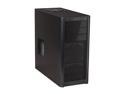
Antec Three Hundred Black Steel ATX Mid Tower Computer Case
Pros: - Huge case that's geared towards gamers without having a billion black lights and flashing LEDs, allowing for a lot of expansion/cable management - Great airflow when set up correctly - Aesthetically pleasing - The large amount of drive bays is great for future expansion, or to add gaps between HDDs to keep them cool - There is even a small area on the bottom just below the 3.5" bay rack that you can screw in a 2.5" SSD or small HDD - Washable air filter is a really nice touch, and the overall amount of air flow is amazing, but...
Cons: - Lacks a filter for the side filter as well as top/rear. The rear fan slot lacking a filter isn't a large problem, but most dust gathers on the top of the case on the outside of a computer. Putting a fan that points inwards on top without a filter is a computer-suicide-by-dust waiting to happen. My solution was to flip it upside down and point the exhaust from the previously mentioned CPU heatsink+fan towards the top fan, and use a makeshift filter I made out of some loose cotton cloth type material on the side fan port, but it gets pulled just enough in to the fan to make a quiet yet irritating buzz. (Do not do this yourself, as it is not allowed and may damage your computer) - The PSU is inserted on the bottom. Once again, this is where most of the dust collects on the inside of a case, and I have a feeling my PSU is pulling inordinate amounts of dust directly into itself which will lead to its untimely demise. I can't confirm this, though, so only time will tell.
Overall Review: The side case fan spot is sort of iffy for me. It would be amazing to use a fan pointing at my graphics card to supply it with cool air from outside the case, but without being able to filter out the minute amounts of ambient dust I feel it will cause too much damage to be worth it. If only there was a filter included for the side/top fan ports, or even sold separately, I would be an extremely happy camper.
8/21/2012See more detail