
Your Browsing History


Derek W.
Joined on 02/22/04
0
0
product reviews
- 5
Flawless Monitor

AOC 22" Active Matrix, TFT LCD LCD Monitor 5 ms D-Sub, DVI-D F22
Pros: - Native 1080p - Zero Dead Pixels - Nice Design - Blue Power LED matches case LED's - Plug N Play in Windows 7, nothing to install - OSD menu is decent - Came with Black back, not white as shown in pictures - There is some kind of sensor on the stand, if you lift it off the stand while on, it will automatically turn off.
Cons: - Stickers, there is a Vista Certified and EPEAT Silver sticker in the top left corner that was difficult to get off when you're trying to be gentle and not scratch it. - Stand actually slides underneath the hooded part in the back of the monitor, I kept trying to keep it flush and wasn't having any success. Really nothing against the monitor itself, but I thought people should know.
Overall Review: I use it with an Antec Two Hundred case and a Razer Copperhead, great looking combo. Pictures showed it with a white back, I received it and thankfully the backing was black. I wouldn't have knocked an egg off or anything, because I knew it may come with a white back when I ordered. Great monitor for the price, would buy more if I needed them, but I don't.
2/17/2010See more detail
Avoid this product
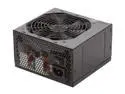
Thermaltake TR2 W0388RU 600 W ATX 12V v2.2 Power Supply
Pros: Worked for the first couple weeks, lots of connections
Cons: Computer is now randomly shutting down after only three weeks of use. I swapped video cards, from a Radeon HD 6870 down to a GeForce 9800 GT and it was still randomly shutting down, so it is not the graphics card causing the problem. Looking for my receipt so I can try to exchange this for an Antec product. Never had a problem with Thermaltake cases, but this PSU is a huge headache. I advise all Newegg customers to avoid this.
1/6/2012See more detail
Really Nice Laptop
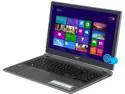
Acer Aspire 15.6" AMD A8-5557M 8GB Memory Windows 8 V5-552P-8483
Pros: -Latest AMD mobile APU is very impressive and responsive -Backlit keyboard -Stays cool -Dedicated 512MB Graphics Memory -Extremely thin and light -System starts up in about 4 to 6 seconds after a complete shutdown -Approx. 5 hours battery life -Touchscreen is very responsive and is useful in some situations
Cons: -Integrated battery, will need to be sent to Acer if I ever need a new battery -Touchpad, I do have a bluetooth mouse but when I use the touch pad it drives me nuts. The area where you click the left or right button is touch sensitive, so when you try to right-click on something your cursor moves slightly off the object you want to right-click. -Bloatware-McAfee and some Norton junk, easy to uninstall though
Overall Review: Make sure to update to Windows 8.1, you need a certain KB hotfix from Windows Update in order to see 8.1 in the Store. Once updated to 8.1 I set it up so that it automatically boots to the desktop and not the Start menu. Switch Chrome to Desktop mode and everything seems to behave pretty much like Windows 7. Touch pad gestures to switch between apps and bring up the Start menu can be more annoying than helpful.
11/11/2013See more detail
Great case for the money
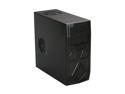
Antec Two Hundred Black ATX Mid Tower Computer Case
Pros: - All edges are folded - Pre-Mounted standoffs, only had to add one more myself - Front mesh and design is very nice - Comes with all the right screws, paper washers - Comes with two pre-installed fans that are really quiet, one 120mm on the back and then a 140mm on the top - Accepts a 120mm on the left side panel - LED's are blue - Thumb screws for side panels
Cons: - Headphone/Mic cables to hook up the front panel audio are too short to reach my mobo's pin header so they are not hooked up, didn't plan to use them anyways. It looks like they would reach if my graphics card was small, but it is very large. However, cables for the Front panel switches, leds and USB were long enough. - Would prefer the HDD to be more flush with the case when plugged into the hot swap bay, no big deal. - HDD LED is not aligned to the hole in the case resulting in a "muted" appearance, plan to take the front panel off and see if I can adjust that. - Need to remove place holders to put in mobo I/O panel, this has sharp edges and could cut you, be careful. The same for the PCIe/PCI slot covers in the back. Would like to have seen easier to remove slot protectors, ones with screws.
Overall Review: Better than any other case I've ever owned, and the cheapest as well, got it on sale for $40 on Newegg. Always had favorable results with Antec products so I will continue to purchase them. It has a 3 pin Power LED connector, this could be a problem if your mobo only supports two pin power LED like the ASRock that I use. Depending on board, you can "hack" the 3 pin plug. You simply look at the back of the plug, notice how there are plastic tabs, if you lift the tab on the positive cable (blue) you can actually slide the metal connecting plug from the 3 pin casing. Then after that you slide it into the middle pin hole, which will be empty, now you have essentially a 2 pin Power LED, but it will only work if the now empty pin slot can hang off the edge of the pin header.
2/17/2010See more detail
Power Button
AOC 22" Active Matrix, TFT LCD LCD Monitor 5 ms D-Sub, DVI-D F22
Pros: I've seen other reviewers knock this monitor for having to go into the OSD menu to turn it off. This is INCORRECT, you simply hold the power button for 3-4 seconds and the monitor will power down.
Cons: None
2/17/2010See more detail