
Your Browsing History


David V.
Joined on 01/03/04
0
0
product reviews
- 4
Worth every penny for gaming.

Westinghouse Silver/Black 37" 8ms 1080p HD-Ready LCD TV Model LVM-37W3
Pros: Beautiful display for the cash. Really shines as a PC gaming monitor if you can run 1920x1080 with 4x AA. Tons of inputs! DVI1 - PC DVI2 - Cable Box HDMI - PS3 Component1 - Xbox/PS2 Component2 - Nintendo Wii VGA - Xbox360 1080p gaming at it's finest.
Cons: HDMI handshaking issue with the PS3. Sony is working on a fix.
1/29/2007See more detail
Nighthawk Solved My Issues
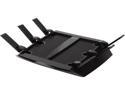
NETGEAR Nighthawk X6 AC3200 Tri-Band WiFi Router, Gigabit Ethernet, Compatible with Amazon Echo/Alexa (R8000)
Pros: I have tons of gaming devices on my network. For years i've had bad NAT issues. I tried multiple brands as well as custom firmwares like Tomato and DD-WRT. This router solved everything. I finally get open NAT on my Xbox and NAT Type 2 on my PS4.
Cons: For $300, i'd like double the ports it has. But nothing a switch can't fix.
10/20/2015See more detail
Worth Every Penny
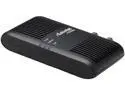
Actiontec ECB2500C Ethernet to Coax Adapter for Homes with Cable TV Service
Pros: Worth every penny I paid for it. Was able to completely remove all Verizon equipment from my network, but still provide internet to their set-top boxes.
Cons: None. Works great.
10/20/2015See more detail
Post Firmware Review
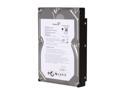
Seagate BarraCuda 7200.11 ST31500341AS 1.5TB 7200 RPM 32MB Cache SATA 3.0Gb/s 3.5" Internal Hard Drive Bare Drive
Pros: I have four of these in my Drobo. Before the firmware update I would of rated these 1 egg. One drive would randomly fail out while streaming movies and the Drobo would start to rebuild the array. It would take a good 5 mins for the Drobo to realize the hard drive is fine and reverse what it did. Basically a 15min downtime everytime one of the drives decided to freeze. Post-firmware update they are working flawlessly. Now they are 5 eggs hands down. The speed of perpendicular recording with the massive storage of 1.5TB.
Cons: Require a firmware update
12/11/2008See more detail