
Your Browsing History


Orson W.
Joined on 12/10/01
0
0
product reviews
- 9
Follow up: stable, but is G31 better?
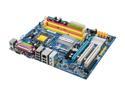
GIGABYTE GA-G33M-S2L LGA 775 Intel G33 Micro ATX Intel Motherboard
Pros: My first board was bad - Newegg completed a painless RMA. My second board has been running 24/7 overclocked to 1333MHz FSB with a quad-core and is perfectly stable. The rebuild was a non event thanks to the handy Gigabyte XpressRecovery utility.
Cons: -
Overall Review: For most people, the G33 offers very little advantage over a G31 chipset yet comes with a large price difference. Check the specs carefully - most premium manufacturers like Gigabyte tweak the G31 version to equal the performance of the G33 version, leaving a few minor feature differences to justify a large cost difference. If I had to do this over again, I would have gone with the Gigabyte G31 version as a better value proposition.
7/25/2008See more detail
Relatively poor antenna, DD-WRT is OK
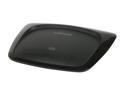
Linksys WRT54G2-RM Wireless-G Broadband Router IEEE 802.3/3u, IEEE 802.11b/g
Pros: Can be upgraded to use DD-WRT firmware. Aside from the "recertified" sticker, I could not tell this apart from a new unit.
Cons: The internal antenna is poor. The inability to position the antenna is a major hindrance - the signal to noise ratio was more than 10dB worse than what I was able to achieve with a basic external antenna on a Wifi card at the same physical location. This router also has one of the smaller and slower Broadcom chips. Thus, the performance with DD-WRT was at best "fair" (in bridge mode, it was nearly twice as slow as a dedicated wifi card) with lots of latency (noticed as stuttering with random file access) and very slow performance when there are lots of connections (such as with P2P). For general internet surfing, DD-WRT worked great on this router, but not noticeably better than the stock firmware.
Overall Review: This model seems a better fit for the casual user. Using the stock firmware, the performance was generally good and an internal antenna makes sense for casual users. A power user should probably skip this unit. DD-WRT, for example, is generally sought by a more advanced user, but a more advanced user is likely to be disappointed by the performance of DD-WRT on this unit.
4/14/2009See more detail
Good value, Don't like stand-offs.
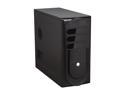
Rosewill R230-P-BK Black SECC Steel ATX Mid Tower Computer Case
Pros: Cheap. Space for as many as 6 drives. The 120mm fan is surprisingly quiet - approximately 1000RPM on a sleeve bearing.
Cons: The drives are mounted fairly close to each other. It is difficult to get good airflow across the drives when all drive bays are occupied. Mounting a 120mm fan in the front tends to direct most of the airflow to the sides of the drives. I ended up removing the CPU duct because it seems to block a lot of airflow to a power supply (with bottom mounted fan) and to the rear 120mm fan. I stripped two of the mounting holes using finger-tip effort. I salvaged it by forcing in coarse thread screws.
Overall Review: At least one reviewer noted that there were no screws and a PCI slots was missing a blank. I'm guessing he is missing an accessory bag. Mine came with one and included case feet, a PCI blank, some screws, and a handful of brass standoffs.
8/10/2010See more detail
Quiet!
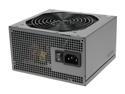
Antec NEO ECO 400C 400W Continuous Power ATX12V 2.3 / EPS12V 80 PLUS Certified Active PFC Power Supply
Pros: This is a very quiet power supply! Initially, I was afraid it was DOA because I could barely feel the airflow. All my case fans (120mm 1000RPM) are louder than this PSU.
Cons: The SATA power cables are a bit odd. There are 5 SATA power connectors as stated. One cable has 3 SATA connectors. Another has 2 SATA connectors, but then terminates in a Molex. I'm not sure how many people can make use of this Molex.
Overall Review: I'm using this for a file server. 400W is overkill for a 4-disk file server. However, the low load keeps the fan at low speed, meeting my objective.
8/10/2010See more detail
Does WPA2. Average range.
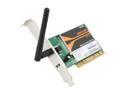
D-Link WDA-1320 Wireless G Desktop Adapter IEEE 802.11b/g 32-bit PCI Up to 54Mbps Wireless Data Rates
Pros: The Newegg specs state WPA only. This card does in fact do WPA2. (I set my router to accept WPA2 only and to reject WPA.)
Cons: Other than that pleasant surprise, there is nothing special about this card. The range is about average in my experience.
3/31/2009See more detail
Works
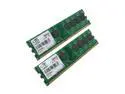
Mushkin Enhanced Essentials 2GB (2 x 1GB) DDR2 800 (PC2 6400) Dual Channel Kit Desktop Memory Model 996529
Pros: It works. That may sound like faint praise, but after going through 5 sets of defective memory from another brand, this is most welcome.
Cons: No heat spreaders. It's not meant for over-clocking duties and is not marketed as such.
Overall Review: These are solid memory modules for basic usage. After being let down by a few other brands (and giving them multiple chances), I have returned to Mushkin.
3/26/2009See more detail