
Your Browsing History


Matthew S.
Joined on 03/29/06
0
0
product reviews
- 10
Decent board, rebate procedure is weak
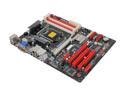
BIOSTAR TZ77B LGA 1155 Intel Z77 HDMI USB 3.0 ATX Intel Motherboard with UEFI BIOS
Pros: Decent power phasing and heatsinks make this ideal for a slight overclock on a budget.
Cons: I normally don't complain about rebate procedures but Biostar's is long and drawn out, requiring more materials sent in that any other rebate I've ever done. I definitely will not be purchasing a Biostar board because of a rebate again.
Overall Review: When trying to run memtest86 with this mobo it kept freezing until I read on a forum that it may be because legacy USB support is enabled. Sure enough, once that was off it completed just fine. This is the only board I've ever had that issue with when running memtest. Not a huge deal but just a heads up to anyone like me who likes to test all components thoroughly.
12/11/2012See more detail
Not for Overclocking!
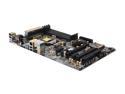
ASRock Z68 PRO3 GEN3 LGA 1155 Intel Z68 HDMI USB 3.0 ATX Intel Motherboard
Pros: Quality construction
Cons: Terrible BIOS for overclocking Only 4+1 VRM Power Management
Overall Review: Let me say I have been overclocking for years, this is not my first rodeo. ASROCK has removed several BIOS options from this mobo version that make a completely stable overclock impossible. Previous Pro3's had these options so I'm not sure why they would remove them on the Gen3 (except that they want you to buy the more expensive board). Even the beta BIOS does not reinstate these options. This board also has inadequate power management for higher clock speeds. 4+1 VRM is not capable of handling a high overclock. Although it should definitely be ok for a very slight overclock, which even that this board struggles with. Do some forum searching (unfortunately I did not) before you buy this board and you will see that tons of people have had this same problem with these recent Pro3 Gen3's. If you want to run at stock speeds this is a fine board. If you want to overclock you NEED a better board, whether it be from ASROCK or a different manufacturer (I'd recommend Gigabyte or ASUS).
4/24/2012See more detail
Excellent for non-overclockers
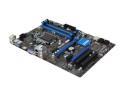
MSI Z77A-G41 LGA 1155 Intel Z77 HDMI USB 3.0 ATX Intel Motherboard with UEFI BIOS
Pros: I have several of these running Xeon E3-1230v2s and all have performed properly.
Cons: This board is cheap and thus does not have good power phasing or heatsinks. If you want to overclock you need a higher-end board.
12/11/2012See more detail
Great case!
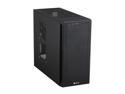
Corsair Carbide Series 200R Black Steel / Plastic Compact ATX Mid Tower Case
Pros: USB3, 4 SSD slots, dual 120mm fans, plenty of room, excellent ventilation, solid design, reusable PCI slot covers, pre-installed mobo standoffs.
Cons: There's cheaper cases that are almost as good unless you catch this one with a rebate.
12/11/2012See more detail
Not bad for the price
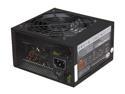
Cooler Master GX - 450W Power Supply with 80 PLUS Bronze Certification
Pros: For $30 after rebate these are not bad. I bought two of them and neither came DOA. Has sleeving on all cables. 5 year warranty.
Cons: However the second one had some funky molding on the main power connector and I had a tough time getting it to snap in correctly, eventually having to carefully use a flathead screwdriver for more leverage because my fingers were hurting from trying to push it in. It also did not come with mounting screws (not a big deal to me as I have tons lying around but others may not).
Overall Review: For a cheap, decent power supply I have always used Corsair CX430v2s and I decided to try this Cooler Master out because of the warranty. None of the Corsairs have failed on me yet so hopefully these follow suit.
12/11/2012See more detail
Seagate = Excellent Quality
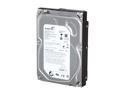
Seagate BarraCuda Green ST2000DL003 2TB 5900 RPM 64MB Cache SATA 6.0Gb/s 3.5" Internal Hard Drive Bare Drive
Pros: Price Quality
Cons: Could be 7200 RPM It's definitely fast enough for a system drive but running this as a storage drive in conjunction with a small SSD for your OS would be optimal.
Overall Review: I've been using Seagate hard drives for over 6 years and have never had a single problem with any of them. Never a DOA and even the oldest ones are still running properly. Call it luck if you want but I'll continue to buy Seagate until I'm given a reason not to. If you are trying to decide on which brand of hard drive to purchase, you can't go wrong with Seagate. They only do data storage products and they do them right.
6/18/2011See more detail