
Your Browsing History


John M.
Joined on 02/27/06
0
0
product reviews
- 1
Awesome product - no issues
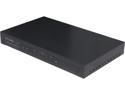
TP-Link TL-R470T+ Load Balance Broadband Router 1 x 10/100Mbps WAN Ports 1 x Fixed LAN, 3 x Changeable WAN/LAN LAN Ports
Pros: I concur with all the good points mentioned in these posts. Also, there are 2 revisions to this model TL-R470T+. They are revision 1.x, and revision 2.x, and I mention this because 2 of the features that I needed are available only on the more-recent revision 2.x devices. The revision 2.x models have at least 2 additional capabilities that the older revision 1.x does not have. These are fail-over capability, which the router calls Link Backup, and port re-routing (if that's the correct term). With the Link Backup feature, instead of using the router for Load Balancing, you can instead set one WAN port as the primary WAN, and the other WAN port as the backup WAN. When the primary WAN goes down, the backup WAN is automatically used, until the primary WAN comes back connected again, at which time the router automatically switches back to the primary WAN. If you use more than 2 WANs, then you can program in various rules to handle your backup rules for all your WAN ports. The port re-routing setting allows you to have something that comes in on a certain port be routed to a different port internally. An example of this could be so that you can have RDP access to more than 1 PC internally, as follows (and yes, I know that RDP is not very secure ;-): If something comes in on port 3389, route it to port 3389 on internal computer # 1 If something comes in on port 3390, route it to port 3389 on internal computer # 2 If something comes in on port 3391, route it to port 3389 on internal computer # 3 If something comes in on port 3392, route it to port 3389 on internal computer # 4 If something comes in on port 3393, route it to port 3389 on internal computer # 5
Cons: None (so far).
Overall Review: Pokey, which Revision is your hardware (noted on bottom of unit, after the model number)? To set DHCP Reservations based on MAC addresses, if your model is Rev 1.x, go to the DHCP link on the left, then the Address Reservation link below that. If your model is Rev 2.x, go to Network link on the left, then LAN link on the left below that, then the DHCP Reservation tab at the top.
11/15/2012See more detail