

Your Browsing History


Kelly P.
Joined on 01/12/06
0
0
product reviews
- 9
Fantastic for low profile systems
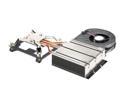
Intel HTS1155LP CPU Cooler
Pros: For building a slim PC, or All-In-One, this is nearly a perfect solution. I love to build custom cases and this coupled with a slim motherboard with msata can get you to about an inch in height. It's very quiet when running half-speed or less, great for MPC environments.
Cons: This may require a more technical knowledge than the stock design.
12/23/2014See more detail
Good for AIO, except for mSATA broken
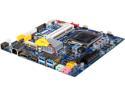
GIGABYTE GA-H77TN LGA 1155 Intel H77 HDMI USB 3.0 Thin Mini-ITX Intel Motherboard
Pros: Conforms to the All-In-One form factor (thin mini-ITX), boots and runs OpenELEC very fast with an i7-3770S.
Cons: WIth Plextor 256GB mSATA installed this would not boot, no video, nothing. The mSATA drive got warm after a few minutes.
Overall Review: The mSATA works fine in another system and does not get as warm. The mSATA problem appears to be common with this motherboard so I didn't bother to try other drives but instead ordered an Asus motherboard for our HTPC builds and will use this board for a desktop. If you're not using mSATA you'll probably not mind the problem.
11/7/2013See more detail
Worth it for me.
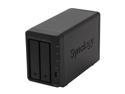
Synology DS713+ Diskless System Robust & Scalable NAS Server DiskStation
Pros: I'm using this for a UPnP server and it does this function better than my DIY solution. Have streamed media on several different players, I now use it as the standard to beat when benchmarking other media servers.
Cons: Expensive, but then again I've spent days trying to get a cheap CentOS box to do the same thing and this took only an hour.
Overall Review: The web interface operates more like an OS compared to the simple webforms you'd see on the cheaper NAS boxes. It also seems a lot more open (you can SSH as root and get the BusyBox prompt v1.16.1)
10/3/2013See more detail
Almost works
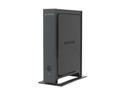
NETGEAR WN2000RPT-100NAS Universal Wi-Fi Range Extender
Pros: Works sometimes, wall adapter is nice, box is pretty.
Cons: Drops connection and disappears every week and must be rebooted. After a few years of this it finally quit connecting at all. I can connect to the repeater, all lights are green but still no connection. The Netgear forums are of little help, many people are having the same problem with the only recourse being to return it or tossing it in the trash. We have a lot of Netgear equipment and resell networking solutions but fortunately we haven't resold any Netgear equipment to any of our clients and after dealing with this nightmare of a product I'm so glad I'm not on the customer support end of this junk. Even the Netgear forums show the support staff being very short with their customers. People often spend hours or days, perhaps weeks, troubleshooting this thing. Do yourself a favor and get something that works, it's not worth fixing something that's only going to be a problem later. There are workarounds for some problems for sure, but how much is your time (and sanity) worth when you can buy a competitor's product?
Overall Review: This was dumped in my lap as part of my job and I personally would never had bought it in the first place. I don't have a single piece of Netgear equipment in my house and now I never will. The fact that they have a damage-control robo-trolling feedback with cut and paste responses might be a clue.
9/19/2013See more detail
Vista / Windows 7 problem
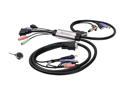
IOGEAR GCS932U MiniView Micro DVI-D KVM with Audio and Cables
Pros: I've had no problems for a year under Windows XP.
Cons: Does not work properly with dual-monitor setups. Search for "Windows 7 KVM problem" for more info. Microsoft wants you to buy more expensive hardware because writing stable software is really not their thing.
Overall Review: It's unfortunate that by upgrading to a new version of Windows you have to scrap the older hardware. IOGear should have gotten some warning I'm sure, or perhaps predicted the future.
11/14/2009See more detail
All fine until fan dies!
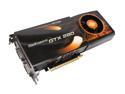
EVGA 01G-P3-1286-AR GeForce GTX 280 FTW Edition 1GB 512-bit GDDR3 PCI Express 2.0 x16 HDCP Ready SLI Supported Video Card
Pros: Fast as hell.
Cons: My 1284 version lasted almost 40 days, the fan stopped running and the only fix is to RMA, pay shipping both ways. Fans seem to be a popular failure so get the RMA options figured out before you pay $350 for a card that fails because eVGA didn't want to spend more than $2 on a fan.
2/27/2009See more detail