
Your Browsing History


Doris C.
Joined on 04/06/05
0
0
product reviews
- 59
YES IT DOES
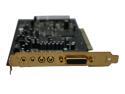
Creative SOUND BLASTER X-Fi Platinum 7.1 Channels 24-bit 96KHz PCI Interface Sound Card
Pros: GREAT Dolby Digital Decoding and DTS Decoding. To OBGOW who ranked this top of the line 1 star - learn to use it. You docked this card 4 stars because you dont know how to work with it? People, if you want internal decoding select SPDIF from your DVD player and let the analog cords do the rest. If you want external optical decoding select "External Decoder" under bitstream options.
Cons: None, this thing is flawless and sounds as good as you can get. The only con is people are dumb enough to post bad ratings because they dont know how to use the software
Overall Review: Buy this card if you love playing games, listening to music, recording music, or watching movies with surround sound
1/25/2006See more detail
Slightly works
VANTEC VDK-80 80MM Fan Vibration Dampener Kits
Pros: low price. Brought my 80mm fans down slightly. no vibration
Cons: Like I read somewhere before - take your fans off your case and turn them on high, this is generally how they will sound plus alittle air noise from air escaping. They taste funny.
Overall Review: You could probably make your own... The concept isn't too hard to grasp.
10/6/2006See more detail
Starting to go I think
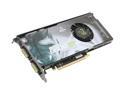
XFX PVT88PYDD4 GeForce 8800GT XXX 512MB 256-bit GDDR3 PCI Express 2.0 x16 HDCP Ready SLI Supported Video Card
Pros: Amazing performance and it's a single slot card as well. It's nice not having to take up a pci slot just to cool my video card. Also, it's amazingly cool for the performance it's putting out. I had a GTS, and it would get very hot.
Cons: It's starting to lockup and crash in call of duty 4. I've set the fan to 100%, but it still locks up and gives me green artifacts all over the screen. I'm very dissapointed.
Overall Review: As far as games go, realistically Crysis runs playable at 1024x768 high settings, and this is in DX9. I found a way to force the very high settings in XP, and when everything is maxed out, the game runs at around 15 fps. It's not great.
2/18/2008See more detail
Defective/Falure :(
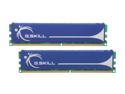
G.SKILL 4GB (2 x 2GB) DDR2 1000 (PC2 8000) Dual Channel Kit Desktop Memory Model F2-8000CL5D-4GBPQ
Pros: Worked in the system (sort of.) At least these sticks allowed me to get past post.
Cons: Unfortunately for me, I got unlucky and these sticks don't work.
Overall Review: Did not perform correctly in a system using a p5w dh deluxe. I had to run the sticks at 2.2v 5-5-5-15 ddr2-780 for functionality, and even then they failed stability tests after a while. Its a shame.
11/28/2007See more detail
ATI guy no more. This card has beautiful image quality!
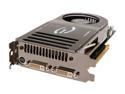
EVGA GeForce 8800 GTS 640MB GDDR3 PCI Express x16 SLI Support Graphics Card 640-P2-N821-AR
Pros: Has not failed on me and hasn't given me a SINGLE crash! All my games run great maxed out. I've clocked the card to 621/1026 and my temperatures are about 60idle, 75load. The stock cooler keeps it safe. 18,660 in 3dmark05
Cons: I have considered what I will do this summer when my room is 85 degrees all the time(poor air conditioning.) This card might send me into a water cooling project. Also, when I set the memory clock in dual monitor mode, it won't change. I have to disable secondary monitor, set memory clock, then re-enable it. Pain in the keaster. Other than that, its fine.
Overall Review: I've ALWAYS owned ATI cards for some reason. I guess I always believed the whole "image quality" hype. People have always said ATI's IQ(image quality) is better than nVidia's IQ. Well this card ended that debate impo. Also, I've had a lot of ATI cards go bad on me in the past. I don't know if its rotten luck or ATI's quality control. Either way, I'm very pleased with my card so far. I hope to keep it for a long time and not worry about upgrading my computer to handle video games for a long time as well.
3/15/2007See more detail
an update - memory clock bug!
EVGA GeForce 8800 GTS 640MB GDDR3 PCI Express x16 SLI Support Graphics Card 640-P2-N821-AR
Pros: Overclocked to 621/1026. Scores 18,660 in 3dmark05
Cons: Must disable secondary monitor to change memory clocks.
Overall Review: I found that my memory clocks would not change in dual monitor mode. Disabling the secondary monitor allowed me to set the memory clock using ATITool. After I set my memory clock to 1026, it sticks when I re-enable my secondary monitor. Kind of a hassle, but its a driver bug for now.
3/10/2007See more detail