
Your Browsing History


Pasquale R.
Joined on 10/28/02
0
0
product reviews
- 4
In 15+ years Antec cases have never ceased to amaze
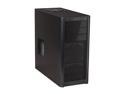
Antec Three Hundred Black Steel ATX Mid Tower Computer Case
Pros: I've used dozens of Antec cases over the last 15+ years of computer building. My personal powerhouse is still using an Antec full tower I bought 10 years ago, which has been the only part that I've carried forward for 3 separate computer builds now. And yet, as much as I love that old Antec steel full tower, the Antec 300 manages to trump it in every possible way and for less than half the price I paid for this beast a decade ago. The Antec 300 cleaner, cooler, and quieter than my old full tower. Yet, it still provides more room, and can hold more drives. And to put the cherry on top, the Antec 300 is, hands-down, the best looking case I have ever used to-date. The mesh front is not only functional, but stylish. The easy to access usb, mic, and headphone ports on the front are solid and reliable. Good work Antec, you've outdone yourself. I don't know how you could ever top a case like this, but I know one day you will. Somehow.
Cons: The only thing this case is missing are some holes on the inside to run wires behind the motherboard. I managed to route the cables very cleanly by utilizing other channels, but a few well-placed holes on the motherboard tray would make this a 6-egg case!
Overall Review: The case includes a 140mm top fan, and 120mm rear fan. For the large majority of users, even most gamers, this should be all you need. There is room for 2 more 120mm fans in the front, as well as one on the side, but these are completely unnecessary IMO. Here is my recommendation: Keep the stock two fans running on low or medium, high seems excessive. BLOCK the hole for the side fan, which will do two things: 1) prevent dust from entering and 2) force all of the air to be pulled in from the front of the case, thereby creating a perfect channel of airflow through your case. If you do this, you can actually feel the cold air being sucked in through the front of the case with your hand, it's amazing! I just used a piece of cardboard and clear packing tape to block the side fan. No need to waste your money and create unnecessary noise by installing tons of fans. Smart airflow is more effective than excessive airflow, always remember that!
1/27/2011See more detail
Fantastic Card
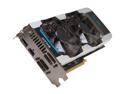
Galaxy 67NQH6DN6KXZ GeForce GTX 670 GC 4GB 256-bit GDDR5 PCI Express 3.0 x16 HDCP Ready SLI Support Video Card
Pros: 4GB is going to give you a lot of breathing room for the resolutions and graphical features that you want. There's no such thing as too much RAM, and considering how powerful the 670 itself is, with 4GB of RAM this card is likely to last a good 5 years of quality gaming. No joke. Using EVGA Precision X I was able to overclock this GPU to 1254MHz and a +700MHz overclock on the RAM. Rock solid stable, stays cool and relatively quiet even when playing games like Batman AC or Dark Souls (with DSFix 3K downsampling). It's amazing seeing games in full HD with all the bells and whistles, I can't see a single jagged line in any of the games -- it's amazing.
Cons: Absolutely none.
Overall Review: I got this on sale for $379.99 - $20 rebate = $359.99. What a steal. It's easily worth it even at MSRP, but at this price it was a no brainer.
12/24/2012See more detail
Awesome card -- easily unlocks to 6970
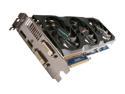
GIGABYTE Radeon HD 6950 1GB GDDR5 PCI Express 2.1 x16 CrossFireX Support Graphics Card GV-R695OC-1GD
Pros: Super quiet, cool and runs anything I throw at it well. I was able to unlock it to 1536 shaders easily using TechPowerUps RBE app (ATI Bios Editor) and ATI Winflash. I am using Sapphire Trixx to overclock it to 900mhz core and 1375mhz memory on stock voltage, and it rarely ever even hits 60C under full load. Pretty amazing card.
Cons: The board feels a bit flimsy, which freaked me out at first but I'm over it. It probably wouldn't be so much of an issue if the card wasn't so long, but with these 3 fans it's a beast! Easily fit inside my Liancool K62 case though.
Overall Review: I don't think I am seeing the full potential of the card since it's sitting in a Q6600 box @ 3.08ghz. Very much looking forward to upgrading to an Ivy Bridge build where I am sure I will really see this thing shine. I semi-regret not getting a 2GB version, but I'm not sure if it will ultimately matter or not.
2/6/2012See more detail
Stunning monitor for the price
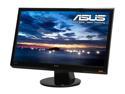
ASUS VH232H Glossy Black 23" 5ms Widescreen Full HD 1080p LCD Monitor 300 cd/m2 ASCR 20000:1 w/Speakers & HDMI
Pros: I'm quite surprised by this monitor. I purchased it for my Dad's new "budget" computer, and I have to say, I would trade my SyncMaster 226BW for this thing any day of the week. HDMI + Built in Speakers is great for a laymen like my dad, and gives him less wires to worry about. The build and visual quality is absolutely phenomenal. As I write this, it's sitting next to my aforementioned monitor and it BLOWS it away. Love it!
Cons: I knocked off 1 egg because I think the volume controls are a bit unintuitive. You have to press the down button to initiate volume control, even if your goal is to increase the volume. Kinda goofy, but a minor nitpick for what is otherwise a fantastic piece of hardware.
Overall Review: Asus never lets me down, been building computers with their parts for over 15 years.
1/27/2011See more detail