

Your Browsing History


Courtney B.
Joined on 05/07/14
0
0
product reviews
- 12
CORSAIR TEAM IS AMAZING!
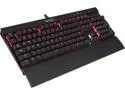
Corsair Gaming K70 RGB Mechanical Gaming Keyboard - Cherry MX Brown Switches
Pros: - Amazing build quality - MX Brown Switches are lovely - The RGB in this thing... Holey "Wompers". The possibilities are endless. on top of that, you can go to the corsair website and download pre-made lighting effects people have created and uploaded!. so if you're lazy, you can still have a Keyboard that matches the season/mood/whatever you want. - The Volume wheel is incredibly accurate and just...feels high quality. - remapping keys is a breeze - I could go on for a very long time about this thing. so because this is taking so long, ill end with this, it's an all around Super Solid Keyboard well worth the money. JUST BUY IT. you wont regret it.
Cons: - The Corsair Utility Engine ( to control lighting) is a little complex. BUT after you play with it for a few hours, it's a piece of cake. you just have to find some time to really tinker around with it for a bit. Other than that bit of a learning Curve, it's a very powerful program perfectly matched with a powerful keyboard. - Having No USB Port in the back of the keyboard is a tad strange for such a high-end board. But honestly, If you purchase the Corsair M65 ( Or any other Corsair mouse for that matter) you wont have any issues with Length. - It has to use 2 USB 2.0 ports for power. But only 1 for USB 3.0. I wish i could detach the USB i don't need when using 3.0. but that's again, a very small issue i my eyes. it would just look better when trying to cable manage the heck out of Everything.
Overall Review: So.. I've owned this keyboard for quite sometime.. going on a year...ish. now, I am certain this was one of my roommates fault... Some of my keys began to "Stick" and were a little harder to press down. also, the volume wheel was feeling like sands or something got in it for about or so prior to the 'Sticky event". I reluctantly emailed Corsair Support, told them the truth, and the STILL REPLACED MY KEYBOARD FOR FREE! I got my replacement 2 months ago and its been amazing ever since. Thank you Corsair. because of the way you guys responded, i bought my gaming mouse from you guys as well :). ( I also own yalls Corsair 500R. Plan to get the 540 one of these days.) I'm a Corsair "Escort" .
1/10/2016See more detail
meh...
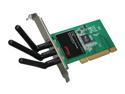
Rosewill RNX-N300X IEEE 802.11b/g, IEEE 802.11n Draft 2.0 (PCI Interface) Wireless Adapter (2T3R) Up to 300Mbps Wireless Download Data Rates 64/128-Bit WEP, WPA PSK and WPA2 PSK (TKIP and AES)
Pros: Meh... it kindof works?
Cons: I keep having to reinstall the drivers... i dont know whats going on.
1/11/2015See more detail
Pretty nice.
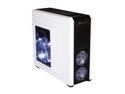
Corsair Carbide Series 500R Arctic White Steel / Plastic ATX Mid Tower Gaming Case
Pros: Cable management is easy. a great number of places to install fans and radiators. you can install plexi glass if you want where the side mesh is. lots of air filters any PSU will fit really unless its just HUGE
Cons: The fans that come with it are pretty cheap. terrible fan controller bottom feet will peel if youre not careful side door screws do stay in the door... but they dont exactly line up right so u have to cross thread them. mm....Sort of cheap USB 3.0 Ports on the front.
Overall Review: I bought this too soon before doing al my research... i wish i would have gone with the Corsair 540.
1/11/2015See more detail
Do not move air as advertised/
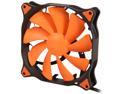
COUGAR Vortex PWM 140mm (CF-V14HP) Cooling Fan with Hydro-Dynamic Bearing and Pulse Width Modulation (Orange Version)
Pros: The fans are quiet and installing them is super easy.
Cons: You cant install them in a horizontal fashion without them shaking a bit. After further research i found that these fans dont move NEAR the amount of air that they are advertised to. Do NOT use these on radiators. definitely not SP ready
1/11/2015See more detail
meh...
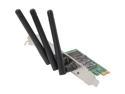
Rosewill RNWD-N9003PCE - Dual Band Wireless N900 Adapter - IEEE 802.11a/11b/11g/11n, Up to 450 Mbps (5.0 GHz) + 450 Mbps (2.4 GHz) Data Rates, PCI E Interface, 3 External Detachable Antenna
Pros: It works kindof.
Cons: I keep having the reinstall the drivers. I dont know whats going on.
1/11/2015See more detail
Great Stuff
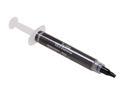
Tuniq TX-2-EX Extreme High Performance Thermal Grease and Easy Apply
Pros: I Put this on both my 4670K and My Two R9 290X cards. It made all the difference in thw world on my 290X's
Cons: none
1/11/2015See more detail