
Your Browsing History


Bobby L.
Joined on 12/29/02
0
0
product reviews
- 3
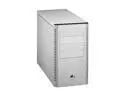
LIAN LI PC-G50A Silver Aluminum ATX Mid Tower Computer Case
Pros: The build quality of this case is excellent, as are the included accessories. It has two very large and quiet fans, one of which is mounted on the side of the case, right above the peripherials. The case also comes with a generous supply of various screws, a few plastic ties, and a motherboard-spacer screwdriver. A large majority of the screws for the case are thumb screws, and the side fan can be adjusted a little. The fans have the kind of plugs that can plug into a motherboard (to provide monitoring) but also included are four-pin adapters to connect directly to the PSU.
Cons: As is to be expected with a case this small, space is cramped, and with the motherboard sitting basically upside down, wires and cables kinda fly everywhere. It's a pretty big hassle to change something once everything is in place. The harddrive tray is not removable, nor does it feature removable side brackets, so you have to take off both sides of the case to get to a harddrive. And it only holds a maximum of two. You could probably shoehorn a third in there, because there are slots for the screws, but it would be weird. As for 5.25" drives, again, you have to take both sides off to get to them, as there are no removable sliders.
Overall Review: I bought this case to build a PC for a non-techy person, so most of the cons didn't bother me (and I knew about them going in), since I won't be messing with the computer again. However, I wouldn't recommend this case for an enthusiast. And one last note, the power supply actually hangs over the side of the motherboard, rather than above (or below, however you want to think about it), so a tall hsf might cause a problem. However, it did clear the retail AMD hsf easily.
2/3/2007See more detail
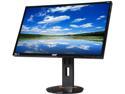
Acer XB270HU bprz Black 27'' 144 Hz WQHD G-SYNC Widescreen LED Backlight LCD Monitor IPS 350 cd/m2 1,000:1
Pros: - 144 Hz - G-SYNC - USB 3.0 ports While the major benefit of this monitor is gaming, when running at 144 Hz, even day to day usage in Windows is improved. For instance, dragging and scrolling windows is super smooth. The mouse cursor also feels a lot more responsive. Then there's the gaming, where G-SYNC keeps everything running good even if your frame-rate dips a little, unlike V-SYNC which starts to stutter. I think the thing I appreciate the most is the fact that I don't have anymore input lag/laggy cursor in games. Normally I would have V-SYNC on to avoid tearing, but that would always make the cursor lag. It feels like I've solved all my gaming issues with this monitor. The extra USB 3.0 ports are handy.
Cons: - So-so build materials - Fitment issues While the image quality is pretty good and performance is great, the build materials are not. The bezel, in particular, is extremely flimsy and on mine, if I look closely, I can see gaps between the bezel and the screen. This doesn't actually manifest itself except in one area: the power LED. The LED alone is pretty bright, but because there is a gap, it's overpowering. I had to take a thin strip of black tape and cover the gap and about 2/3 of the power LED to stop it from blinding me.
Overall Review: I'm on my second monitor (May 2015 build) and the screen is basically as good I could expect. There is a slight color shift on the right edge, but there's no bad pixels. The first monitor I ordered, from a different retailer, was an April 2015 build and had at least 7 dead pixels. I returned it immediately and I'm glad I did because the one I got from Newegg was much better. The monitor has the ULMB feature but I honestly couldn't see a lot of use for it. I suppose if you were doing work that involved a lot of fast-scrolling text (or something of that nature), it would be helpful, but it darkens the screen considerably. I did not do extensive testing with that feature. Finally, the monitor only has one input connection (DisplayPort, because it's the only one that currently makes sense given the screen's specs) and it has no aspect ratio options (so if you send anything other than 16x9 it will be distorted). I reckon for the target buyer of this screen, those are both non-issues.
7/11/2015See more detail
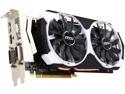
MSI GeForce GTX 970 4GD5T OC
Pros: I bought this card to replace a pair of GTX 570s that had been used in SLI after one of the 570s failed. At the same quality settings I'm seeing about a 30-40% increase in performance, depending on the game. I haven't noticed any significant noise. I've been able to increase the texture quality settings in games because of the high amount of video RAM.
Cons: There are some things that I don't consider ideal but they aren't specific to this card and aren't enough of an issue to subtract an egg: - The card is very big and the fans/heatsink extend vertically higher than some cards. - This is a personal preference but I would like that the card had all of the same type of output connector (eg, all DisplayPort) instead of four different connectors (DisplayPort, HDMI, DVI-I, DVI-D). - The entire back side of my card was really "tacky" or sticky. Don't know why.
Overall Review: I'm pleased with the card and while I don't consider it cheap, relatively speaking it is a bargain considering its overall performance. While the 570s in SLI were still plenty fast enough to play modern games, the lack of video RAM was becoming an issue. Additionally, SLI support, while pretty good, was not perfect. For instance, Shadow of Mordor didn't get official NVIDIA SLI support until Nov. 19, 2014 even though the game was released on Sep. 30, 2014. With this card I won't have to worry about that sort of thing.
12/6/2014See more detail