
Your Browsing History


Harold G.
Joined on 03/05/04
0
0
product reviews
- 4
Not the best, not that bad.
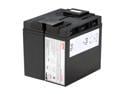
APC UPS Battery Replacement for APC Smart-UPS Model SMT1500, SMT1500C, SMT1500US, SUA1500, SUA1500US and select others (RBC7)
Pros: APC re-branded replacement battery is usually ready to install and somewhat pre-charged because it goes thru performance testing process. You have the cable assemblies / connectors installed.
Cons: They are expensive and lately, the longevity is not there. This is also true for other SLA battery brands. I have been rebuilding the battery assembly for our data center rackmounts and standalones, for over 10 years. Previously, they last about 30-36 months. Now I am seeing as low as 15 to 24 months. If you have to replace a single failed battery unit from a pack, you might as well replace them all for a complete rebuild.
Overall Review: True- sometimes, it is cheaper to buy a new UPS but it will also require downtime to replace it. When you run a mission critical server, it is more practical to replace the battery module with the server stying online. You just need to be more proactive in responding to those replace battery warnings. When you buy the battery itself, stick with respectable brands, you get much better service life out of them.
1/26/2013See more detail
Excellent Monitor .... even better when on sale
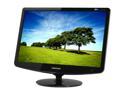
SAMSUNG 22" WSXGA+ LCD Monitor 2 ms D-Sub, DVI 2232BW+
Pros: Size - It gives you a good visual proportion when switching from a 4:3 monitor. You don't get that awkward view as if the monitor was stretched sideways and compressed top to bottom. I was able to get that right screen setting where the text is at a good readable size from arms length, the icons look normal and you see this big desktop space you just gained.
Cons: Short Video cable. If you need to get an extension cable, make sure it is a good quality with low signal loss. I think people are having difficulty mounting the monitor to the base because of the instructions. I build things for a hobby, I can pretty much figure things out without assembly instructions, but this one, I have to read and look at the pieces carefully to visualize how they fit together. After that, it is a snap to fit, just stand the monitor on the side on a soft surface like a pillow, support with one hand, then using the other hand, snap the base in place to snug fit, then, lift the monitor by the sides with both hands, gently place on a even stable surface, as you press down on it to seat the base. Follow the instruction on how to check if it is seated properly.
Overall Review: First week I got this, I watched a movie in parts during my lunch time.
12/18/2008See more detail
Not Bad ... Decent product
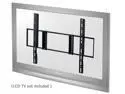
Rosewill RMS-A660 30" - 60" Flush wall mount for large screen TV
Pros: cheap compared to what you will find in larger retail stores.
Cons: Like what people said, the proximity to the wall is very close, you may have a hard time with hooking up cables if you mess around with those things all the time.
Overall Review: I mounted a 3/4 plywood to the area behind where I want it to be. Made sure the plywood is secured to the wall studs. Mounted the bracket to the plywood. Painted it Satin Black to blend in. Worked well for a 32-inch LCD TV. Got some more ventilation and little wiggle room for the sideways cable jack.
5/15/2008See more detail
For its price of under $20..it is not that bad.
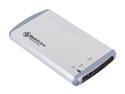
BYTECC HD-201U2 (SILVER) Aluminum 2.5" IDE USB2.0 mini External Enclosure
Pros: It does not use external power source other than USB port. Decent construction. It is not meant for you to swap drives all the time. I have 2 of them, each with a 7200RPM 60GB drive, works fine with WinXP and Win2K, plug and play like any USB device. I just make sure I stop the device before unplugging to minimize the risk of corrupting data. I use it for client data back-up/restore/burn to CD or DVD and have not encountered a USB 1.1 or 2.0 computer that have problems with it.
Cons: The supplied USB cable seems proprietary. The cable I have has a mini USB on one end and has 2 Standard USB connector on the other end. I have not figured out exactly what is the other connector for. I suspect it is piggy-back for additional power. I have tried using off the shelf Mini-USB to Standard-USB cable, like what you find for digital cameras, did not work
Overall Review: There was another brand previously sold here on newegg that I prefer over this product. It does not use proprietary cable and works just as reliably... at least for me.
4/4/2007See more detail