
Your Browsing History


Tyler R.
Joined on 01/10/19
0
0
product reviews
- 12
Nice
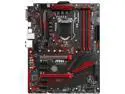
MSI B360 GAMING PLUS LGA 1151 (300 Series) Intel B360 USB 3.1 ATX Intel Motherboard
Pros: Nice debug LEDs, which will tell you where any problems may lie.
Cons: Don't know if it's the case or what, but this board sits a tiny bit away from the I/O shield. Not enough to prevent connections though. Watch for old stock if you're using a new CPU.
Overall Review: So....This board is compatible with the latest Intel chipset, such as my new I7-9700K, but only with a BIOS update. Boards produced after October 2018. Any of these (Old stock) that were manufactured before that date, will have an old BIOS and will not recognize the latest gen chips. I had to take my whole computer into a store, have them replace my CPU with an older compatible one, update BIOS, and replace my CPU. Would have done it myself, but I didn't have an old CPU. Whole thing cost me 50$. You can tell it's BIOS by the S/N , and a series of numbers that will clue you in. Other than that hiccup, board is solid.
3/27/2019See more detail
Garbage.

AMD Gift - Ryzen Equipped to Win Game Bundle, Redemption Expires: 2/15/2020
Pros: None.
Cons: Epic game store exclusive. Must use on machine with the CPU installed. Hardware checking softare, while it might not be invasive, is invasive in that it's forced on you. Expires before the game can be released to Steam.
Overall Review: I was going to buy this CPU anyway, got this included. As soon as I read the fine print and realized what was up, I decided not to bother at all. It's just going to expire. Worthless. You couldn't pay me to use EPIC.
12/16/2019See more detail
Time restraint

AMD CPU Gift - Game Bundle Warhammer 40K: Space Marine 2 & Unknown 9: Awakening
Pros: Thanks I guess.
Cons: Building a PC, obviously couldn't redeem this before it expired. It does a hardware check to ensure you have the hardware it came bundled with, which is reasonable I guess.
Overall Review: Can't gift to a friend, timeframe for redemption was too short.
11/12/2024See more detail
Nice
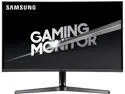
Samsung CJG5 Series C32JG50, 32" 1800R 16:9 Curved monitor, 2560 x 1440 2K, 250cd/m2, 3000:1, 144Hz, DP, 2xHDMI, Tilt, VESA mount
Pros: Large, crisp. The curve might take some getting used to, but so far it looks nice.
Cons: To remove the stand from the base of the monitor, you need weightlifting strength, and it legit feels like you've broken it when you succeed. After an hour of use, the power barrel plugged into the back of the screen was so hot, it legitimately burned my skin. Who designs a screen using a power barrel in the first place? This seems like terrible design. Why they couldn't use the twin-barrel rubber connection, or the same kind that plugs into the back of a computer...I don't know. The tilt mechanism is very difficult to adjust. Almost recommend taking the base apart (Screws), loosening the screws on the slide, adjusting it, and tightening it.
Overall Review: Fantastic screen, but the heat of the A/C cable worries me a lot.
10/23/2019See more detail
Quiet

Corsair Hydro Series, H150i PRO RGB, 360mm. 3 X 120mm ML PWM Fans, Advanced RGB Lighting & Fan Control w/ Software. Liquid CPU Cooler. CW-9060031-WW. Support: Intel 2066, AMD AM4.
Pros: My resting heartbeat is louder than this thing. This thing not only cools my CPU, but keeps my entire case very cold. Plenty of extra screws.
Cons: Need to use the Corsair software otherwise the fan speeds will remain terribly slow.
Overall Review: The three fan one is....well, long. Placing it in the case may require a helping hand. Might have been easier if I'd put this in before Ram/Mobo/etc.
9/23/2019See more detail
Easy
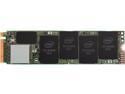
Intel 660p Series M.2 2280 512GB PCIe 3.0 x4, NVMe 3D2 QLC Internal Solid State Drive (SSD) SSDPEKNW512G8X1
Pros: Easy to install, fast. No issues after 5 months.
Cons: None yet.
Overall Review: Installs easy, but note: Be careful of install. When inserting into slot (All PCIe cards) mind the angle of insert. 30 degrees. Too steep an angle, and you can damage the pins on the connector, resulting in faulty or no connection. Not ideal for a storage device.
9/23/2019See more detail