




 here!
here!
I’m your shopping assistant for PC builds, upgrades, and everything tech.
Got questions? Ask away!
Start a conversation
here!
I’m your shopping assistant for PC builds, upgrades, and everything tech.
Got questions? Ask away!
Start a conversation

Joined on 12/15/05
Great in RAID-Z
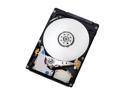
Pros: I bought 2 of the previous model with 16 MB cache in June 2009 and used them in external HD enclosures without incident. When the price dropped, I bought 3 more, now with 32 MB cache; shame on Newegg for limiting me to 3 at that price ;-)) Anyway, I took the 2 out of the external enclosures and created an OpenSolaris RAID-Z (like RAID-5) using all 5 drives for ~4TB of usable space (Old IBM Zpro PCI-X (not PCI-e) server circa 2003, but with Supermicro AOC-SAT2-MV8 8-port SATA card, 4GB and dual 2.8 GHz Xeon) (It was FREE so don't complain). I hammered them during testing (dd if=/dev/urandom of=random1.tmp blocksize=1M count=1M; yes that's a 1 TB file of random junk, then copied it two times). Array was > 75 MB/s during copy. I then performed a 'zfs scrub' several times (this reads and verifies every disk block against its 128-bit checksum). [This is more drive torture in a few days than most people will do in a lifetime]. [No more space, See Other Thoughts]
Cons: When I hammered the 5-disk RAID-Z, the drives were hot to the touch, though not burning, UNTIL I put the side case cover on. When I checked an hour later, no issues. Drive noise was not noticeable, but that may have been due to all the case fans masking it. Previous OEM packaging / shipping from Newegg was marginal. These Retail packages are fine. Really no complaints here.
Overall Review: These drives performed GREAT during the ZFS torture tests. And I do mean torture. I'm putting very valuable data on here and can't afford a failure! With that said, if reliability is important to you, then ALWAYS use OpenSolaris ZFS. This will be a file server mainly to support my Windows boxes BTW. More Stats: Drive array maxed out at 120 MB/s in sequential writes (using /dev/zero as input). This makes the 75-80 MB/s all that much more impressive on the copy. Overall 5 eggs!
Drives my Seiki 4K and another 24" montior
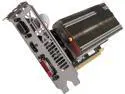
Pros: This card is cheap and is therefore underpowered compared with high end gaming systems. I didn't take off eggs because you shouldn't expect it to perform that way for a third of the cost. The passive cooling and low energy usage for engineering and desktop applications is great.
Cons: None, again, it's a sub-100 dollar, passively cooled card.
Must have for Engineering
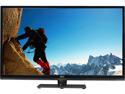
Pros: THE COST. Nothing else comes close. Despite its idiosyncrasies, most of which Seiki could probably fix with a firmware upgrade (I have 2/14/2014 version), this is still an unbelievable buy. No one should use a monitor over 24" unless its resolution exceeds 1920x1080. This monitor allows me to read full size engineering drawings (42x30 in real life) without zooming in, which is a huge time saver. My settings are as follows to get a reasonable color rendering: USER: Contrast 52, Brightness 48, Color 39, Tint 0, Sharpness 0, Color Temp Normal, Blue Screen Off SETUP: Noise Reduction Off In the Special Service Menu 0000 Other Settings: TI Mode Off, Swap Mode Off, Backlight 40, Uart Mode Off LVDS: On, 8, 66K, Off, 1995 DDR Spread: On, 7, 47, 0 VGA Debug: 0, 4400, 2250, 0, 0 Color Temp: HDMI1, Normal, 131, 124, 127, (Offsets) 495, 510, 504 Video Quality: User, 52, 48, 0, 39, Off, Normal These settings give decent color photographs, but not ideal. As I use this for business apps, it's not an issue. I'm using a cheap XFX R7-240A-CLH4 Radeon R7 240 2GB video card. Don't expect to stream 4K video and have this card keep up however, but it runs cool and is passively cooled.
Cons: This is a TV, which means you need the remote to turn it on; you can't move your mouse and have it wake up. If you have more than one monitor, when this one goes off, Windows thinks it's disconnected and really screws up your windows, icons, etc (see work around below). Also, the most annoying problem is the backlight; in the special service menu (Menu then 0000 on the remote) the backlight will say 40, but it's really 100; as soon as you go up to 41, then it fixes itself. But! you have to do this every time you turn on the TV. From time to time the monitor starts a 60 second countdown to turn off; make sure you have the remote nearby. I'm not sure what causes it, but it happen a few times a week.
Overall Review: Make sure you get AutoHotKey for Windows so you can write scripts to arrange windows with hot keys. If you have more than one monitor and the Seiki is your primary, this is a must have, otherwise you have to reconfigure your windows every time the monitor turns off.
Great with Solaris ZFS
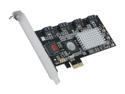
Pros: I've been running two of these non-stop for over two years in JBOD mode with no issues. (8) 1 TB drives in a RAIDZ2 Vdev on OpenSolaris and Oracle Solaris.
Cons: Not x8 PCIe, but not a big deal
Overall Review: I've tested the port multiplier features, and they work fine.
Great for the money
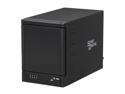
Pros: I bought this on sale from NewEgg. The construction is great for this price range (based on price 5 eggs). Delivered as promised. Would buy again for the price.
Cons: Case was a little flimsy. Getting the drives out was a PITA, especially the top one. All four drives weren't accessible from the BIOS, only drive 1. After OpenSolaris booted, all four drive lights came on from the JBOD SATA port multiplier (connected with eSATA port on my ASUS M4A785TD-V EVO AM3 AMD 785G motherboard).
Overall Review: Verify your card/motherboard support a port multiplier. I took a bet and was correct.
Works fine in my HTC Evo
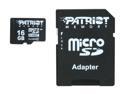
Pros: Delivers what it promises. Not fast, but it works fine.
Cons: Only Class 4.


