

Your Browsing History


Julien P.
Joined on 05/05/15
0
0
product reviews
- 4
Silent, typical Noctua quality
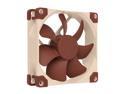
Noctua NF-A9 PWM, Premium Quiet Fan, 4-Pin (92mm, Brown)
Pros: Silent at full speed, small, great airflow and static pressure for its size.
Cons: Expensive, unthreaded screw holes.
Overall Review: Used it on an NZXT Kraken G10 GPU bracket.
11/3/2015See more detail
Great case, but 360mm radiator/AIO owners beware
MSI MPG X870E CARBON WIFI Motherboard, ATX - Supports AMD Ryzen 9000 / 8000 / 7000 Processors, AM5 - 110A SPS VRM, DDR5 Memory Boost 9000+MT/s (OC), PCIe 5.0 x16 & 4.0 x16, M.2 Gen5, Wi-Fi 7, 5G LAN
Pros: Probably the best case I've built in (AIO issue aside). Ease of use, modular components, fan hub are all great, but the real standouts are the included fans. With a custom fan curve, they move an insane amount of air with minimal noise. My GPU at 0RPM mode sits at 28-30 degrees Celsius web browsing and watching videos, which is crazy. Seriously, the case fans set to "GPU mode" really pack a "positive pressure" punch. Online pics don't do this case justice, the walnut trims are gorgeous. The build quality is among the best I've seen over the last 10 years. So, with all this positivity, why not 5 starts?
Cons: Despite Lian Li claiming so, it seems 360mm radiator compatibility on the top rails is hit-and-miss. My friend and I have the same case, and we both had issues installing our 360mm AIOs. Me with my Arctic Liquid Freezer III Pro, him with his MSI Coreliquid A13 360. There are these 2 metal tabs we unfortunately had to remove with pliers in order to make our radiators fit. What's strange is that these tabs serve no practical purpose, not even for structural integrity. There's no reason for them to be there and they were obstructing the top 2 screw holes for the lower side of the radiator. It's hard to explain by text, but at some point along the rail mount, there are 2 tabs for the 120mm mounts that just repeat way too early along the rail. It's those 2 that caused our issues. PCPartPicker said it was compatible, Lian Li said it was compatible, so is it a tolerance issues? I dunno, but we've unfortunately voided our warranties to make our AIOs fit. We just didn't want to order another case.
Overall Review: Great case overall with fantastic airflow for all your components. Just reconsider if you plan on installing a 360mm radiator in this case at the top.
6/24/2026See more detail
Probably the best CPU cooler for my processor at its current price range
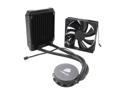
CORSAIR Hydro Series H55 Quiet Edition Water / Liquid CPU Cooler 120mm (CW-9060010-WW)
Pros: Wow, this thing really surprised me. At 1.25 volts, full load OC'd @ 4.2 GHz, my i5 4670k never EVER peaked at 60 degrees Celsius with the stock fan (which was a pretty decent fan in all honesty). I swapped it out with two Noctua NF-F12s for a nice push-pull configuration, and now my temps have trouble reaching 50 degrees Celsius. All you have to do is make them both run at 800 RPM, and you won't hear a thing since they're virtually silent at any given speed. Although the pump casing feels a little hollow and brittle, it's still very sturdy, and a breeze to install as long as you don't overthink the instructions and tighten the backplate in an X pattern. The radiator is very well-built and the piping is flexible, resilient, and easy to work with. I was afraid the plastic backplate would break at some point, but after about half a year of ownership I can say that as long as you trust your gut when installing the pump, relying simply on the instructions, you won't have a problem.
Cons: Very mundane cons, none of them deal-breakers. The pump might scare you with a quick spurt of liquid flowing throughout the cooling system when first activated. It only lasts a few seconds so don't be worried. The pump itself makes a small electrical noise, but when enclosed in a panel and surrounded by fans, it becomes inaudible. Finally, the rubber tubes are a bit long, so be mindful about the case you have. My case happens to be a Corsair Obsidian 350D mATX case and I was able to do a push-pull configuration without any issues in the rear fan spot.
Overall Review: Great overall, not a dud and it surpassed my expectations, especially since it replaced my Noctua NH-U12S. The same processor under the same loads and voltages would reach 70 degrees Celsius with the two NF-F12s in push-pull. Also, the H55 has given me less mounting issues than the H110i GT I tested earlier this year. After about 6 months of ownership, its performance hasn't degraded, not even marginally. I love this gem of a cooler. One more thing: it's just me but I don't trust stock thermal paste. I used Noctua's thermal paste, I think it's a nice little upgrade. Just wipe off the stock paste with coffee filters and rubbing alcohol (over 90%), buffer the water block with dry coffer filters (in a circular motion), and apply the new paste on the CPU (I used the pea method, it's never failed me before).
11/3/2015See more detail
Decent cooler
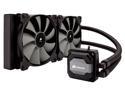
Corsair Hydro Series H110i GT High Performance Water / Liquid CPU Cooler
Pros: This thing cools my i5 4670k very well at very low fan RPMs (for silent operation). At around 600 RPM, the stock fans are able to cool my CPU at 100% load, 4.2 GHz, 1.35 core voltage, at less than 60 degrees Celsius. If you are willing to sacrifice silence, the CPU's max temp can be as low as 45 degrees Celsius. Very nice. The pump itself is actually pretty quiet. I can only hear a faint trickling noise (typical of a liquid cooler) when my ear is up against the case. The RGB pump LED is also very nice, and Corsair Link is not as wonky as I expected it to be. In fact, the latest version of Corsair Link hasn't given me any problems.
Cons: DO NOT use the stock thermal paste. I only used it for a test run and got some awkward temperature spikes on idle. I highly recommend you use Noctua's NT-H1. Just wipe off the stock paste on the pump with a bit of rubbing alcohol, apply the new paste, and there you go. Also, the fans do get loud above 700 RPM since the radiator itself is almost a solid wall against airflow (which generates noise). I keep mine as intakes running at 600 RPM and things have been smooth from there. The stock fans could be quieter at higher speeds but this is all I need.
Overall Review: All in all, it's a very nice cooler. I recommend you use different thermal paste and orient the fans as intakes towards the radiator. Plus, this has overclocking potential at low fan speeds. My Noctua NH-U12S had fans running at 900 RPM to keep the same CPU from reaching above 75 degrees Celsius.
5/12/2015See more detail