
Your Browsing History


Kevin W.
Joined on 09/10/08
0
0
product reviews
- 6
SLI'd Two
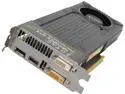
ZOTAC ZT-70406-10P G-SYNC Support GeForce GTX 760 4GB 256-Bit GDDR5 PCI Express 3.0 HDCP Ready SLI Support Video Card
Pros: These cards run everything I can throw at them right now. I'm not gaming at 2560x1440 at the moment but at 1080p these cards are quiet and overkill. Metro last light no problem @ max settings. 2 of these are a bargain with 4GB of ram compared to competitive models. Software allows for over clocking.
Cons: The branding is upside down?
Overall Review: I took a chance on these because they were cheaper. Happy I did. I'm still running an i7 920 Bloomfield with pci 2.0 and am very happy with this upgrade over a new mobo/CPU combo and running on my previous GTX 560 FTW.
9/3/2013See more detail
SSDs are the way to go!
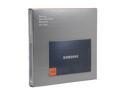
SAMSUNG 830 Series 2.5" 256GB SATA III MLC Internal Solid State Drive (SSD) MZ-7PC256B/WW
Pros: The capacity and performance are outstanding. This is my second SSD (up from a 128 previously). Nice utility software included.
Cons: I can't hear it? and my applications load faster? hmm...
Overall Review: Between Corsair & Samsung SSDs - I like my Samsung model more because the software utilities that came with it are actually useful. My Corsair did not come with any utilities and after using my Samsung I searched Corsair for something similar and found nothing on their site. If you're still not running your operating system on an SSD you're missing out. If you're even on the fence about whether purchasing an SSD will make you happy versus staying with a traditional spinning drive... buy an SSD - you won't be disappointed. As for capacity. I use a lot of different development software suites - visual studio, photoshop cs4, etc... My first SSD was only 128 GB and I had to be pretty choosy about what I installed on the SSD over what I installed on my secondary spinning disk. With this 256GB drive, I install all my applications on it (including games) and just leave the majority of my documents (pictures, music, etc) on my spinning disks. Build times for software and load times for games is ridiculously faster on an SSD.
12/1/2012See more detail
Quality Product
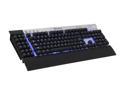
Corsair Vengeance K90 Black/Metal USB Wired Gaming Performance, MMO Mechanical Keyboard
Pros: Solid construction. The metal frame is light but thick enough that it feels solid. All of the keys, regular dome switches and cherry red switches, feel crisp and responsive. The double USB cable forks at the very end for easy cable management and a clean install. The wrist pad is very comfortable. The macro keys on the left are very easy to program on the fly. I doubt most users will even need the software. The only advantage to using the software to bind macros is for advanced timing and tweaking. All of the media keys, volume slider, and windows lock key work as advertised.
Cons: Just to pick on corsair. All that is in the box is the keyboard, a warranty slip, and a quick start guide. There really doesn't have to be anything else in the box; however, the quick start guide has a website link on it for you to get the software that is broken.
Overall Review: I'm using Windows 8 Professional and this keyboard was fully functional right off the bat plug and play. I didn't have to download any drivers. The noise from the cherry mx switches is negligible IMO. I wasn't sure if I'd like the recessed nature of the design (having all the keys elevated off the keyboard) but I can see were this will make it very easy to keep clean with a quick spray from a can of air. It's been a long time since I spent more than $20 on a keyboard. I'm very happy I did.
12/1/2012See more detail
Works Great
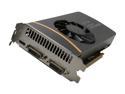
EVGA 01G-P3-1468-KR GeForce GTX 560 (Fermi) FTW+ 1GB 256-bit GDDR5 PCI Express 2.0 x16 HDCP Ready SLI Support Video Card
Pros: I've had the card for 6 months. Playing Dirt 3, Skyrim, or Company of Heroes at 1920x1080 with maximum settings produces very playable frame rates. With my configuration I get usually 60+ FPS and on occasion it dips into the 50s for Skyrim or Dirt 3. I have no complaints about it's performance. It's also a heck of a lot shorter than my previous GTX 275.
Cons: You'll know when the fan hit its cruising speed of 4K+/rpm.
Overall Review: My card does get hot. Dirt 3 plays in the low 90C range. Skyrim and Company of Heroes play in the mid-high 80C range. These temps were taken from EVGA's Precision X utility. With that said, I bought an air cooled video card with significant factory overclocking - it should get hot right? If you're interested in SLI'n two of these cards for 2D/3D surround do some research. It's listed here as 3D surround ready, but Nvidia's site does not list the non-Ti versions of 550s or 560s as supporting the surround feature.
5/9/2012See more detail
Simply Awesome
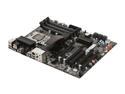
EVGA 141-BL-E757-TR LGA 1366 Intel X58 ATX X58 SLI LE Intel Motherboard
Pros: I hooked everything up and it has worked flawlessly. Very easy to OC. The BIOS has lots of features. The CMOS reset button on the back panel is very handy. I believe this board will meet or exceed 90% of custom builder's expectations. All black looks pretty slick too.
Cons: The PCI-E x1 slot isn't in an ideal location. If you absolutely must have this slot, shop around.
Overall Review: If you do your homework before you upgrade, you won't have any problems with this board.
8/4/2009See more detail
Keeps on rockin!
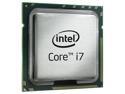
Intel Core i7-920 - Core i7 Bloomfield Quad-Core 2.66 GHz LGA 1366 130W Processor - BX80601920
Pros: Everything about it.
Cons: None.
8/4/2009See more detail