
Your Browsing History


Sally H.
Joined on 10/28/05
0
0
product reviews
- 18
Excellent motherboard, but make sure to update the BIOS
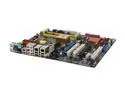
ASUS P5B Deluxe/WiFi-AP LGA 775 Intel P965 Express ATX Intel Motherboard
Pros: Supports the Intel Core 2 Duo. Has lots of ports integrated into the motherboard, and the legacy serial port can be disabled in the BIOS. Comes with external WiFi antenna plus the bottom of the antenna is magnetic, so it easily snaps to your computer case. Comes with a 2xUSB 2.0 dongle and a FireWire dongle. Also comes with everything you need to set up a SATA RAID (except the hard disks), Q-connectors for easier installation, and a good microphone. I didn't need the 2 extra mounts that were provided. The heat pipe is a nice feature for cooling.
Cons: Picky about the RAM. It would be wise to look up the compatible RAM types before buying RAM for this motherboard. The motherboard manual, which contains the compatible RAM list, is available from the ASUS web site. You may need to find a low-end but compatible stick of RAM to use to update the BIOS to support high-end RAM. Without updating, you may not even get to the POST. Note: another reviewer (MaK) said that ASUS will send you a free updated BIOS chip if you call ASUS. So, if you can't get to the POST and don't have a compatible spare DDR2 stick, try calling ASUS. Anyway, I received an error during POST and had to flash the BIOS in order to support the Core 2 Duo E6300. In any case, updating the BIOS is the first thing you should do after installation - updating the BIOS from a USB pen drive is quick and easy, instructions are in the motherboard manual.
Overall Review: If you have AC'97 front panel audio, you must go into the BIOS setup and explain that you are using AC'97 and not HD for your front panel audio. Do not connect the fan that snaps onto the end of the heat pipe unless you are setting up a passive-cooler or water-cooler cooling system - it will interfere with an ordinary cooling system. The PATA connector is turned on its side, making connection of a PATA device like a DVD drive a little more interesting. All in all, this is an excellent motherboard.
9/1/2006See more detail
It's OK, but I don't recommend it.
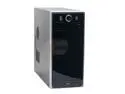
JUST PC 706ATXBK Black Steel ATX Mid Tower Computer Case 550W ATX12V P4 SATA Power Supply
Pros: Powerful power supply, excellent cooling, 1 SATA power connector, has a cover to keep dust out of front ports when not in use.
Cons: 1. At the end of expansion cards and dongles where you screw it in, the end is supposed to extend down into the case. This prevents the bottom of the card from hitting against the motherboard. On this case, that part of the case was too low and so the ends of the cards did not extend down into it like they should have. Because of this, I did not use the USB dongle that came with the motherboard I installed - it would have been too loose for my liking (the cord of the dongle is too short to connect it to one of the dongle spots below the power supply, and if I did that it wouldn't have had the attractive cover). 2. The cover for the CD/DVD drive is opaque, so you can't use it if you want to see the light on your CD/DVD drive.
Overall Review: I chose to leave the RESET button and the temperature sensor disconnected.
8/28/2006See more detail
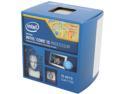
Intel Core i5-4570 - Core i5 4th Gen Haswell Quad-Core 3.2 GHz LGA 1150 84W Intel HD Graphics Desktop Processor - BX80646I54570
Pros: Fast and good video performance!
Cons: None
11/27/2013See more detail
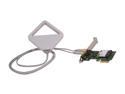
Intel 2200BNHMWDTX1 PCI Express x1 Centrino Advanced-N 2200 for Desktop IEEE 802.11b/g/n Up to 300Mbps Wireless Data Rates
Pros: Works fine
Cons: None
11/27/2013See more detail
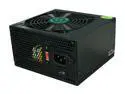
Diablotek PHD Series PHD350 350 W ATX12V V2.2 Power Supply
Pros: Quiet
Cons: None so far
11/27/2013See more detail
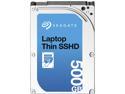
Seagate ST500LM000 500GB 5400 RPM 64MB Cache SATA 6.0Gb/s 2.5" Laptop Thin SSHD Bare Drive
Pros: Fast and spacious
Cons: None so far
11/27/2013See more detail