
Your Browsing History


Michael C.
Joined on 09/24/07
0
0
product reviews
- 6
Booted on first try
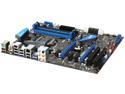
MSI P67A-GD65 (B3) LGA 1155 Intel P67 USB 3.0 ATX Intel Motherboard
Pros: Very well build board. Solid components, and it booted (overclocked even) on the first try. Installed Win7 within 2 min of finishing the physical build. Really like the power and Rest buttons direct on board. It was usefull during build out and overclock testing.
Cons: Drivers... MSI's online utility is a great idea, but it didn't work for me. I had to get updated drivers direct from Intel, RealTech, and JMicron. I was not able to get the system stable and happy using out of box MSI's drivers. AutoOverclock doesn't seem to care about heat!! Hitting the overclock button, really does what its sold as. In fact, I overclocked the first boot and installed Windows that way, just to see if I could. So.. it works. But its not very nice to the processor along the way.
Overall Review: Do not overclock a 2600K with the Intel OEM Cooler, it is the worst heatsink I've ever seen them ship.
4/1/2011See more detail
Worked 99% of the time for me :-)
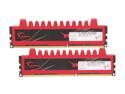
G.SKILL Ripjaws Series 8GB (2 x 4GB) 240-Pin PC RAM DDR3 1600 (PC3 12800) Desktop Memory Model F3-12800CL9D-8GBRL
Pros: Soild build, and 3 of the 4 stick I bought work. Paird with a 2600K and they produce great results 7.6 out of 7.9 on the Windows Experience Index (MSI motherboard.)
Cons: I had one bad stick that took over a month to find. It passed every diag I through at it (Motherboard and Windows 7), but my system would blue scree every few days and failed to pass a burn in tests. (would run normal communting tasks however.) Only after stripping the sytem and pulling items one by one did I find the bad part.
Overall Review: Not sure $100 is worth the RMA. May just buy a second set and hope for the best.
4/1/2011See more detail
Never a solid connection

D-Link Wireless AC1750 Dual Band Gigabit Cloud Router (DIR-868L)
Pros: Feature list is very long, and the marketing spin of what they promise is impressive.
Cons: It was just never stable as a wireless device. And the issues it had on the wireless front (especially with Samsung Devices) caused the device to become unstable. I removed the device and moved on.
Overall Review: Note: My standards are very high, and I know a lot of about networking. So you may be fine ... but there are issues with DLink and Samsung as it relates to WiFi security settings. They have been around for a long time now... and I get the impression no one is interested in addressing them.
9/22/2014See more detail
Amazing
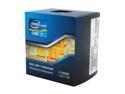
Intel Core i7-2600K - Core i7 2nd Gen Sandy Bridge Quad-Core 3.4GHz (3.8GHz Turbo Boost) LGA 1155 95W Intel HD Graphics 3000 Desktop Processor - BX80623I72600K
Pros: Very good speed. Maintained stability, even with a bad memory stick. 7.6 out of 7.9 on the Windows 7 Experience Index.
Cons: Stock OEM heatsink is horrible. Worst I've ever used. Wasn't able to keep the chip cool under normal use situations, and I have 7 fans in my case. And by that I mean, the system was shutting itself down due to temp triggers.
Overall Review: There were concerns about a cold bug with this chip at 20c. My new cooler keeps the chip at or below that level and I don't see any issues. So the issue, at least for the Reail chips, seems to be resolved.
4/1/2011See more detail
Amazing
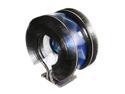
ZALMAN CNPS9900MAX-B 135mm Long life bearing CPU Cooler Blue LED
Pros: Using it on a new SandyBridge 2600K. My new max temp is equal to idle temp when using the Intel OEM heatsink. And, its is pretty quite given the size of the thing.
Cons: The OEM Intel coolers don't use a back plate behind the motherboard, and this one does. So, if you add this to an existing build, you will have to pull your motherboard to attach the fan.
Overall Review: The blue LED lighting is nice, if you like that sort of thing.
4/1/2011See more detail
Great for the price
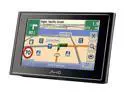
Mio 4.3" GPS Navigation with TMC
Pros: This is my second Mio. It's their best unit so far, the screen is big enough, and the features and maps are OK. The Traffic feature is interesting, but beware ther is a second anteana for it, that is both long, and annoying.
Cons: This unit died within the first two weeks. Its going back to be swapped now. NewEgg customer support rocks, Mio's customer support is nice, but not very supportive.
6/13/2008See more detail